1.8 V to 3.6 V


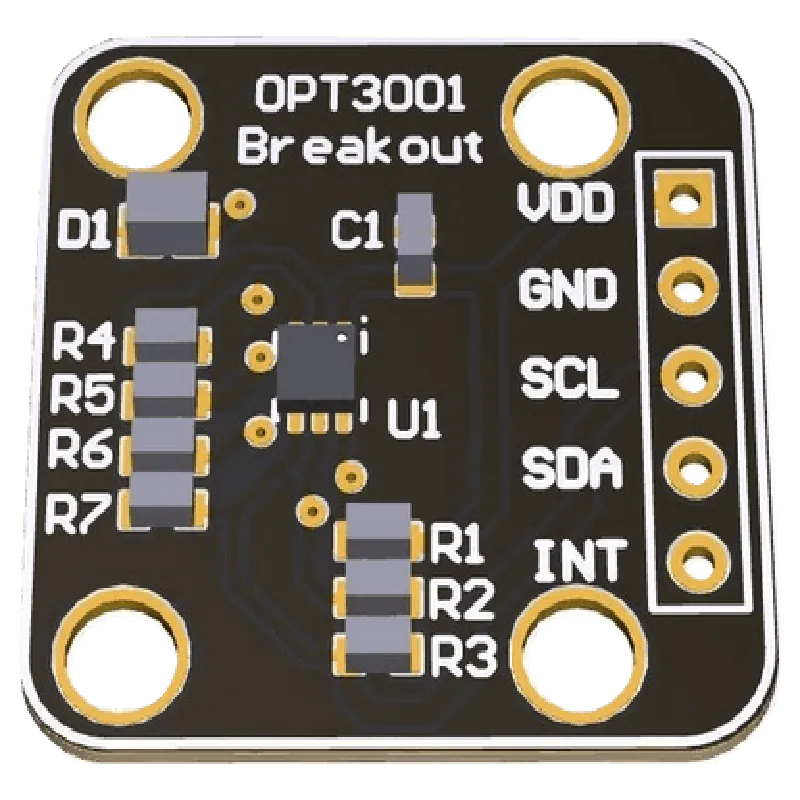
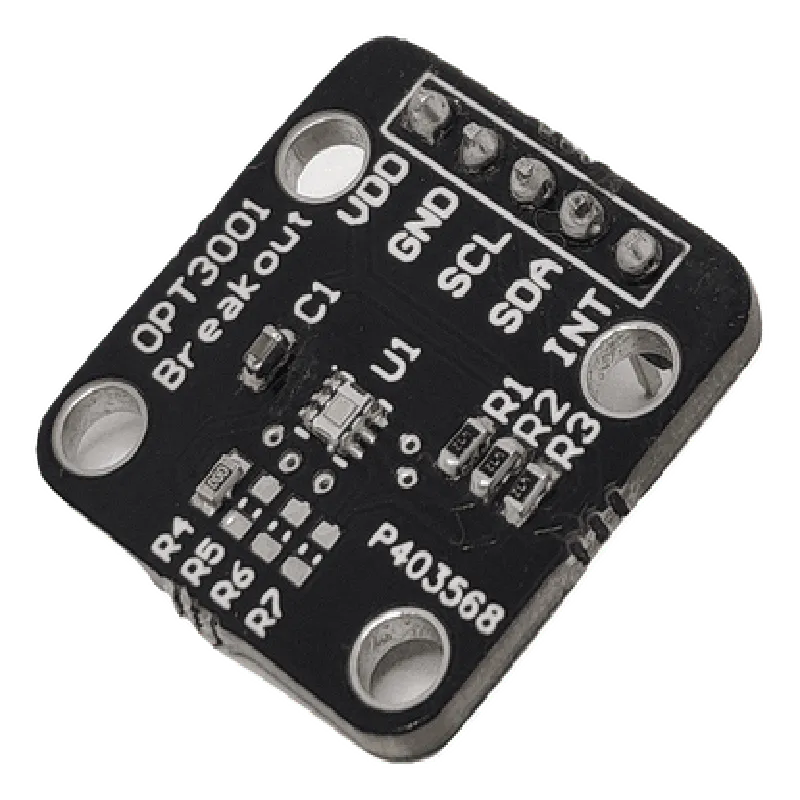
1.8 V to 3.6 V
1.8 A (typical), 3.6 A (max)
I2C (100 kHz and 400 kHz)
0.01 lux to 83,000 lux
10% over the entire dynamic range
100 ms (typical)
8-pin DFN (2 mm x 2 mm)
-40C to 85C
-40C to 125C
Applications
| The Witty Fox - OPT3001 Digital Ambient Light Sensor is suitable for a wide range of applications, including |
IoT devices
Wearables and fitness trackers
Smart home devices and automation systems
Industrial automation and monitoring systems
Automotive applications (e.g., interior lighting control)
Conclusion
The Witty Fox - OPT3001 Digital Ambient Light Sensor is a high-performance, low-power, and compact light sensor module that provides accurate and reliable measurements of ambient light intensity. Its digital output, I2C communication interface, and compact design make it an ideal choice for various applications where precise light sensing is critical.
Witty Fox - OPT3001 Digital Ambient Light Sensor | Precise LUX meter sensorOverviewThe Witty Fox OPT3001 Digital Ambient Light Sensor is a high-precision light sensor that measures ambient light levels in lux (lx). It is a versatile and accurate sensor suitable for various applications, including IoT, robotics, home automation, and more.Technical SpecificationsSupply Voltage: 1.8V to 3.6V
Communication Interface: I2C
Measurement Range: 0.01 lux to 83,000 lux
Resolution: 16-bit
Accuracy: 5% (typical)
Response Time: < 100 ms
Operating Temperature: -40C to 85CPinoutThe sensor has a standard 6-pin I2C interface:| Pin | Function |
| --- | --- |
| VCC | Power Supply (1.8V to 3.6V) |
| GND | Ground |
| SCL | I2C Clock |
| SDA | I2C Data |
| INT | Interrupt Output |
| ADDR | I2C Address (optional) |Code Examples### Example 1: Basic Light Level Measurement (Arduino)```cpp
#include <Wire.h>#define OPT3001_ADDRESS 0x23 // Default I2C addressvoid setup() {
Serial.begin(9600);
Wire.begin();
}void loop() {
uint16_t result = readLightLevel();
Serial.print("Light level: ");
Serial.print(result);
Serial.println(" lux");
delay(1000);
}uint16_t readLightLevel() {
uint16_t data = 0;
Wire.beginTransmission(OPT3001_ADDRESS);
Wire.write(0x01); // Register address for light measurement
Wire.endTransmission();
Wire.requestFrom(OPT3001_ADDRESS, 2);
data = Wire.read() << 8;
data |= Wire.read();
return data / 100.0; // Convert to lux (divide by 100)
}
```### Example 2: Automatic LED Brightness Adjustments (Raspberry Pi - Python)```python
import smbusbus = smbus.SMBus(1) # I2C bus 1
opt3001_address = 0x23while True:
bus.write_byte(opt3001_address, 0x01) # Register address for light measurement
data = bus.read_word_data(opt3001_address, 0x01)
light_level = data / 100.0if light_level < 100:
led_brightness = 255 # Maximum brightness
elif light_level < 500:
led_brightness = 128 # Medium brightness
else:
led_brightness = 0 # Minimum brightness# Adjust LED brightness using PWM or other methods
print("Light level: {:.2f} lux, LED brightness: {}".format(light_level, led_brightness))
time.sleep(1)
```### Example 3: Interrupt-based Light Threshold Detection (ESP32 - C/C++)```cpp
#include <WiFi.h>
#include <Wire.h>#define OPT3001_ADDRESS 0x23
#define INTERRUPT_PIN 2 // ESP32 GPIO 2 as interrupt pinvolatile bool lightThresholdReached = false;void IRAM_ATTR isr() {
lightThresholdReached = true;
}void setup() {
pinMode(INTERRUPT_PIN, INPUT_PULLUP);
attachInterrupt(INTERRUPT_PIN, isr, FALLING);
Wire.begin();
}void loop() {
if (lightThresholdReached) {
lightThresholdReached = false;
uint16_t lightLevel = readLightLevel();
if (lightLevel < 100) {
Serial.println("Low light level detected!");
// Take action, e.g., turn on a LED
}
}
delay(10);
}uint16_t readLightLevel() {
uint16_t data = 0;
Wire.beginTransmission(OPT3001_ADDRESS);
Wire.write(0x01); // Register address for light measurement
Wire.endTransmission();
Wire.requestFrom(OPT3001_ADDRESS, 2);
data = Wire.read() << 8;
data |= Wire.read();
return data / 100.0; // Convert to lux (divide by 100)
}
```These examples demonstrate how to interact with the Witty Fox OPT3001 Digital Ambient Light Sensor using different microcontrollers and programming languages. They cover basic light level measurements, automatic LED brightness adjustments, and interrupt-based light threshold detection.