2.4GHz


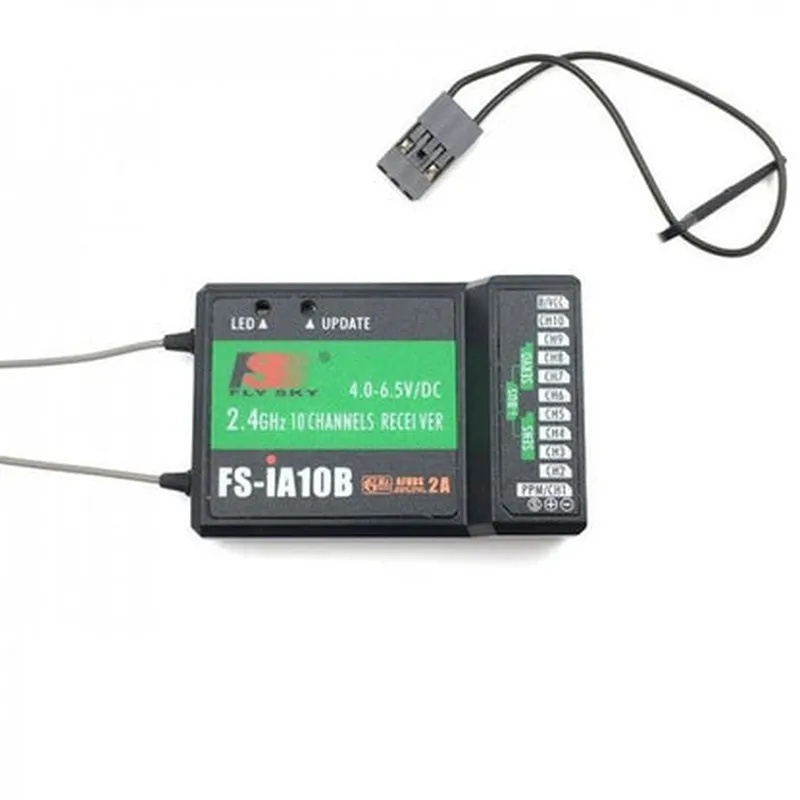
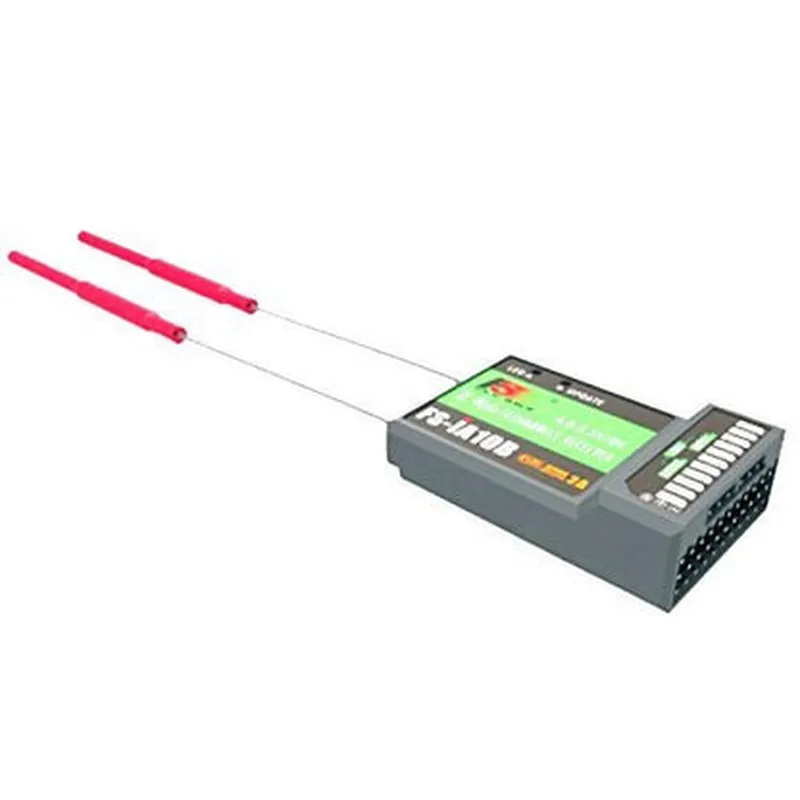
2.4GHz
10
Up to 1.5 km (0.93 miles)
Approximately 100mA
44mm x 24mm x 11mm (1.73" x 0.94" x 0.43")
12g (0.43 oz)
4.0-6.0V
PPM (Pulse Position Modulation) signal
Applications
| The FlySky FS-iA10B Radio Receiver is suitable for use in a variety of applications, including |
Radio-controlled (RC) models
Drones and UAVs
Robotic systems
Automation and control systems
IoT devices
Conclusion
The FlySky FS-iA10B Radio Receiver is a reliable and feature-rich component that provides precise control and reliable signal transmission in a compact and durable package. Its compatibility with FlySky transmitters and other devices makes it an ideal choice for a wide range of applications.
FlySky FS-iA10B Radio Receiver- 2.4GHz 10 Channel DocumentationOverviewThe FlySky FS-iA10B is a 2.4GHz 10-channel radio receiver designed for use in various remote control applications, including robotics, drones, and model aircraft. This receiver is compatible with the FlySky FS-i6X and FS-i10 transmitters, providing a reliable and interference-free connection.Pinout and ConnectionsThe FS-iA10B receiver has a 3-pin header for connecting to a serial communication bus (UART) and 10 signal output pins for connecting to servos or other devices.| Pin | Function |
| --- | --- |
| VCC | Power supply (3.3V or 5V) |
| GND | Ground |
| TX | UART transmission pin |
| RX | UART reception pin |
| CH1-CH10 | Signal output pins for servo or device connections |Communication ProtocolThe FS-iA10B receiver communicates using a standard serial protocol with the following settings:Baud rate: 115200 bps
Data bits: 8
Parity: None
Stop bits: 1Code Examples### Example 1: Arduino Serial CommunicationIn this example, we'll demonstrate how to use the FS-iA10B receiver with an Arduino board to read servo channel values.```arduino
#include <SoftwareSerial.h>#define RX_PIN 2 // Define the RX pin on the Arduino board
#define TX_PIN 3 // Define the TX pin on the Arduino boardSoftwareSerial mySerial(RX_PIN, TX_PIN); // Create a SoftwareSerial objectvoid setup() {
mySerial.begin(115200); // Initialize the serial communication
}void loop() {
if (mySerial.available() > 0) {
int channelValue = mySerial.read(); // Read the servo channel value
Serial.print("Channel value: ");
Serial.println(channelValue);
delay(50); // Wait for the next value
}
}
```### Example 2: Raspberry Pi Python ScriptIn this example, we'll demonstrate how to use the FS-iA10B receiver with a Raspberry Pi to read servo channel values using Python.```python
import serial
import time# Open the serial connection
ser = serial.Serial('/dev/ttyUSB0', 115200, timeout=1) # Replace with your serial portwhile True:
if ser.in_waiting > 0:
channel_value = ser.read(1) # Read the servo channel value
print("Channel value:", channel_value)
time.sleep(0.05) # Wait for the next value
```### Example 3: ESP32 MicroPython CodeIn this example, we'll demonstrate how to use the FS-iA10B receiver with an ESP32 board running MicroPython to read servo channel values.```python
import machine
import utime# Initialize the UART communication
uart = machine.UART(1, 115200)while True:
if uart.any() > 0:
channel_value = uart.read(1) # Read the servo channel value
print("Channel value:", channel_value)
utime.sleep_ms(50) # Wait for the next value
```Note: In each example, make sure to replace the serial port or pin definitions with the actual values corresponding to your setup. Additionally, the code examples provided are for demonstration purposes only and may require modification to suit your specific application.