

Stufin
Home Quick Cart Profile

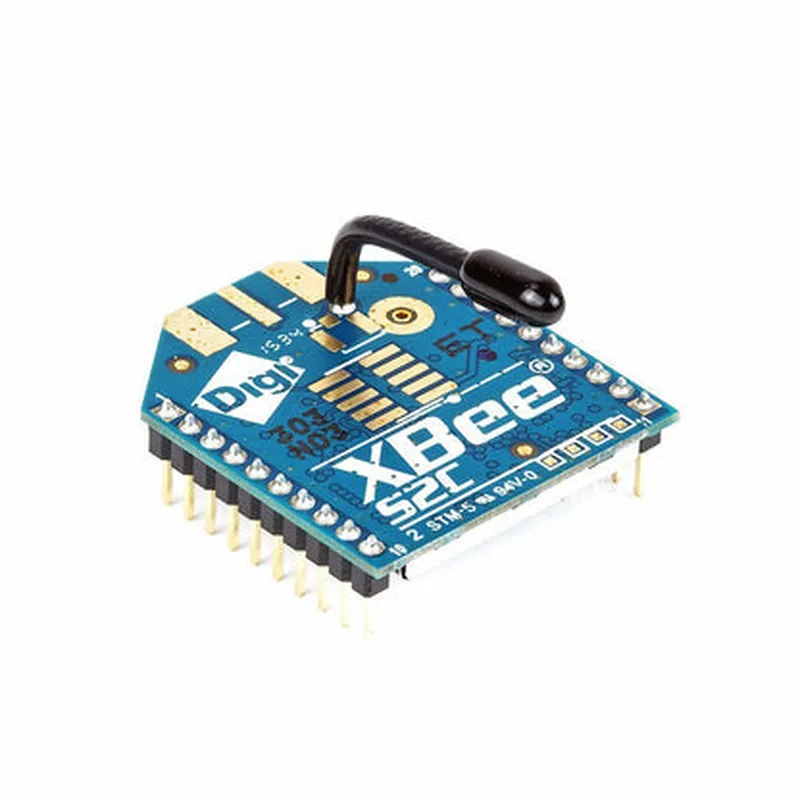
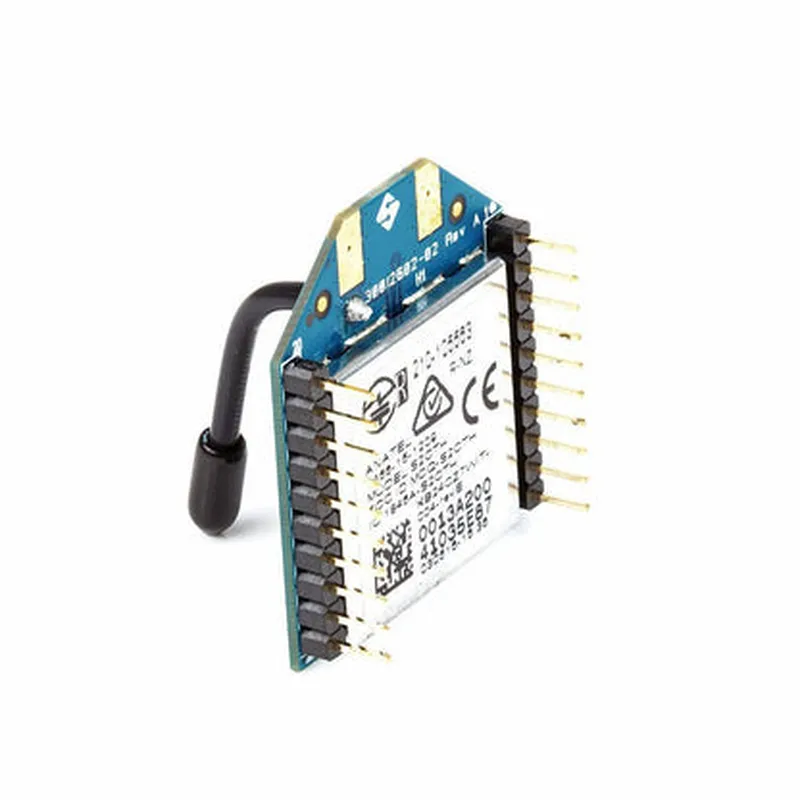
Xbee S2C 2mW Wireless Module with Antenna

Buy Now on Stufin

Frequency Band

2.4 GHz

Data Rate

Up to 250 kbps

Range

Up to 120 meters (400 feet) line-of-sight

Power Consumption

2mW (transmit), 30mA (receive)

Antenna

Integrated PCB antenna

Interface

UART, SPI, and IC

Supply Voltage

2.1-3.6V

Operating Temperature Range

-40C to +85C (-40F to +185F)

Applications

The Xbee S2C 2mW Wireless Module with Antenna is suitable for a wide range of IoT applications, including

Industrial automation and control systems

Home automation and security systems

Wireless sensor networks

M2M communication systems

IoT devices and gateways

Documentation and Resources

For more information on the Xbee S2C 2mW Wireless Module with Antenna, including datasheets, user manuals, and development resources, please visit the Digi International website.

Pin Configuration

  • Xbee S2C 2mW Wireless Module with Antenna Pinout Documentation
  • The Xbee S2C 2mW Wireless Module with Antenna is a popular IoT component used for wireless communication. It has a 20-pin interface, which is explained below:
  • Pin 1: VCC (Supply Voltage)
  • Function: Power supply input for the module
  • Voltage: 3.3V (recommended operating voltage)
  • Notes: A 3.3V power source is required to power the module. Ensure that the power supply is clean and regulated to avoid damage to the module.
  • Pin 2: TX (Transmit Data)
  • Function: Serial transmit data output
  • Signal: 3.3V TTL logic level
  • Notes: Connect this pin to the RX pin of the microcontroller or serial communication device.
  • Pin 3: RX (Receive Data)
  • Function: Serial receive data input
  • Signal: 3.3V TTL logic level
  • Notes: Connect this pin to the TX pin of the microcontroller or serial communication device.
  • Pin 4: RTS (Request to Send)
  • Function: Flow control input
  • Signal: 3.3V TTL logic level
  • Notes: This pin is used for flow control. When the RTS pin is high, the module is allowed to transmit data.
  • Pin 5: CTS (Clear to Send)
  • Function: Flow control output
  • Signal: 3.3V TTL logic level
  • Notes: This pin is used for flow control. When the CTS pin is high, the module is ready to receive data.
  • Pin 6: GND (Ground)
  • Function: Ground connection
  • Notes: Connect this pin to the ground plane of the circuit.
  • Pin 7: assoc (Associate Indicator)
  • Function: Indicates the association status with a network
  • Signal: 3.3V TTL logic level
  • Notes: This pin is high when the module is associated with a network.
  • Pin 8: Reset
  • Function: Reset input
  • Signal: Active low
  • Notes: Pulling this pin low resets the module.
  • Pin 9: VREF (Reference Voltage)
  • Function: Reference voltage output
  • Voltage: 1.8V
  • Notes: This pin provides a reference voltage for ADC converters.
  • Pin 10: ADC/DIO3 (Analog-to-Digital Converter/Digital Input-Output 3)
  • Function: ADC input or digital I/O pin
  • Signal: 3.3V TTL logic level
  • Notes: This pin can be used as an ADC input or a digital I/O pin.
  • Pin 11: DIO4/Digital Input-Output 4
  • Function: Digital I/O pin
  • Signal: 3.3V TTL logic level
  • Notes: This pin can be used as a digital I/O pin.
  • Pin 12: DIO5/Digital Input-Output 5
  • Function: Digital I/O pin
  • Signal: 3.3V TTL logic level
  • Notes: This pin can be used as a digital I/O pin.
  • Pin 13: DIO6/Digital Input-Output 6
  • Function: Digital I/O pin
  • Signal: 3.3V TTL logic level
  • Notes: This pin can be used as a digital I/O pin.
  • Pin 14: DIO7/Digital Input-Output 7
  • Function: Digital I/O pin
  • Signal: 3.3V TTL logic level
  • Notes: This pin can be used as a digital I/O pin.
  • Pin 15: DIO8/Digital Input-Output 8
  • Function: Digital I/O pin
  • Signal: 3.3V TTL logic level
  • Notes: This pin can be used as a digital I/O pin.
  • Pin 16: DIO9/Digital Input-Output 9
  • Function: Digital I/O pin
  • Signal: 3.3V TTL logic level
  • Notes: This pin can be used as a digital I/O pin.
  • Pin 17: DIO10/Digital Input-Output 10
  • Function: Digital I/O pin
  • Signal: 3.3V TTL logic level
  • Notes: This pin can be used as a digital I/O pin.
  • Pin 18: GND (Ground)
  • Function: Ground connection
  • Notes: Connect this pin to the ground plane of the circuit.
  • Pin 19: ANT (Antenna)
  • Function: Antenna connection
  • Notes: Connect this pin to the antenna for wireless communication.
  • Pin 20: GND (Ground)
  • Function: Ground connection
  • Notes: Connect this pin to the ground plane of the circuit.
  • Connection Structure:
  • Connect the VCC pin to a 3.3V power source.
  • Connect the GND pins (6, 18, and 20) to the ground plane of the circuit.
  • Connect the TX pin to the RX pin of the microcontroller or serial communication device.
  • Connect the RX pin to the TX pin of the microcontroller or serial communication device.
  • Connect the RTS and CTS pins as required for flow control.
  • Connect the assoc pin to an indication LED or a microcontroller input to monitor the association status.
  • Connect the Reset pin to a push-button or a microcontroller output to reset the module.
  • Connect the VREF pin to the ADC converter reference input (if required).
  • Connect the ADC/DIO3 pin to an ADC converter input or use it as a digital I/O pin.
  • Connect the DIO4 to DIO10 pins to digital I/O devices or microcontroller inputs/outputs.
  • Connect the ANT pin to an antenna for wireless communication.
  • Note: Ensure that all connections are made according to the recommended operating conditions and voltage levels to avoid damage to the module.

Code Examples

Xbee S2C 2mW Wireless Module with Antenna Documentation
Overview
The Xbee S2C 2mW Wireless Module with Antenna is a low-power, low-cost wireless communication module designed for IoT applications. It operates on the 2.4 GHz frequency band and supports Zigbee and IEEE 802.15.4 protocols. This module is ideal for wireless sensor networks, industrial automation, and remote monitoring applications.
Features
2mW transmit power
 Up to 40 km line-of-sight range
 Supports Zigbee and IEEE 802.15.4 protocols
 10 dBm receiver sensitivity
 3.3V operating voltage
 14-pin through-hole package
 Integrated antenna
Pinout
| Pin | Function |
| --- | --- |
| 1 | VCC (3.3V) |
| 2 | GND |
| 3 | TX (Transmit) |
| 4 | RX (Receive) |
| 5 | RTS (Request to Send) |
| 6 | CTS (Clear to Send) |
| 7 | DTR (Data Terminal Ready) |
| 8 | DSR (Data Set Ready) |
| 9 | SLEEP |
| 10 | ASSOC |
| 11 | RSSI |
| 12 | NC (Not Connected) |
| 13 | NC (Not Connected) |
| 14 | NC (Not Connected) |
Code Examples
### Example 1: Basic Serial Communication using Arduino
In this example, we will demonstrate how to use the Xbee S2C module to establish a serial communication link between two Arduino boards.
Transmitter (Arduino Board 1)
```c
#include <SoftwareSerial.h>
SoftwareSerial xbee(2, 3); // RX, TX
void setup() {
  xbee.begin(9600);
}
void loop() {
  xbee.print("Hello, world!");
  delay(1000);
}
```
Receiver (Arduino Board 2)
```c
#include <SoftwareSerial.h>
SoftwareSerial xbee(2, 3); // RX, TX
void setup() {
  xbee.begin(9600);
  Serial.begin(9600);
}
void loop() {
  if (xbee.available()) {
    Serial.println(xbee.readStringUntil('
'));
  }
}
```
### Example 2: Zigbee Network using Python and PySerial
In this example, we will demonstrate how to use the Xbee S2C module to create a Zigbee network using Python and PySerial.
Coordinator Node (Raspberry Pi or PC)
```python
import serial
from xbee import ZigBee
# Open the serial port
ser = serial.Serial('/dev/ttyUSB0', 9600)
# Create a ZigBee object
zb = ZigBee(ser, escaped=True)
# Set the coordinator node
zb.atcmd('CE', '1')
# Start the coordinator node
zb.send('(ATCN)')
```
End Device Node (Arduino Board)
```c
#include <XBee.h>
XBee xbee = XBee();
void setup() {
  xbee.begin(9600);
}
void loop() {
  xbee.send("Hello, coordinator!");
  delay(1000);
}
```
Coordinator Node (Raspberry Pi or PC) - Receive Data
```python
import serial
from xbee import ZigBee
# Open the serial port
ser = serial.Serial('/dev/ttyUSB0', 9600)
# Create a ZigBee object
zb = ZigBee(ser, escaped=True)
while True:
    # Receive data from the end device
    rx = zb.wait_read_frame()
    if rx:
        print(rx['rf_data'].decode('utf-8'))
```
These examples demonstrate the basic functionality of the Xbee S2C 2mW Wireless Module with Antenna. For more advanced features and configurations, please refer to the official documentation and datasheet.