The LM2596 IC has a high efficiency of up to 92%, making it suitable for applications where power loss is a concern.


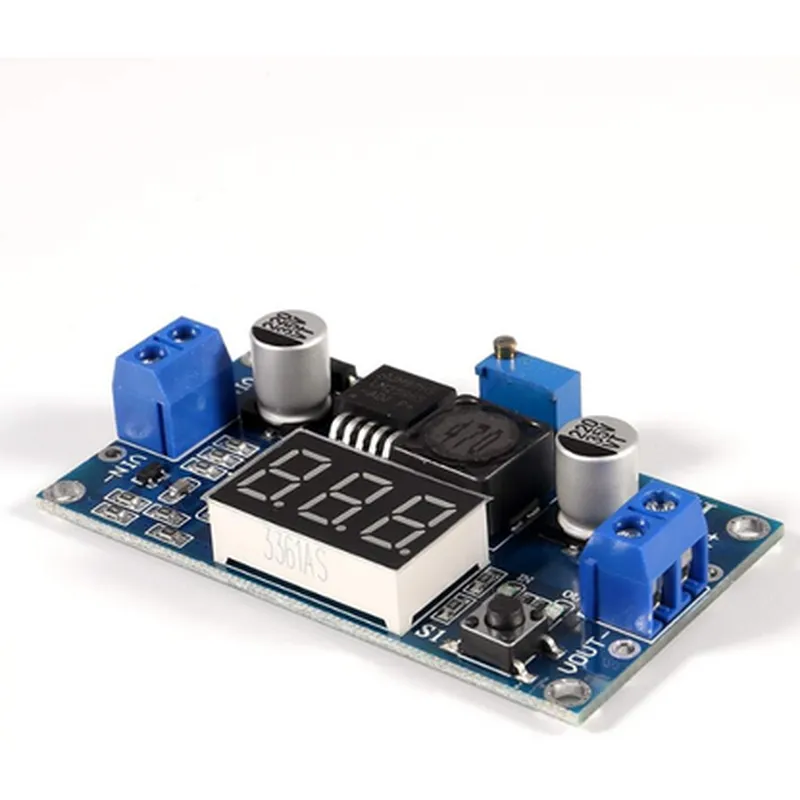
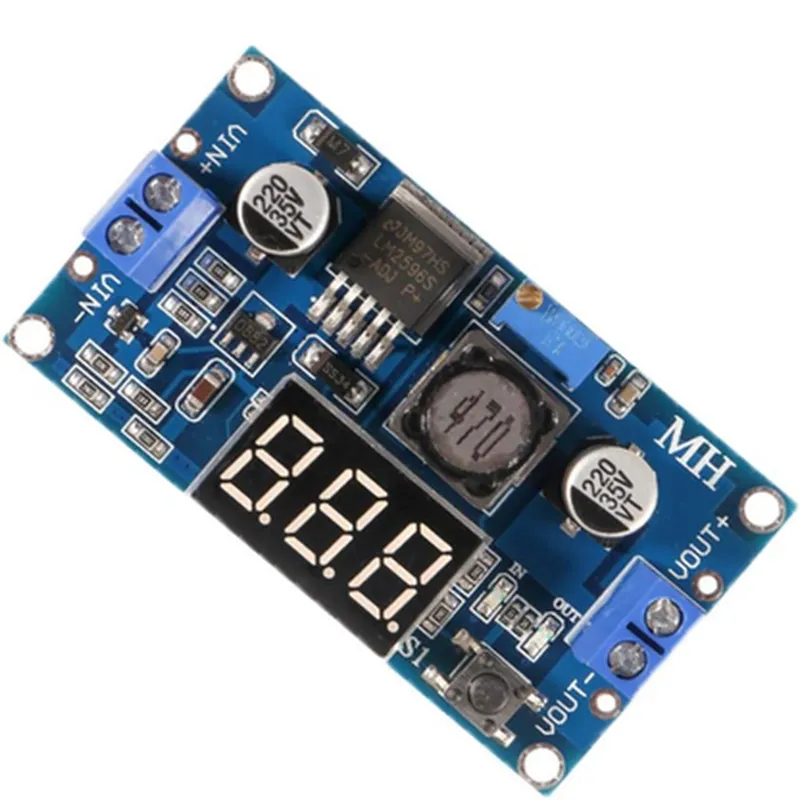
The LM2596 IC has a high efficiency of up to 92%, making it suitable for applications where power loss is a concern.
The output voltage can be adjusted between 1.25V and 35V using the built-in potentiometer.
The module features a digital display that shows the output voltage in real-time, allowing users to monitor and adjust the voltage output.
The module can accept input voltages between 4V and 40V, making it suitable for a wide range of applications.
The LM2596 IC has a low dropout voltage of 1.5V, ensuring that the module can operate efficiently even when the input voltage is close to the output voltage.
The module has built-in short circuit protection to prevent damage to the component in case of a short circuit.
The module is compact and lightweight, making it easy to integrate into a wide range of applications.
The module has a built-in heat sink to dissipate heat generated during operation.
Technical Specifications
4V - 40V
1.25V - 35V (adjustable)
Up to 3A
Up to 92%
1.5V
-40C to 85C
48mm x 25mm x 15mm (L x W x H)
Applications
| The LM2596 DC-DC Step-down Buck Module with Display is suitable for a wide range of applications, including |
Power supplies for electronic projects
Voltage regulators for battery-powered devices
Adjustable power supplies for laboratory use
Power converters for automotive and industrial applications
Conclusion
The LM2596 DC-DC Step-down Buck Module with Display is a versatile and efficient voltage regulator module that is ideal for a wide range of applications. Its adjustable output voltage, high efficiency, and compact size make it a popular choice among electronics enthusiasts and professionals alike.
LM2596 DC-DC Step-down Buck Module with Display DocumentationOverviewThe LM2596 DC-DC Step-down Buck Module with Display is a compact, high-efficiency voltage regulator module that provides a stable output voltage from a wide input voltage range. It features an onboard LM2596 IC, which is a popular and reliable step-down buck converter, and a built-in display that shows the output voltage. This module is ideal for powering electronic projects that require a regulated voltage supply, such as microcontrollers, sensors, and actuators.FeaturesInput voltage range: 4-40V
Output voltage range: 1.25-37V (adjustable)
Maximum output current: 3A
High efficiency: up to 92%
Built-in display shows output voltage
Small form factor: 45x25mmPinoutsVIN: Input voltage
VOUT: Output voltage
ADJ: Adjustable output voltage pin
GND: Ground
DISP: Display voltage output ( connects to the built-in display)Code Examples### Example 1: Arduino - Adjustable Power SupplyIn this example, we will use the LM2596 module as an adjustable power supply for an Arduino project. We will connect the module to an Arduino board and use the ADJ pin to adjust the output voltage using a potentiometer.```c++
const int potPin = A0; // Potentiometer pin
const int adjPin = 9; // ADJ pin of the LM2596 modulevoid setup() {
pinMode(adjPin, OUTPUT);
}void loop() {
int val = analogRead(potPin);
int voltage = map(val, 0, 1023, 125, 370); // Map potentiometer value to output voltage (1.25-37V)
analogWrite(adjPin, voltage);
delay(10);
}
```### Example 2: Raspberry Pi - regulated 5V Power SupplyIn this example, we will use the LM2596 module as a regulated 5V power supply for a Raspberry Pi project. We will connect the module to a Raspberry Pi board and use the module's built-in display to monitor the output voltage.```python
import time# Set the output voltage to 5V
vout = 5.0# Calculate the ADJ pin voltage (VAdj) using the formula: VAdj = 1.25 (1 + R2/R1)
r1 = 1.2e3 # R1 value in ohms
r2 = 2.4e3 # R2 value in ohms
vadj = 1.25 (1 + r2/r1)print("Setting output voltage to", vout, "V")
print("ADJ pin voltage:", vadj, "V")while True:
# Read the display voltage output (DISP pin)
disp_voltage = read_disp_voltage()# Print the output voltage
print("Output voltage:", disp_voltage, "V")time.sleep(1)def read_disp_voltage():
# Implement the code to read the DISP pin voltage output
# and return the voltage value
pass
```Note: The `read_disp_voltage()` function is not implemented in the example code, as it requires additional circuitry and programming to read the voltage output from the DISP pin.