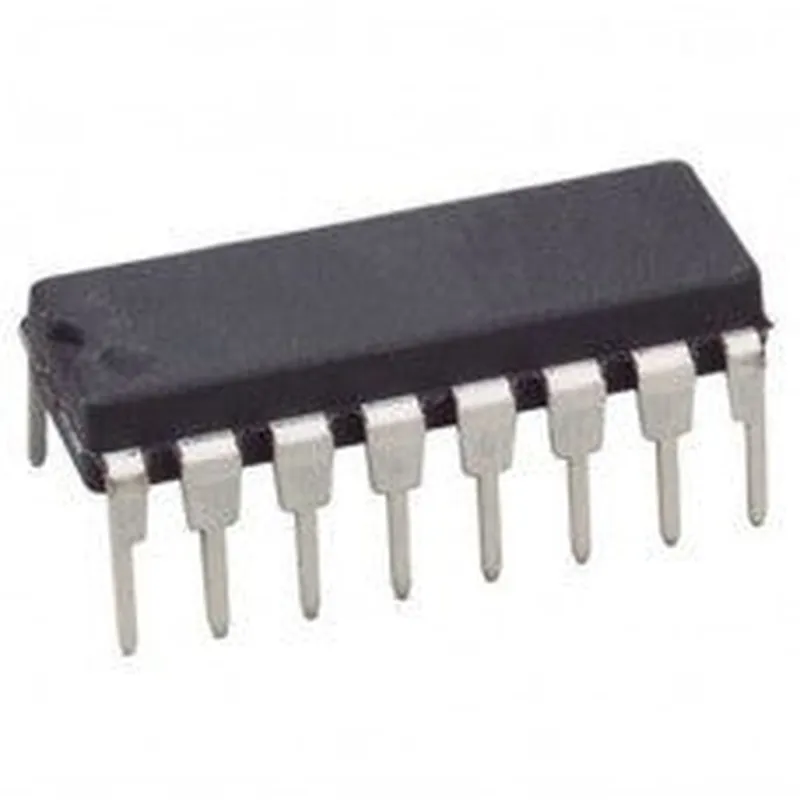
CD4049 - Hex Inverting Buffer/Converter IC Documentation
The CD4049 is a hex inverting buffer/converter IC designed to provide high-current outputs and a wide range of operating voltage, making it suitable for various applications involving signal buffering, logic level shifting, and voltage translation.
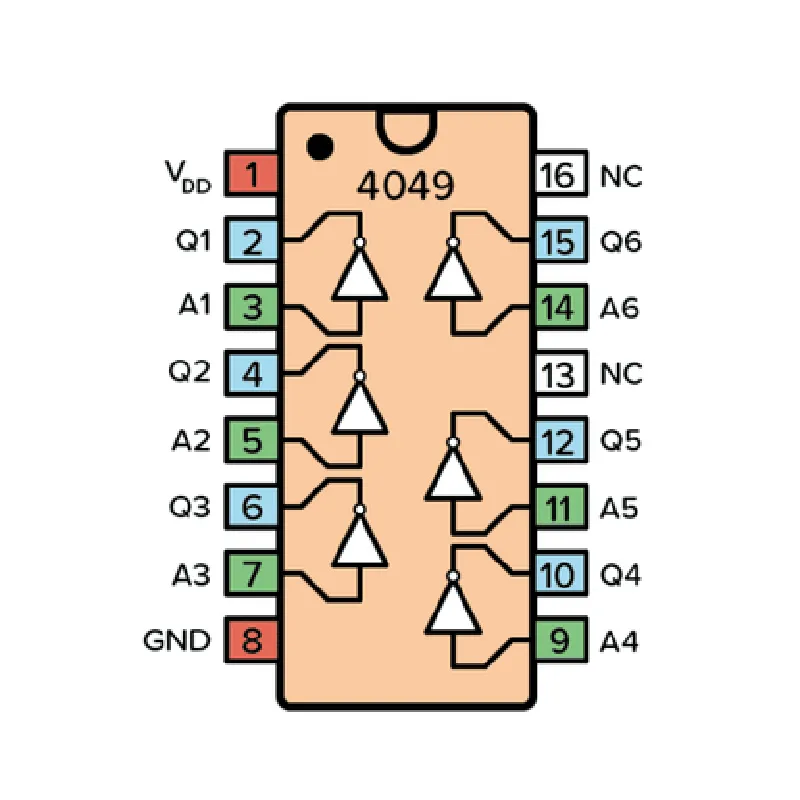
The CD4049 has 16 pins, with the following pinout configuration:
| Pin | Function |
| --- | --- |
| 1-6 | Input Pins (A) |
| 7-12 | Output Pins (Y) |
| 13 | VCC (Positive Supply Voltage) |
| 14 | GND (Ground) |
| 15 | Enable Input (EI) |
| 16 | Output Enable (OE) |
High-current outputs (up to 10mA per output)
 Wide operating voltage range (3V to 18V)
 Inverting output stage
 Enable input (EI) for masterslave operation
 Output enable (OE) for three-state operation
 Schmitt trigger input circuitry for noise immunity
### Example 1: Signal Buffering and Level Shifting
In this example, we'll use the CD4049 to buffer a 3.3V logic signal and shift its level to 5V to drive a 5V microcontroller input.
```
          +---------------+
          |  3.3V Signal  |
          +---------------+
                  |
                  |
                  v
+---------------+      +---------------+
|  CD4049 (U1)  |      |  5V MCU Input  |
+---------------+      +---------------+
|  A (Input)  |      |  Y (Output)  |
|  3.3V       |      |  5V         |
|  (Pin 1)     |      |  (Pin 7)     |
+---------------+      +---------------+
|  VCC (Pin 13) |------|  5V Power    |
+---------------+      +---------------+
|  GND (Pin 14) |------|  GND         |
+---------------+      +---------------+
```
Code Snippet (Arduino)
```c
#define INPUT_PIN 2  // Connect 3.3V signal to digital pin 2
#define OUTPUT_PIN 7  // Connect CD4049 output to digital pin 7
void setup() {
  pinMode(INPUT_PIN, INPUT);
  pinMode(OUTPUT_PIN, OUTPUT);
}
void loop() {
  bool getInput = digitalRead(INPUT_PIN);
  digitalWrite(OUTPUT_PIN, !getInput);  // Invert the signal
  delay(10);
}
```
### Example 2: Voltage Translation and Logic Level Shifting
In this example, we'll use the CD4049 to translate a 1.8V logic signal to 3.3V and shift its logic level to drive a 3.3V microcontroller input.
```
          +---------------+
          |  1.8V Signal  |
          +---------------+
                  |
                  |
                  v
+---------------+      +---------------+
|  CD4049 (U1)  |      |  3.3V MCU Input  |
+---------------+      +---------------+
|  A (Input)  |      |  Y (Output)  |
|  1.8V       |      |  3.3V         |
|  (Pin 2)     |      |  (Pin 8)     |
+---------------+      +---------------+
|  VCC (Pin 13) |------|  3.3V Power    |
+---------------+      +---------------+
|  GND (Pin 14) |------|  GND         |
+---------------+      +---------------+
```
Code Snippet (Python)
```python
import RPi.GPIO as GPIO
GPIO.setmode(GPIO.BCM)
INPUT_PIN = 2  # Connect 1.8V signal to GPIO pin 2
OUTPUT_PIN = 8  # Connect CD4049 output to GPIO pin 8
def main():
  GPIO.setup(INPUT_PIN, GPIO.IN)
  GPIO.setup(OUTPUT_PIN, GPIO.OUT)
while True:
    input_state = GPIO.input(INPUT_PIN)
    GPIO.output(OUTPUT_PIN, not input_state)  # Invert the signal
    time.sleep(0.01)
if __name__ == '__main__':
  main()
```
Ensure the VCC pin is connected to a stable power supply within the recommended operating voltage range.
 Use the enable input (EI) and output enable (OE) pins to control the buffer/output stage according to your specific application requirements.
By following these examples and understanding the CD4049's features and pinout, you can effectively utilize this component in various IoT projects involving signal buffering, logic level shifting, and voltage translation.