Stufin
Home Quick Cart Profile

Mini OSD Module For 2.6 APM PIX Pixhawk Flight Control Board


Buy Now on Stufin

Component Name

Mini OSD Module For 2.6 APM PIX Pixhawk Flight Control Board
Overview

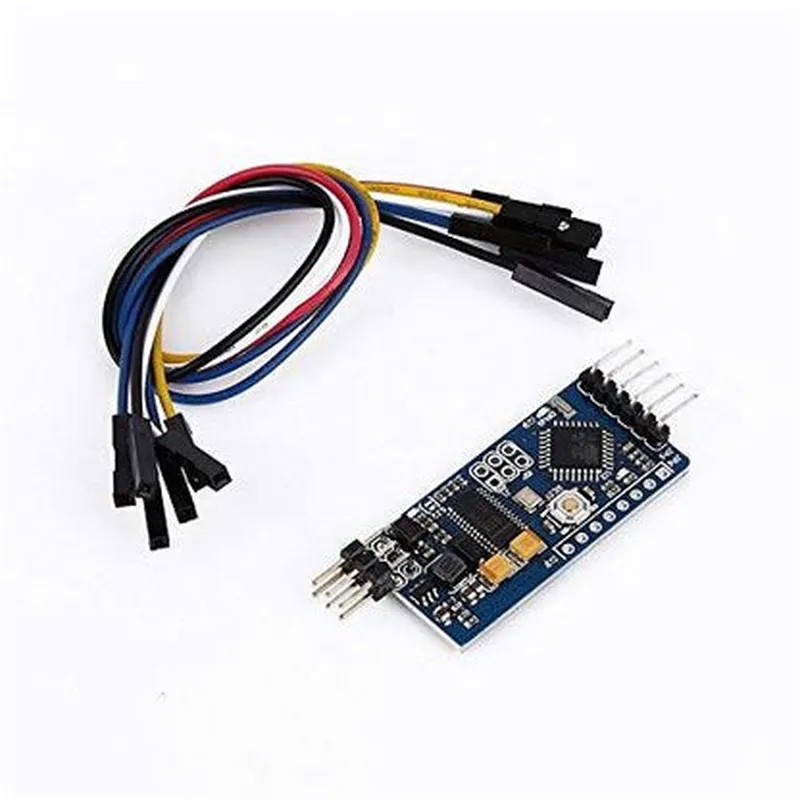
The Mini OSD Module is a compact, lightweight On-Screen Display (OSD) module designed specifically for the 2.6 APM PIX Pixhawk Flight Control Board. This module provides a convenient and efficient way to display critical flight information on FPV (First-Person View) systems, enhancing the overall flying experience for drone enthusiasts and professionals.

Functionality

The Mini OSD Module is primarily responsible for generating and overlaying essential flight data onto the FPV video feed in real-time. This information includes

Flight telemetry data

such as altitude, speed, distance, and bearing

Battery status

voltage, current, and remaining capacity

System warnings

low battery, GPS loss, and other critical notifications

Custom settings

adjustable parameters for UAV system configuration

The module receives data from the APM PIX Pixhawk Flight Control Board through a serial connection and processes it to generate a graphical overlay that is then superimposed onto the FPV video signal.
Key Features

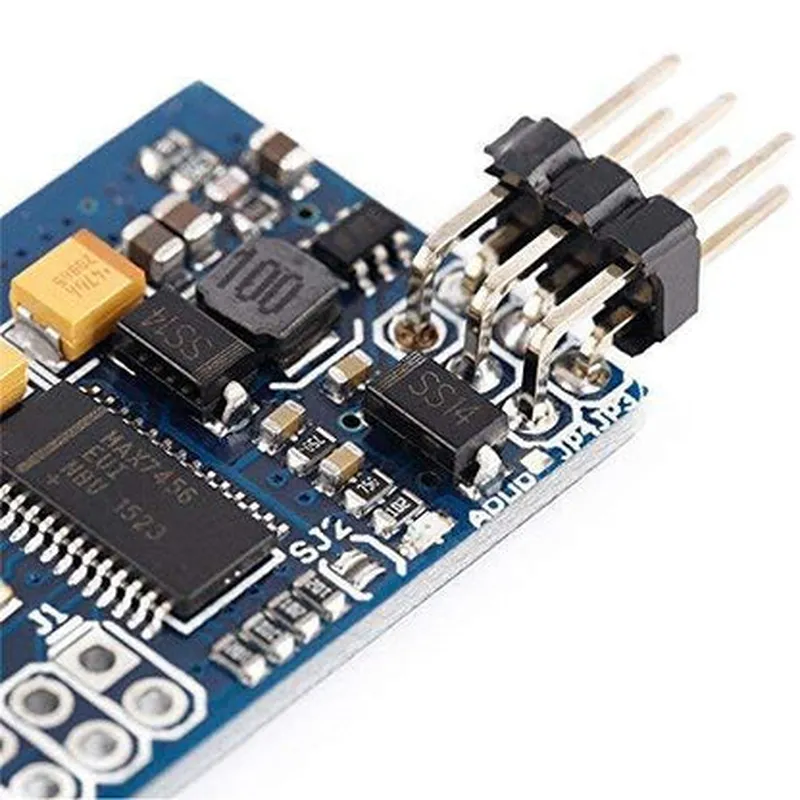
  • Compact design: The Mini OSD Module is incredibly small, weighing only a few grams, making it ideal for drone applications where weight and size are critical factors.
  • Low power consumption: The module is designed to consume minimal power, ensuring it does not drain the drone's battery unnecessarily.
  • High-resolution display: The OSD Module supports high-resolution displays, providing a clear and detailed overlay on the FPV video feed.
  • Customizable layout: The module allows users to customize the display layout and content to suit their specific needs and preferences.
  • Serial connectivity: The module connects to the APM PIX Pixhawk Flight Control Board via a serial interface, ensuring reliable and efficient data transfer.
  • Adjustable font size and color: The module allows users to adjust font size and color to optimize the display for their specific FPV setup.
  • Support for multiple sensors: The module can integrate data from various sensors, including GPS, accelerometers, and barometers, to provide a comprehensive overview of the drone's flight status.
  • Firmware update capability: The module's firmware can be updated via the serial interface, ensuring users have access to the latest features and improvements.

Input voltage

3.3V - 5V

Current consumption

<50mA

Operating temperature

-20C to 85C (-4F to 185F)

Storage temperature

-40C to 125C (-40F to 257F)

Dimensions

15mm x 15mm x 5mm (0.59" x 0.59" x 0.20")

Weight

<5g

Compatibility

The Mini OSD Module is specifically designed for use with the 2.6 APM PIX Pixhawk Flight Control Board. However, it may be compatible with other flight control boards that utilize a similar serial interface and dataset. Please verify compatibility before use.

Recommendations

For optimal performance, it is recommended to use the Mini OSD Module with a high-quality FPV system, a reliable power supply, and a stable serial connection to the flight control board. Regularly update the module's firmware to ensure access to the latest features and improvements.

Pin Configuration

  • Mini OSD Module for 2.6 APM PIX Pixhawk Flight Control Board Documentation
  • Overview
  • The Mini OSD (On-Screen Display) Module is a compact, lightweight solution designed specifically for the 2.6 APM PIX Pixhawk Flight Control Board. This module provides a convenient way to display essential flight information, such as battery voltage, GPS data, and flight mode, directly on a connected FPV (First-Person View) camera or monitor.
  • Pinout Description
  • The Mini OSD Module features a 10-pin connector, which interfaces with the 2.6 APM PIX Pixhawk Flight Control Board. Each pin is carefully labeled and explained below:
  • Pin 1: VCC (5V Power)
  • Description: Provides the 5V power supply to the OSD module from the APM PIX Pixhawk Flight Control Board.
  • Connection: Connect to the 5V output pin on the APM PIX Pixhawk Flight Control Board.
  • Pin 2: GND (Ground)
  • Description: Ground connection for the OSD module.
  • Connection: Connect to a suitable ground pin on the APM PIX Pixhawk Flight Control Board.
  • Pin 3: TX (Serial Data Transmit)
  • Description: Transmits serial data from the APM PIX Pixhawk Flight Control Board to the OSD module.
  • Connection: Connect to the TX pin on the APM PIX Pixhawk Flight Control Board's serial port.
  • Pin 4: RX (Serial Data Receive)
  • Description: Receives serial data from the OSD module and sends it to the APM PIX Pixhawk Flight Control Board.
  • Connection: Connect to the RX pin on the APM PIX Pixhawk Flight Control Board's serial port.
  • Pin 5: VIDEO_IN (Video Input)
  • Description: Video input from the FPV camera or other video sources.
  • Connection: Connect to the video output pin on the FPV camera or other video sources.
  • Pin 6: VIDEO_OUT (Video Output)
  • Description: Video output from the OSD module, which includes the overlaid flight data.
  • Connection: Connect to the video input pin on the monitor or other display devices.
  • Pin 7: MENU (Menu Button Input)
  • Description: Used to connect a push-button or toggle switch to navigate the OSD menu.
  • Connection: Connect to a push-button or toggle switch. When pressed, the OSD module enters menu mode.
  • Pin 8: BATT (Battery Voltage Input)
  • Description: Monitors the battery voltage level and displays it on the OSD.
  • Connection: Connect to the battery voltage monitoring pin on the APM PIX Pixhawk Flight Control Board or directly to the battery voltage sensor.
  • Pin 9: N/A (Not Used)
  • Description: Reserved for future use. Do not connect anything to this pin.
  • Pin 10: N/A (Not Used)
  • Description: Reserved for future use. Do not connect anything to this pin.
  • Connection Structure
  • To connect the Mini OSD Module to the 2.6 APM PIX Pixhawk Flight Control Board, follow this structure:
  • 1. Connect Pin 1 (VCC) to the 5V output pin on the APM PIX Pixhawk Flight Control Board.
  • 2. Connect Pin 2 (GND) to a suitable ground pin on the APM PIX Pixhawk Flight Control Board.
  • 3. Connect Pin 3 (TX) to the TX pin on the APM PIX Pixhawk Flight Control Board's serial port.
  • 4. Connect Pin 4 (RX) to the RX pin on the APM PIX Pixhawk Flight Control Board's serial port.
  • 5. Connect Pin 5 (VIDEO_IN) to the video output pin on the FPV camera or other video sources.
  • 6. Connect Pin 6 (VIDEO_OUT) to the video input pin on the monitor or other display devices.
  • 7. Connect Pin 7 (MENU) to a push-button or toggle switch for OSD menu navigation.
  • 8. Connect Pin 8 (BATT) to the battery voltage monitoring pin on the APM PIX Pixhawk Flight Control Board or directly to the battery voltage sensor.
  • Notes
  • Make sure to use appropriate voltage and current ratings for all connections to prevent damage to the components.
  • Refer to the APM PIX Pixhawk Flight Control Board's documentation for specific pinouts and connection guidance.
  • This documentation assumes a basic understanding of electronics and flight control systems. If you're unsure about any connections, consult a qualified professional or the manufacturer's support resources.

Code Examples

Mini OSD Module for 2.6 APM PIX Pixhawk Flight Control Board Documentation
Overview
The Mini OSD Module is a compact, lightweight On-Screen Display (OSD) module designed specifically for the 2.6 APM PIX Pixhawk Flight Control Board. It provides a convenient and efficient way to display critical flight information on your FPV (First-Person View) system, allowing you to focus on flying while staying informed.
Key Features
Compatible with 2.6 APM PIX Pixhawk Flight Control Board
 Small footprint (20x20mm) and lightweight design
 Supports multiple display modes (e.g., text, graphs, and icons)
 Customizable layout and display settings
 Real-time data display (e.g., battery voltage, altitude, speed, and direction)
Pinout and Connection
The Mini OSD Module has a 6-pin connector that matches the 2.6 APM PIX Pixhawk Flight Control Board's OSD port. The pinout is as follows:
| Pin | Function |
| --- | --- |
| 1 | VCC (5V) |
| 2 | GND |
| 3 | SCL (Serial Clock) |
| 4 | SDA (Serial Data) |
| 5 | OSD_EN (OSD Enable) |
| 6 | Reset |
Code Examples
### Example 1: Basic OSD Configuration (Arduino)
This example demonstrates how to configure the Mini OSD Module to display basic flight information using the APM PIX Pixhawk Flight Control Board.
```cpp
#include <AP_Common.h>
#include <AP_Pixhawk.h>
#include <AP.osd.h>
#define OSD.Module_Addr 0x50 // I2C address of the Mini OSD Module
void setup() {
  // Initialize the APM PIX Pixhawk Flight Control Board
  AP_Pixhawk.init();
// Initialize the Mini OSD Module
  AP.osd.init(OSD.Module_Addr);
// Set up the OSD layout
  AP.osd.set_layout(OSD_LAYOUT_TEXT, 0, 0); // Text mode, top-left corner
  AP.osd.set_text("APM PIX Pixhawk FC", 0, 0); // Display board name
  AP.osd.set_text("Bat: %d.%02dV", 1, 0); // Display battery voltage
  AP.osd.set_text("Alt: %d m", 2, 0); // Display altitude
}
void loop() {
  // Update the OSD with latest flight data
  AP.osd.update();
  delay(50);
}
```
### Example 2: Custom OSD Layout with Graphical Elements (Python)
This example demonstrates how to create a custom OSD layout with graphical elements using the APM PIX Pixhawk Flight Control Board and the Mini OSD Module.
```python
import pixhawk
import osd
# Initialize the APM PIX Pixhawk Flight Control Board
board = pixhawk.Pixhawk()
# Initialize the Mini OSD Module
osd_module = osd.OSD(0x50)  # I2C address of the Mini OSD Module
# Create a custom OSD layout
osd_module.clear_screen()
osd_module.set_background(osd.COLOR_BLACK)
# Add a graphical element (battery icon)
osd_module.draw_icon(osd.ICON_BATTERY, 0, 0, 16, 16)
# Add text elements
osd_module.set_text("Bat: {:.2f}V", 1, 0, osd.ALIGN_LEFT)
osd_module.set_text("Alt: {:d} m", 2, 0, osd.ALIGN_LEFT)
# Update the OSD with latest flight data
while True:
    battery_voltage = board.get_battery_voltage()
    altitude = board.get_altitude()
    osd_module.set_text("Bat: {:.2f}V".format(battery_voltage), 1, 0, osd.ALIGN_LEFT)
    osd_module.set_text("Alt: {:d} m".format(altitude), 2, 0, osd.ALIGN_LEFT)
    osd_module.update()
    time.sleep(0.05)
```
Troubleshooting and Support
For any issues or questions related to the Mini OSD Module, please refer to the APM PIX Pixhawk Flight Control Board documentation and the manufacturer's support resources.