Stufin
Home Quick Cart Profile

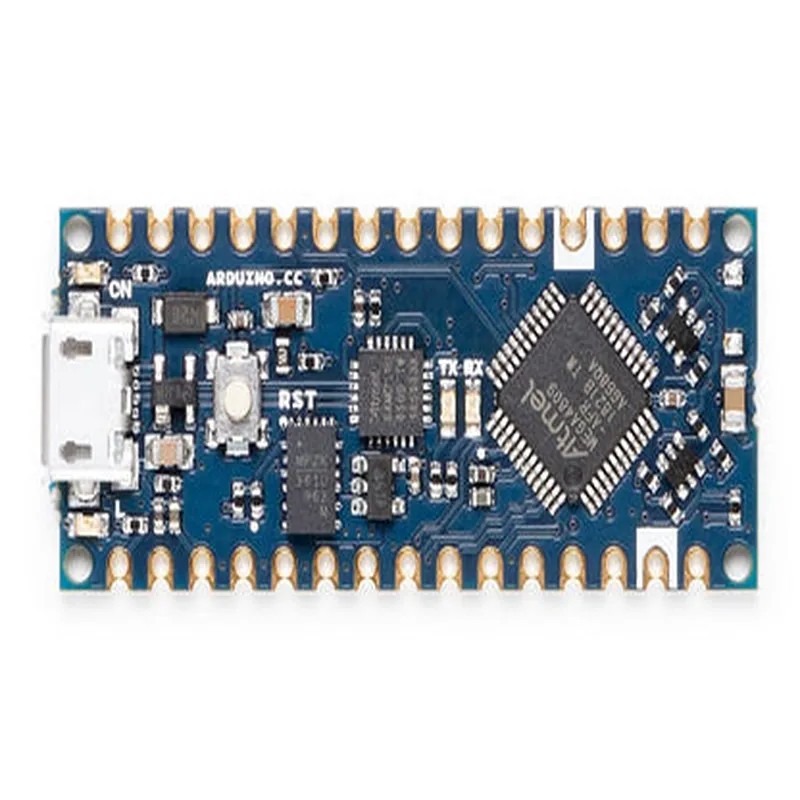
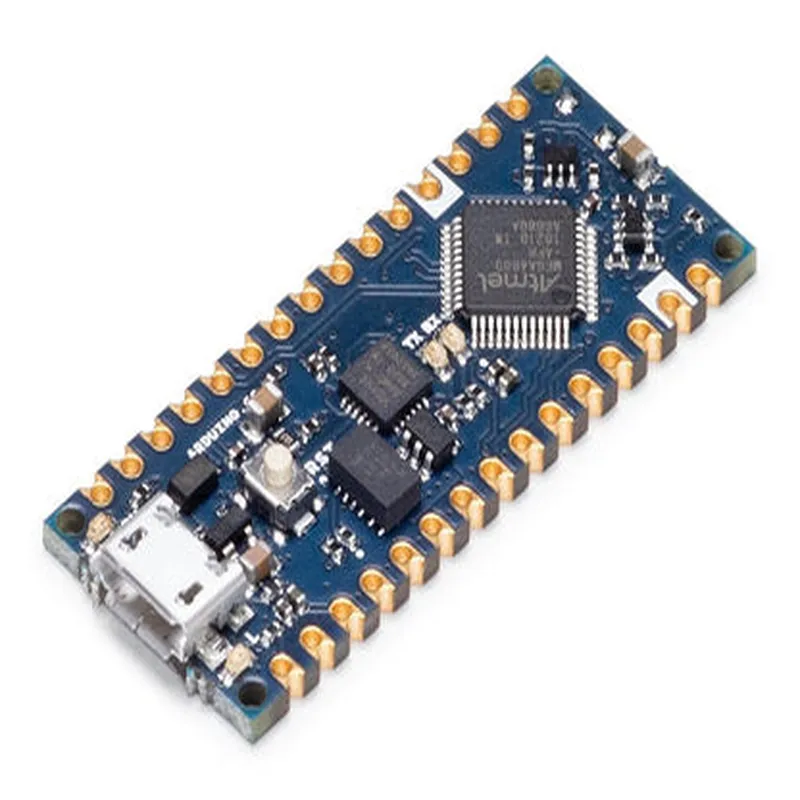
Arduino Nano Every without Headers

Buy Now on Stufin

Component Name

Arduino Nano Every without Headers

Overview

The Arduino Nano Every without Headers is a compact, microcontroller-based board that belongs to the Arduino family of development boards. It is a miniature version of the popular Arduino Uno board, designed to be small, affordable, and easy to use. This board is ideal for IoT projects that require a small form factor, low power consumption, and maximum functionality.

Functionality

The Arduino Nano Every without Headers is a microcontroller board that can be used to develop a wide range of IoT projects, including robotics, home automation, wearable devices, and more. The board is based on the ATmega4809 microcontroller, which provides a high level of performance and flexibility.

The board can be powered via a USB connection or an external power source, and it can be programmed using the Arduino Integrated Development Environment (IDE). The board supports a wide range of communication protocols, including UART, SPI, I2C, and I2S, making it easy to connect to sensors, actuators, and other devices.

Key Features

Microcontroller

ATmega4809

Operating Voltage

5V

Input Voltage

7-12V

Digital I/O Pins14 (of which 4 are used as PWM outputs)

Analog Input Pins

6

Flash Memory

48 KB

SRAM

6 KB

EEPROM

256 Bytes

Clock Speed

16 MHz

Communication Protocols

UART, SPI, I2C, I2S

USB Interface

USB 2.0

Dimensions

45 x 18 mm

Weight

10 grams

Header-less Design

The Arduino Nano Every without Headers features a compact, SMD-component-only design, making it ideal for designs where space is limited. The board does not have any through-hole headers, which allows it to be easily integrated into custom PCB designs or embedded into enclosures.

Advantages

Compact size and low profile make it ideal for IoT projects with limited space

Affordable and cost-effective

Easy to use and program, even for beginners

Supports a wide range of communication protocols and peripherals

Can be powered via USB or external power source

Applications

The Arduino Nano Every without Headers is suitable for a wide range of IoT projects, including

Robotics and automation

Wearable devices and fashion technology

Home automation and smart buildings

Industrial automation and control systems

IoT sensors and monitoring systems

Prototyping and proof-of-concept designs

Conclusion

The Arduino Nano Every without Headers is a powerful, compact, and affordable microcontroller board that is ideal for IoT projects that require a small form factor and maximum functionality. Its ease of use, flexibility, and affordability make it a popular choice among hobbyists and professionals alike.

Pin Configuration

  • Arduino Nano Every without Headers: Pinout and Connection Guide
  • The Arduino Nano Every without Headers is a compact and versatile microcontroller board based on the ATMega4809 microprocessor. It is a popular choice for IoT projects, robotics, and prototyping. Here is a detailed explanation of the pins, their functions, and how to connect them:
  • Digital Pins
  • 1. D0 (RX):
  • Function: UART Receive (RX) pin for serial communication.
  • Connection: Connect to the RX pin of a serial device, such as a GPS module or a Bluetooth module.
  • 2. D1 (TX):
  • Function: UART Transmit (TX) pin for serial communication.
  • Connection: Connect to the TX pin of a serial device, such as a GPS module or a Bluetooth module.
  • 3. D2:
  • Function: Digital input/output pin.
  • Connection: Can be used as an input or output for devices such as sensors, LEDs, or buttons.
  • 4. D3:
  • Function: Digital input/output pin.
  • Connection: Can be used as an input or output for devices such as sensors, LEDs, or buttons.
  • 5. D4:
  • Function: Digital input/output pin.
  • Connection: Can be used as an input or output for devices such as sensors, LEDs, or buttons.
  • 6. D5:
  • Function: Digital input/output pin.
  • Connection: Can be used as an input or output for devices such as sensors, LEDs, or buttons.
  • 7. D6:
  • Function: Digital input/output pin.
  • Connection: Can be used as an input or output for devices such as sensors, LEDs, or buttons.
  • 8. D7:
  • Function: Digital input/output pin.
  • Connection: Can be used as an input or output for devices such as sensors, LEDs, or buttons.
  • 9. D8:
  • Function: Digital input/output pin.
  • Connection: Can be used as an input or output for devices such as sensors, LEDs, or buttons.
  • 10. D9:
  • Function: Digital input/output pin.
  • Connection: Can be used as an input or output for devices such as sensors, LEDs, or buttons.
  • 11. D10:
  • Function: Digital input/output pin.
  • Connection: Can be used as an input or output for devices such as sensors, LEDs, or buttons.
  • 12. D11:
  • Function: Digital input/output pin.
  • Connection: Can be used as an input or output for devices such as sensors, LEDs, or buttons.
  • 13. D12:
  • Function: Digital input/output pin.
  • Connection: Can be used as an input or output for devices such as sensors, LEDs, or buttons.
  • 14. D13:
  • Function: Digital input/output pin, on-board LED connected to this pin.
  • Connection: Can be used as an input or output for devices such as sensors, LEDs, or buttons. The on-board LED can be used as an indicator.
  • Analog Pins
  • 1. A0:
  • Function: Analog input pin.
  • Connection: Connect to an analog sensor, such as a potentiometer, thermistor, or photocell.
  • 2. A1:
  • Function: Analog input pin.
  • Connection: Connect to an analog sensor, such as a potentiometer, thermistor, or photocell.
  • 3. A2:
  • Function: Analog input pin.
  • Connection: Connect to an analog sensor, such as a potentiometer, thermistor, or photocell.
  • 4. A3:
  • Function: Analog input pin.
  • Connection: Connect to an analog sensor, such as a potentiometer, thermistor, or photocell.
  • 5. A4 (SDA):
  • Function: I2C data pin.
  • Connection: Connect to the SDA pin of an I2C device, such as an OLED display or a sensor module.
  • 6. A5 (SCL):
  • Function: I2C clock pin.
  • Connection: Connect to the SCL pin of an I2C device, such as an OLED display or a sensor module.
  • Power Pins
  • 1. VIN:
  • Function: Input voltage pin.
  • Connection: Connect to a power source, such as a battery or a wall adapter, to power the board.
  • 2. 3V3:
  • Function: 3.3V regulated output pin.
  • Connection: Can be used to power external devices that require a 3.3V supply.
  • 3. GND:
  • Function: Ground pin.
  • Connection: Connect to the ground pin of a power source or a device to complete the circuit.
  • Reset Pin
  • 1. RST:
  • Function: Reset pin.
  • Connection: Connect to a reset button or a reset circuit to reset the microcontroller.
  • Note:
  • When using the Arduino Nano Every without Headers, it is essential to solder the pins carefully to ensure reliable connections.
  • Make sure to follow proper soldering techniques and use a soldering iron with a suitable temperature and solder type.
  • Always double-check the pin connections before applying power to the board to avoid any damage or malfunctions.

Code Examples

Arduino Nano Every without Headers
The Arduino Nano Every without Headers is a compact and versatile microcontroller board based on the ATmega4809 microprocessor. It is a powerful and feature-rich board that is compatible with the Arduino IDE, making it an ideal choice for a wide range of IoT projects.
Features:
Microcontroller: ATmega4809
 Operating Voltage: 5V
 Input Voltage: 7-21V
 Digital I/O Pins: 22
 Analog Input Pins: 8
 UARTs: 2
 SPI: 1
 I2C: 1
 Flash Memory: 48 KB
 SRAM: 6 KB
 EEPROM: 256 bytes
Hardware Overview:
The Arduino Nano Every without Headers has the following hardware components:
ATmega4809 microprocessor
 USB Type-C connector for programming and power
 2x5-pin male header for I/O pins
 2x3-pin male header for power pins
 Reset button
 Power LED indicator
 TX and RX LED indicators
Example 1: Blinking LED
In this example, we will demonstrate how to use the Arduino Nano Every without Headers to blink an LED connected to digital pin 13.
Code:
```cpp
const int ledPin = 13;  // choose a pin for the LED
void setup() {
  pinMode(ledPin, OUTPUT);  // set the pin as an output
}
void loop() {
  digitalWrite(ledPin, HIGH);  // turn the LED on
  delay(1000);  // wait for 1 second
  digitalWrite(ledPin, LOW);  // turn the LED off
  delay(1000);  // wait for 1 second
}
```
Hardware Connection:
Connect an LED to digital pin 13 of the Arduino Nano Every without Headers.
 Connect a 220 resistor in series with the LED to limit the current.
 Connect the other end of the resistor to the power pin of the Arduino Nano Every without Headers.
Example 2: Reading Analog Input
In this example, we will demonstrate how to use the Arduino Nano Every without Headers to read an analog input from a potentiometer connected to analog pin A0.
Code:
```cpp
const int analogPin = A0;  // choose an analog pin for the potentiometer
void setup() {
  Serial.begin(9600);  // initialize the serial communication
}
void loop() {
  int sensorValue = analogRead(analogPin);  // read the analog value
  Serial.print("Analog value: ");
  Serial.println(sensorValue);  // print the value to the serial monitor
  delay(100);  // wait for 100ms
}
```
Hardware Connection:
Connect one end of the potentiometer to the power pin of the Arduino Nano Every without Headers.
 Connect the other end of the potentiometer to the ground pin of the Arduino Nano Every without Headers.
 Connect the middle pin of the potentiometer to analog pin A0 of the Arduino Nano Every without Headers.
Example 3: I2C Communication
In this example, we will demonstrate how to use the Arduino Nano Every without Headers to communicate with an I2C device, such as an LCD display.
Code:
```cpp
#include <Wire.h>  // include the Wire library for I2C communication
const int lcdAddress = 0x27;  // address of the LCD display
void setup() {
  Wire.begin();  // initialize the I2C communication
  Wire.beginTransmission(lcdAddress);  // start transmission to the LCD display
  Wire.write(0x01);  // send the command to clear the display
  Wire.endTransmission();  // end transmission
}
void loop() {
  Wire.beginTransmission(lcdAddress);  // start transmission to the LCD display
  Wire.write("Hello, World!");  // send the string to the LCD display
  Wire.endTransmission();  // end transmission
  delay(1000);  // wait for 1 second
}
```
Hardware Connection:
Connect the SDA pin of the LCD display to the SDA pin of the Arduino Nano Every without Headers.
 Connect the SCL pin of the LCD display to the SCL pin of the Arduino Nano Every without Headers.
 Connect the VCC pin of the LCD display to the power pin of the Arduino Nano Every without Headers.
 Connect the GND pin of the LCD display to the ground pin of the Arduino Nano Every without Headers.
Note: The above code examples are just a demonstration of the capabilities of the Arduino Nano Every without Headers and may require modification to suit specific project requirements.