Arduino UNO SMD compatible Board (Pack of 25)


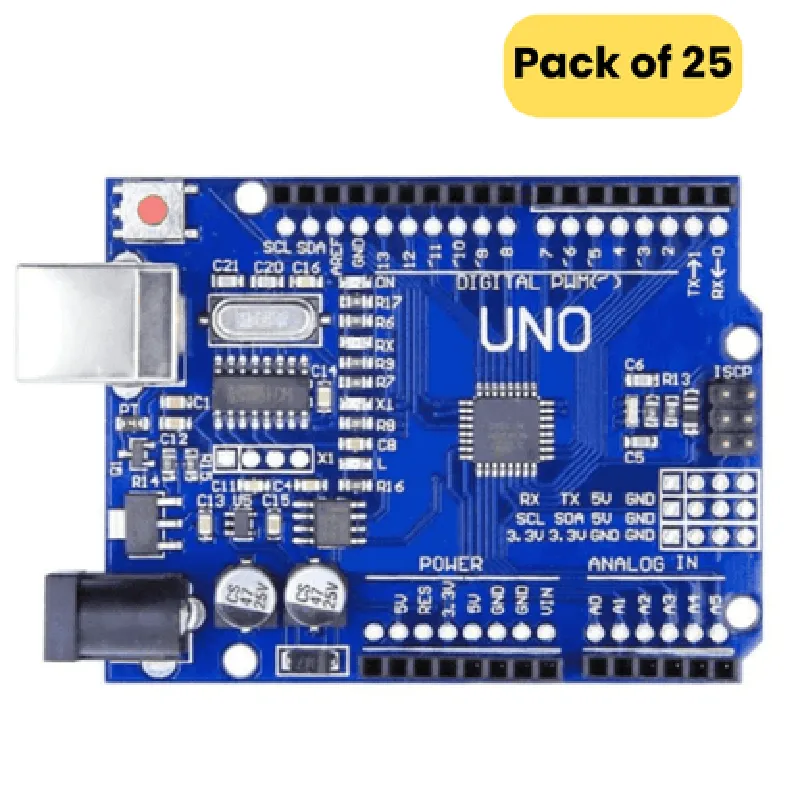
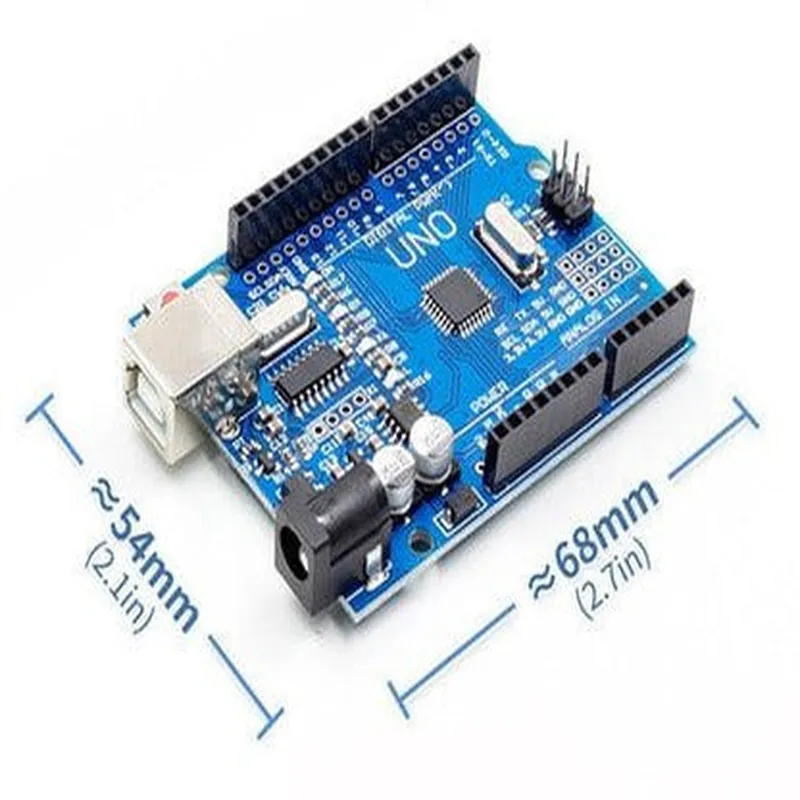
Arduino UNO SMD compatible Board (Pack of 25)
The Arduino UNO SMD compatible Board is a microcontroller board based on the popular Arduino UNO platform, but with a surface-mount device (SMD) design. This pack of 25 boards offers an affordable and convenient solution for prototyping and developing IoT projects, robotics, and other electronic applications.
The Arduino UNO SMD compatible Board is a microcontroller board that can be used to read inputs from sensors, perform calculations, and control outputs to interact with the physical world. It can be programmed using the Arduino Integrated Development Environment (IDE) and is compatible with a wide range of libraries and shields.
### Hardware Features
ATmega328P (8-bit AVR microcontroller)
16 MHz
32 KB
2 KB
1 KB
| Digital I/O Pins | 14 (six of which are PWM outputs) |
6
1
1
| I2C | 1 |
### SMD Design
| Surface-Mount Package | QFN32 (5x5 mm) |
Compact design allows for more space-efficient projects
### Power and Connectivity
7-12 V (VIN) or 5V (USB)
USB 2.0 (compatible with USB 1.1)
< 20 mA (idle), < 50 mA (active)
### Compatibility and Expansion
Compatible with most Arduino UNO shields and libraries
Can be easily integrated into SMD-based projects
### Package Contents
25 x Arduino UNO SMD compatible Boards
No additional components or accessories included
Cost-effective solution for prototyping and development
Compact SMD design for space-efficient projects
Compatible with a wide range of Arduino UNO shields and libraries
Easy to program using the Arduino IDE
IoT projects
Robotics and automation
Prototyping and development
Electronics enthusiasts and hobbyists
Education and research
The Arduino UNO SMD compatible Board is a bare board and does not include any additional components or accessories.
The board is not suitable for beginners, and a good understanding of electronics and programming is recommended.
The SMD design requires careful handling and soldering techniques to avoid damage to the board.
Arduino UNO SMD Compatible Board (Pack of 25) DocumentationOverviewThe Arduino UNO SMD compatible board is a compact, surface-mount technology (SMT) version of the popular Arduino UNO development board. This board is ideal for IoT projects that require a small form factor and cost-effective solutions. With a pack of 25 boards, you can scale your projects or share them with others.Pinout and FeaturesThe Arduino UNO SMD compatible board features:Microcontroller: ATmega328P
Operating Voltage: 5V
Input Voltage: 7-12V
Digital I/O Pins: 14 (6 can be used as PWM outputs)
Analog Input Pins: 6
Flash Memory: 32 KB
SRAM: 2 KB
EEPROM: 1 KB
Clock Speed: 16 MHzCode Examples### Example 1: Blinking LEDConnect an LED to digital pin 13 and a 220 resistor to GND. This example demonstrates the basic usage of the Arduino UNO SMD compatible board.```c
const int ledPin = 13; // choose the pin for the LEDvoid setup() {
pinMode(ledPin, OUTPUT); // set the pin as an output
}void loop() {
digitalWrite(ledPin, HIGH); // turn the LED on
delay(1000); // wait for 1 second
digitalWrite(ledPin, LOW); // turn the LED off
delay(1000); // wait for 1 second
}
```### Example 2: Reading Analog Input (Light Sensor)Connect a light sensor (e.g., LDR) to analog input pin A0. This example demonstrates how to read analog data from a sensor.```c
const int sensorPin = A0; // choose the pin for the light sensorvoid setup() {
Serial.begin(9600); // initialize serial communication
}void loop() {
int sensorValue = analogRead(sensorPin); // read the sensor value
Serial.println(sensorValue); // print the sensor value to the serial monitor
delay(100); // wait for 100 milliseconds
}
```### Example 3: Communicating with Serial Monitor (UART)This example demonstrates how to send and receive data using the serial communication protocol (UART) between the Arduino UNO SMD compatible board and a computer.```c
void setup() {
  Serial.begin(9600);  // initialize serial communication
}
void loop() {
if (Serial.available() > 0) {
String input = Serial.readStringUntil('
'); // read input from serial monitor
Serial.println("You typed: " + input); // print the input back to serial monitor
}
delay(50); // wait for 50 milliseconds
}
```Troubleshooting and TipsMake sure to use the correct pinout and voltage levels when connecting peripherals to the board.
Use a USB-to-TTL serial adapter or an FTDI adapter to communicate with the board via serial protocol.
When programming the board, ensure that the USB cable is connected to a powered USB port or a USB hub with sufficient power supply.Additional ResourcesArduino UNO SMD compatible board datasheet
ATmega328P microcontroller datasheet
Arduino IDE and programming guides
Online tutorials and projects for inspiration and learning