The module supports microstepping, which allows for smoother and more precise motor movement.


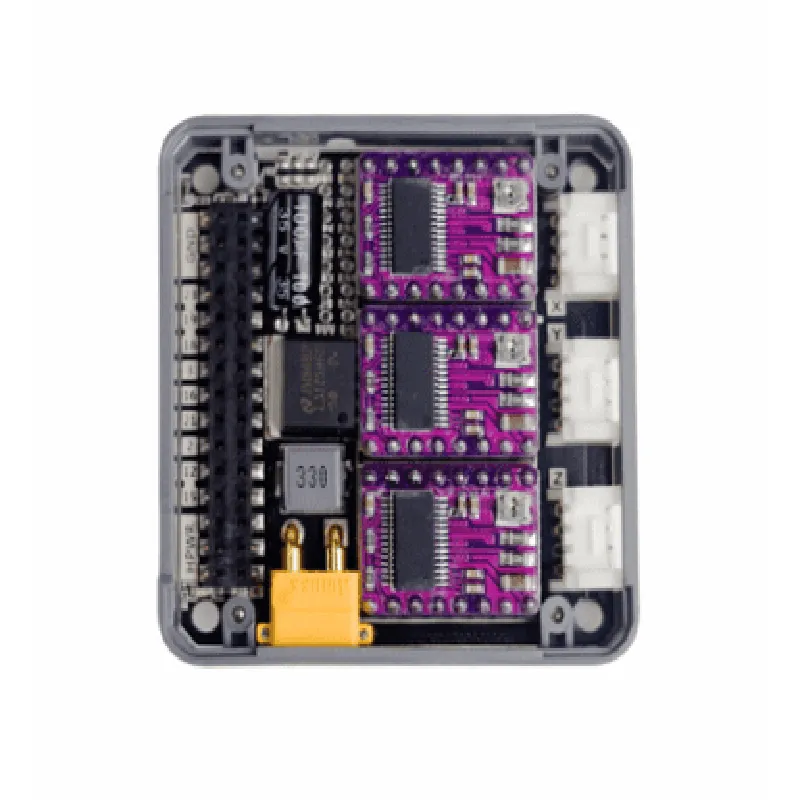
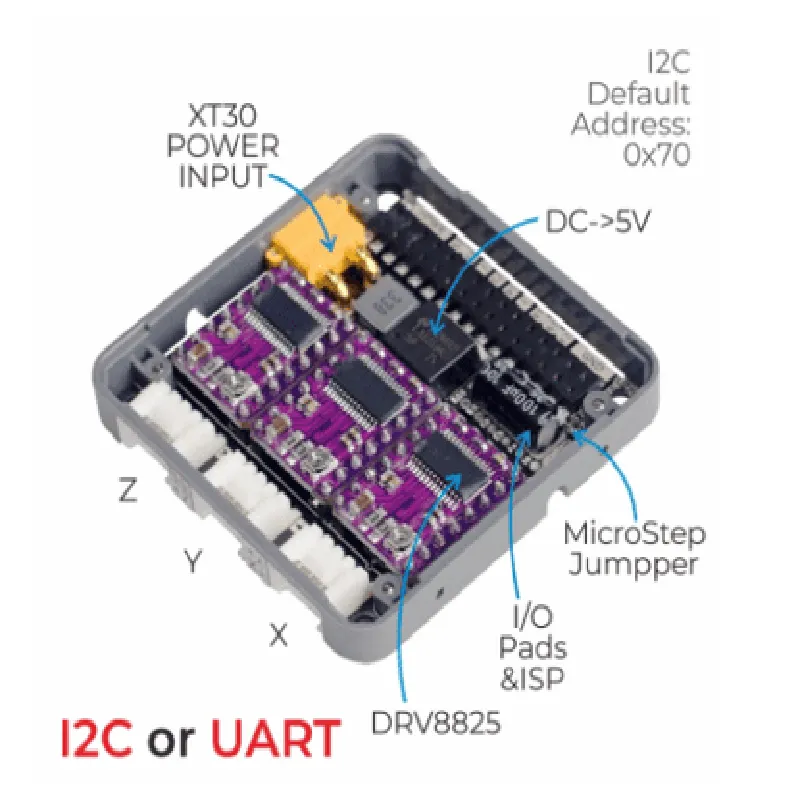
The module supports microstepping, which allows for smoother and more precise motor movement.
The module can limit the maximum current supplied to the motor, ensuring safe and efficient operation.
Users can control the direction and speed of the motor using simple commands.
Key Features
--------------
### Hardware Features
| DRV8825 stepper motor driver IC | A high-performance, low-noise driver IC capable of handling high currents and supporting microstepping. |
| MEGA328P microcontroller | A popular and widely-supported microcontroller with 32KB of flash memory and 2KB of SRAM. |
A built-in voltage regulator ensures stable power supply to the microcontroller and motor driver.
| Two-phase bipolar stepper motor interface | Supports connection of a two-phase bipolar stepper motor. |
Allows for communication with the microcontroller using a UART interface.
A GROVE connector provides a convenient and easy-to-use interface for connecting sensors and other peripherals.
### Software Features
The module is compatible with the Arduino IDE, making it easy to develop applications using the popular Arduino platform.
M5Stack provides example code and libraries to help users get started with developing their applications.
### Performance Specifications
2A per phase
5V to 35V
Up to 1/16 microsteps
Up to 115200 bps
Applications
--------------
| The M5Stack Stepmotor Module with MEGA328P (DRV8825) is suitable for a wide range of applications, including |
Robotics and automation
CNC machines and 3D printers
Industrial automation and control systems
Home automation and security systems
Scientific instruments and research equipment
Conclusion
----------
The M5Stack Stepmotor Module with MEGA328P (DRV8825) is a powerful and versatile module that simplifies stepper motor control and provides a range of features and benefits. Its compact size, ease of use, and Arduino compatibility make it an ideal choice for developers, makers, and professionals alike.
M5Stack Stepmotor Module with MEGA328P (DRV8825) DocumentationOverviewThe M5Stack Stepmotor Module with MEGA328P (DRV8825) is a compact, high-performance stepper motor driver module designed for use with the M5Stack ecosystem. It is based on the DRV8825 stepper motor driver IC and features a built-in microcontroller, the MEGA328P, for easy control and integration. This module is suitable for various applications, including robotics, automation, and IoT projects.Technical SpecificationsMicrocontroller: ATMEGA328P
Stepper Motor Driver: DRV8825
Step Resolution: 1/32, 1/16, 1/8, 1/4, 1/2, 1, 2
Maximum Current: 2.5A per phase
Supply Voltage: 4.5V to 35V
Communication Interface: UART, I2C, SPICode Examples### Example 1: Basic Stepper Motor Control using UARTThis example demonstrates how to control the stepper motor using UART communication. We will use the M5Stack Core module as the host device.Hardware Connection:Connect the M5Stack Stepmotor Module to the M5Stack Core module using the UART interface.
Connect the stepper motor to the M5Stack Stepmotor Module.Software:```c
#include <M5Stack.h>
#include <SoftwareSerial.h>SoftwareSerial stepperSerial(16, 17); // RX, TXvoid setup() {
M5.begin();
stepperSerial.begin(9600);
}void loop() {
// Set the stepper motor direction and speed
stepperSerial.print("D1
"); // Set direction to clockwise
stepperSerial.print("S1000
"); // Set speed to 1000 steps per second
// Move the stepper motor 1000 steps
for (int i = 0; i < 1000; i++) {
stepperSerial.print("M1
"); // Move one step
delay(10);
}
delay(1000);
// Change direction and move 500 steps
stepperSerial.print("D0
"); // Set direction to counter-clockwise
for (int i = 0; i < 500; i++) {
stepperSerial.print("M1
"); // Move one step
delay(10);
}
}
```### Example 2: Stepper Motor Control using I2CThis example demonstrates how to control the stepper motor using I2C communication.Hardware Connection:Connect the M5Stack Stepmotor Module to the M5Stack Core module using the I2C interface.
Connect the stepper motor to the M5Stack Stepmotor Module.Software:```c
#include <M5Stack.h>
#include <Wire.h>#define STEPPER_ADDRESS 0x30 // Default I2C address of the stepper motor modulevoid setup() {
M5.begin();
Wire.begin();
}void loop() {
// Set the stepper motor direction and speed
Wire.beginTransmission(STEPPER_ADDRESS);
Wire.write(0x01); // Set direction to clockwise
Wire.write(0x10); // Set speed to 1000 steps per second
Wire.endTransmission();
// Move the stepper motor 1000 steps
for (int i = 0; i < 1000; i++) {
Wire.beginTransmission(STEPPER_ADDRESS);
Wire.write(0x02); // Move one step
Wire.endTransmission();
delay(10);
}
delay(1000);
// Change direction and move 500 steps
Wire.beginTransmission(STEPPER_ADDRESS);
Wire.write(0x00); // Set direction to counter-clockwise
Wire.endTransmission();
for (int i = 0; i < 500; i++) {
Wire.beginTransmission(STEPPER_ADDRESS);
Wire.write(0x02); // Move one step
Wire.endTransmission();
delay(10);
}
}
```Note: In these examples, you may need to adjust the baud rate, step resolution, and other settings depending on your specific stepper motor and application requirements.