

Stufin
Home Quick Cart Profile

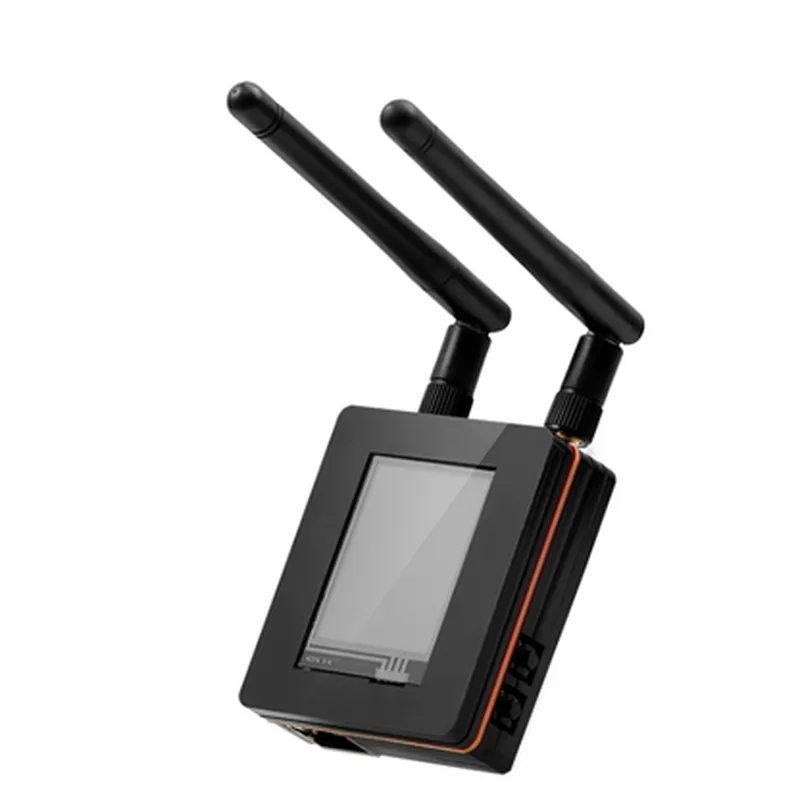
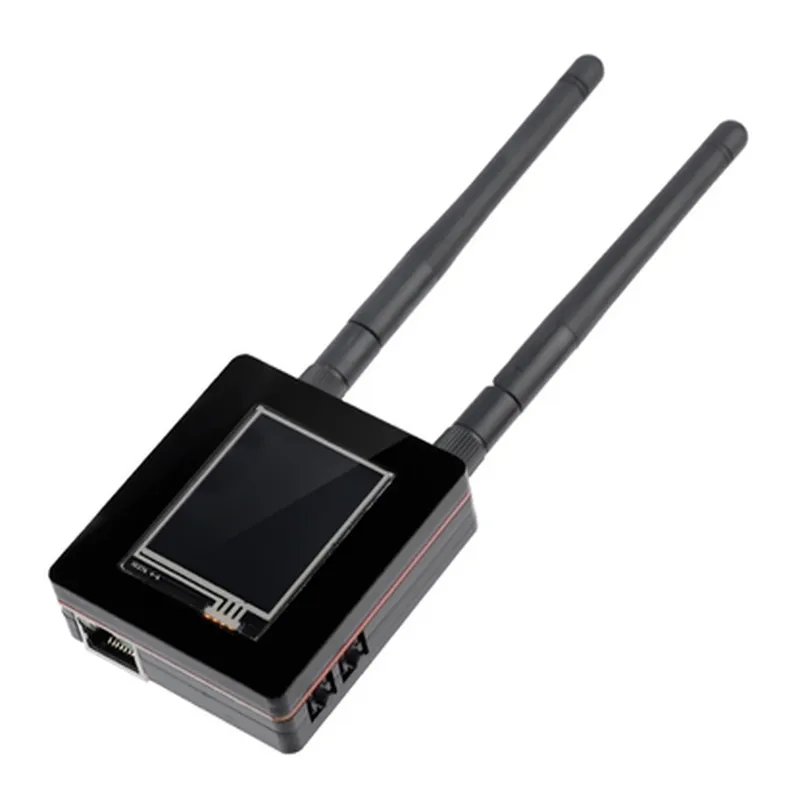
Elecrow LoRaWan Gateway Module Based on ESP32 with 1.8 LCD - 1 Channel for Long Range Communication (868Mhz/915Mhz)

Buy Now on Stufin

Component Description

Elecrow LoRaWan Gateway Module Based on ESP32 with 1.8 LCD

Overview

The Elecrow LoRaWan Gateway Module is a cutting-edge Internet of Things (IoT) device designed to enable long-range wireless communication between sensors, actuators, and the cloud. Based on the powerful ESP32 microcontroller, this module integrates a 1.8 LCD display and supports LoRaWan protocol for reliable and efficient data transmission. With its single-channel design, this gateway module operates on either 868MHz or 915MHz frequency bands, making it suitable for various applications in industrial, commercial, and consumer IoT domains.

Functionality

The Elecrow LoRaWan Gateway Module serves as a bridge between end devices (e.g., sensors, actuators) and the IoT cloud or network infrastructure. Its primary function is to collect data from these devices, process it, and forward it to the cloud or remote servers using LoRaWan protocol. The module's ESP32 microcontroller enables Wi-Fi, Bluetooth, and LoRa connectivity, providing flexible communication options.

Key Features

  • LoRaWan Compatibility: Supports LoRaWan 1.1 protocol, ensuring seamless communication with LoRaWan-based devices.
  • ESP32 Microcontroller: Embeds the robust ESP32 MCU, offering high performance, low power consumption, and multiple communication protocols (Wi-Fi, Bluetooth, LoRa).
  • 1.8 LCD Display: Provides a built-in display for easy monitoring and configuration of the gateway module.
  • Single-Channel Design: Operates on either 868MHz or 915Mhz frequency bands, making it suitable for various regional and global IoT applications.
  • Long-Range Communication: Enables reliable communication over distances of up to 10 km (6.2 miles) in ideal conditions, depending on the environment and antenna configuration.
  • Low Power Consumption: Optimized for low power consumption, reducing the need for frequent battery replacements or recharging.
  • Compact Design: Measuring 65mm x 53mm (2.56 x 2.09), the module is designed for easy integration into compact IoT devices and systems.
  • Multiple Interfaces: Provides GPIO, SPI, I2C, and UART interfaces for flexible connectivity and integration with various peripherals.
  • Open-Source Friendly: Supports popular open-source platforms like Arduino and MicroPython, allowing developers to customize and extend the module's functionality.
  • Certifications: Complies with FCC, CE, and RoHS certifications, ensuring safety and regulatory compliance in various regions.

Application Areas

  • Industrial IoT: Monitoring and control of industrial equipment, sensors, and actuators.
  • Smart City: Traffic management, waste management, and smart infrastructure applications.
  • Agricultural IoT: Monitoring of soil moisture, temperature, and crop health.
  • Home Automation: Remote monitoring and control of appliances, lighting, and security systems.
  • Environmental Monitoring: Tracking of air quality, noise pollution, and weather conditions.

Recommendations

The Elecrow LoRaWan Gateway Module is suitable for developers, engineers, and researchers working on IoT projects requiring long-range wireless communication. With its powerful ESP32 microcontroller, LoRaWan protocol support, and compact design, this module is an ideal choice for creating reliable, efficient, and cost-effective IoT solutions.

Pin Configuration

  • Elecrow LoRaWan Gateway Module Based on ESP32 with 1.8 LCD - 1 Channel for Long Range Communication (868Mhz/915Mhz) Pinout Description
  • The Elecrow LoRaWan Gateway Module is a powerful IoT device that integrates an ESP32 microcontroller, a 1.8 LCD display, and a single-channel LoRaWan transceiver for long-range communication. This module is ideal for IoT applications requiring wireless communication, data logging, and visualization. Below is a detailed description of the module's pins, organized point by point for easy reference:
  • ESP32 Pins:
  • 1. VIN (5V): The input voltage pin for the module. This pin should be connected to a 5V power source.
  • 2. GND: The ground pin for the module. This pin should be connected to the ground of the power source.
  • 3. GPIO0: A digital input/output pin that can be used as a button input, GPIO, or for other custom purposes.
  • 4. GPIO2: A digital input/output pin that can be used as a button input, GPIO, or for other custom purposes.
  • 5. GPIO4: A digital input/output pin that can be used as a button input, GPIO, or for other custom purposes.
  • 6. GPIO12: A digital input/output pin that can be used as a button input, GPIO, or for other custom purposes.
  • 7. GPIO13: A digital input/output pin that can be used as a button input, GPIO, or for other custom purposes.
  • 8. GPIO14: A digital input/output pin that can be used as a button input, GPIO, or for other custom purposes.
  • 9. GPIO15: A digital input/output pin that can be used as a button input, GPIO, or for other custom purposes.
  • 10. GPIO18: A digital input/output pin that can be used as a button input, GPIO, or for other custom purposes.
  • 11. GPIO19: A digital input/output pin that can be used as a button input, GPIO, or for other custom purposes.
  • 12. GPIO21: A digital input/output pin that can be used as a button input, GPIO, or for other custom purposes.
  • 13. GPIO22: A digital input/output pin that can be used as a button input, GPIO, or for other custom purposes.
  • 14. GPIO23: A digital input/output pin that can be used as a button input, GPIO, or for other custom purposes.
  • 15. GPIO25: A digital input/output pin that can be used as a button input, GPIO, or for other custom purposes.
  • 16. GPIO26: A digital input/output pin that can be used as a button input, GPIO, or for other custom purposes.
  • 17. GPIO27: A digital input/output pin that can be used as a button input, GPIO, or for other custom purposes.
  • 18. GPIO32: A digital input/output pin that can be used as a button input, GPIO, or for other custom purposes.
  • 19. GPIO33: A digital input/output pin that can be used as a button input, GPIO, or for other custom purposes.
  • 20. GPIO34: A digital input/output pin that can be used as a button input, GPIO, or for other custom purposes.
  • 21. GPIO35: A digital input/output pin that can be used as a button input, GPIO, or for other custom purposes.
  • LoRaWan Transceiver Pins:
  • 1. RF_IO (RF Input/Output): The RF input/output pin for the LoRaWan transceiver.
  • 2. RF_VCC (RF Power): The power pin for the LoRaWan transceiver.
  • 3. RST (Reset): The reset pin for the LoRaWan transceiver.
  • 4. DIO0 (Digital Input/Output): A digital input/output pin for the LoRaWan transceiver.
  • 5. DIO1 (Digital Input/Output): A digital input/output pin for the LoRaWan transceiver.
  • 6. DIO2 (Digital Input/Output): A digital input/output pin for the LoRaWan transceiver.
  • 7. DIO3 (Digital Input/Output): A digital input/output pin for the LoRaWan transceiver.
  • 8. DIO4 (Digital Input/Output): A digital input/output pin for the LoRaWan transceiver.
  • 9. DIO5 (Digital Input/Output): A digital input/output pin for the LoRaWan transceiver.
  • LCD Pins:
  • 1. VCC (LCD Power): The power pin for the 1.8 LCD display.
  • 2. GND (LCD Ground): The ground pin for the 1.8 LCD display.
  • 3. SCL (LCD Clock): The clock pin for the 1.8 LCD display.
  • 4. SDA (LCD Data): The data pin for the 1.8 LCD display.
  • 5. RST (LCD Reset): The reset pin for the 1.8 LCD display.
  • Additional Pins:
  • 1. PWR_KEY: A power key pin that can be used to wake up the module from deep sleep mode.
  • 2. BOOT: A boot pin that can be used to enter the module's boot mode.
  • Connection Structure:
  • To connect the pins, follow this structure:
  • ESP32 Pins:
  • + VIN to 5V power source
  • + GND to ground of the power source
  • + GPIO pins to respective peripherals or GPIO connectors
  • LoRaWan Transceiver Pins:
  • + RF_IO to antenna or RF connector
  • + RF_VCC to 3.3V power source
  • + RST to reset button or GPIO pin
  • + DIO pins to respective peripherals or GPIO connectors
  • LCD Pins:
  • + VCC to 3.3V power source
  • + GND to ground of the power source
  • + SCL to I2C clock pin
  • + SDA to I2C data pin
  • + RST to reset button or GPIO pin
  • Additional Pins:
  • + PWR_KEY to power key button or GPIO pin
  • + BOOT to boot button or GPIO pin
  • Note: Ensure to consult the module's datasheet and documentation for specific connection guidelines, pinouts, and usage notes to avoid damage or incorrect operation.

Code Examples

Elecrow LoRaWan Gateway Module Based on ESP32 with 1.8 LCD - 1 Channel for Long Range Communication (868Mhz/915Mhz) Documentation
Overview
The Elecrow LoRaWan Gateway Module is a powerful and compact component designed for long-range wireless communication applications. Based on the popular ESP32 microcontroller, this module features a 1.8 LCD display and supports LoRaWan protocol for efficient and reliable data transmission. The module operates at 868MHz or 915MHz frequencies, making it suitable for a wide range of IoT applications, including smart cities, industrial automation, and environmental monitoring.
Technical Specifications
Microcontroller: ESP32
 Operating Frequency: 868MHz or 915Mhz
 LoRaWan Protocol: Class A, Class B, and Class C
 LCD Display: 1.8 inches, 128x160 pixels
 Interfaces: Wi-Fi, Bluetooth, UART, SPI, I2C
 Power Supply: 5V DC
 Operating Temperature: -20C to 70C
 Storage Temperature: -40C to 125C
Software Development
The Elecrow LoRaWan Gateway Module is compatible with the Arduino IDE and supports a range of programming languages, including C, Python, and Lua.
Example 1: Basic LoRaWan Communication
In this example, we will demonstrate how to use the Elecrow LoRaWan Gateway Module to send and receive data between two nodes using the LoRaWan protocol.
Sender Code (ESP32 Node)
```c
#include <LoRaWan.h>
#include <ESP32_LoRaWAN.h>
#define freqPlan TTN_FP_EU868
LoRaWAN_Class lorawan;
void setup() {
  Serial.begin(115200);
  lorawan.begin(freqPlan);
}
void loop() {
  String message = "Hello, LoRaWan!";
  lorawan.send(message);
  delay(10000);
}
```
Receiver Code (Elecrow LoRaWan Gateway Module)
```c
#include <LoRaWan.h>
#include <ESP32_LoRaWAN.h>
#define freqPlan TTN_FP_EU868
LoRaWAN_Class lorawan;
void setup() {
  Serial.begin(115200);
  lorawan.begin(freqPlan);
}
void loop() {
  int packetSize = lorawan.parsePacket();
  if (packetSize) {
    String message = lorawan.readString();
    Serial.println("Received message: " + message);
  }
  delay(10000);
}
```
Example 2: Integrating with Weather Station using LoRaWan and BME280 Sensor
In this example, we will demonstrate how to use the Elecrow LoRaWan Gateway Module to connect a BME280 temperature and humidity sensor to a LoRaWan network and send data to a remote server.
Code
```c
#include <LoRaWan.h>
#include <ESP32_LoRaWAN.h>
#include <BME280.h>
#define freqPlan TTN_FP_EU868
LoRaWAN_Class lorawan;
BME280 bme;
void setup() {
  Serial.begin(115200);
  lorawan.begin(freqPlan);
  bme.begin(0x76);
}
void loop() {
  float temp = bme.readTemperature();
  float hum = bme.readHumidity();
  String data = "Temperature: " + String(temp) + "C, Humidity: " + String(hum) + "%";
  lorawan.send(data);
  delay(60000); // Send data every minute
}
```
Additional Resources
Elecrow LoRaWan Gateway Module Datasheet
 ESP32 Technical Reference Manual
 LoRaWan Protocol Specification
Troubleshooting and Support
For technical support and troubleshooting, please refer to the Elecrow LoRaWan Gateway Module documentation and online resources.