Up to 115.2 kbps


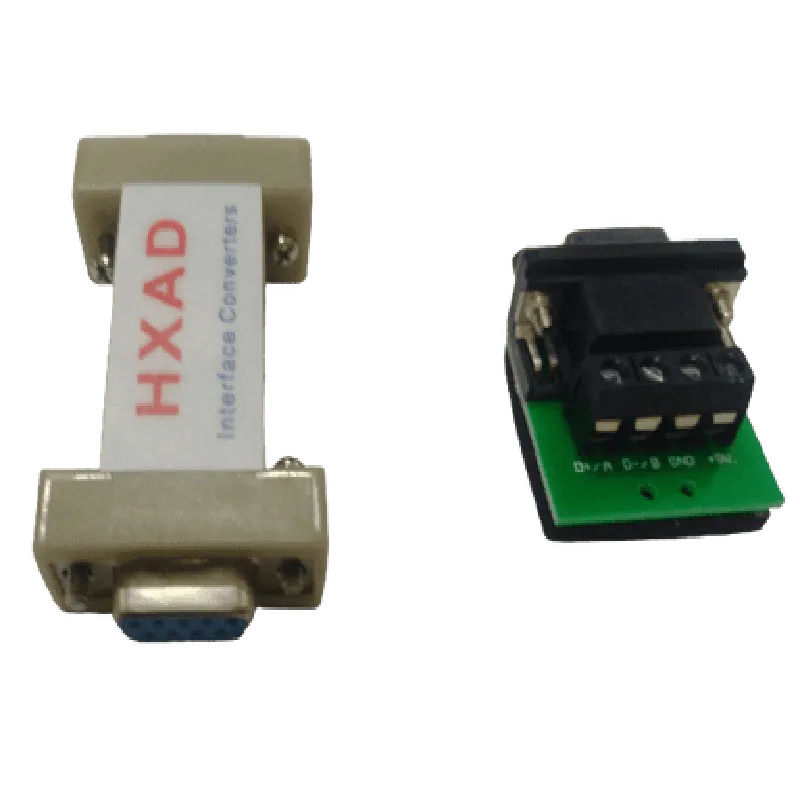
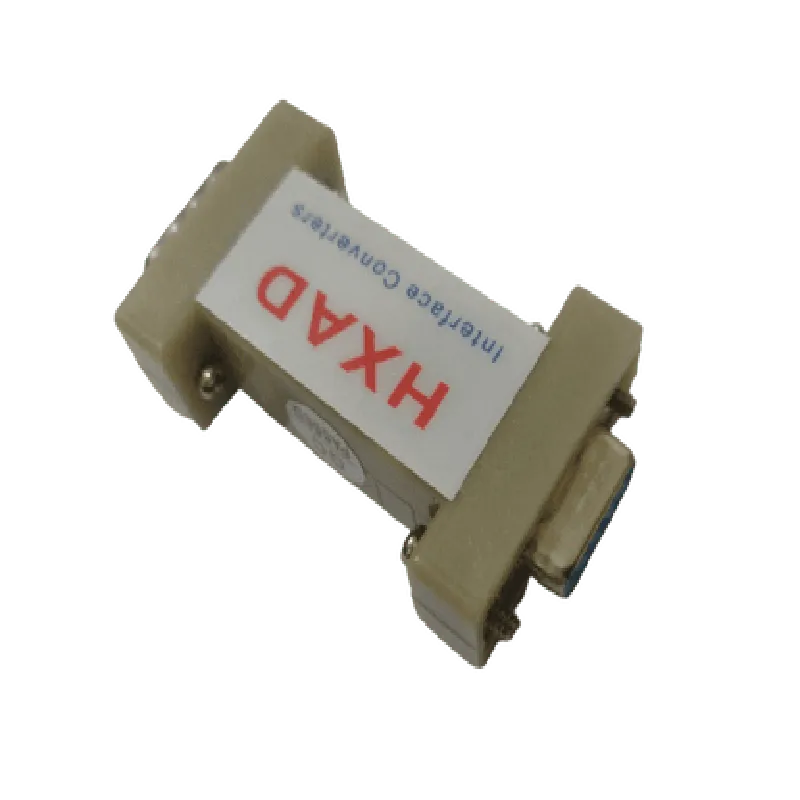
Up to 115.2 kbps
1.5kV
-40C to 85C
5% to 95% non-condensing
45mm x 25mm x 15mm
20g
Applications
| The HXAD RS232 to RS485 Passive Interface Adapter Converter is suitable for use in various applications, including |
Industrial automation systems
Building automation systems
Industrial control systems
Medical devices
Aerospace and defense systems
Transportation systems
Warranty and Support
The HXAD RS232 to RS485 Passive Interface Adapter Converter comes with a 1-year warranty and dedicated technical support to ensure reliable performance and trouble-free operation.
HXAD RS232 TO RS485 Passive Interface Adapter Converter DocumentationOverviewThe HXAD RS232 TO RS485 Passive Interface Adapter Converter is a compact, cost-effective solution for converting RS232 signals to RS485 signals. This adapter is designed to transmit data over long distances, making it an ideal choice for industrial automation, building automation, and other IoT applications.FeaturesPassive conversion, no external power supply required
Bi-directional conversion, supports full-duplex communication
Supports data rates up to 115.2 kbps
Compact design, easy to integrate into existing systems
Screw terminal connections for easy installationPinoutThe HXAD RS232 TO RS485 Passive Interface Adapter Converter has a 9-pin D-Subminiature connector for RS232 input and a 4-position screw terminal for RS485 output. The pinout is as follows:RS232 Input (9-pin D-Subminiature):Pin 1: RX (Receive)
Pin 2: TX (Transmit)
Pin 3: RTS (Request to Send)
Pin 4: CTS (Clear to Send)
Pin 5: GND (Ground)
Pin 6: DSR (Data Set Ready)
Pin 7: DTR (Data Terminal Ready)
Pin 8: RI (Ring Indicator)
Pin 9: NC (Not Connected)RS485 Output (4-position screw terminal):Terminal 1: A+ (Non-Inverting Output)
Terminal 2: B- (Inverting Output)
Terminal 3: GND (Ground)
Terminal 4: NC (Not Connected)Code Examples### Example 1: Arduino RS232 to RS485 Serial CommunicationIn this example, we will demonstrate how to use the HXAD RS232 TO RS485 Passive Interface Adapter Converter to communicate between an Arduino board and an RS485 device.Hardware RequirementsArduino Uno board
HXAD RS232 TO RS485 Passive Interface Adapter Converter
RS485 device (e.g., temperature sensor or actuator)Software RequirementsArduino IDECode
```c
#include <SoftwareSerial.h>// Define the serial pins for the RS232 connection
#define TX_PIN 1
#define RX_PIN 0SoftwareSerial rs232Serial(TX_PIN, RX_PIN);void setup() {
// Initialize the serial connection
rs232Serial.begin(9600);
}void loop() {
// Send a string to the RS485 device
rs232Serial.println("Hello, RS485!");
// Wait for a response from the RS485 device
while (rs232Serial.available() == 0);
String response = rs232Serial.readStringUntil('
');
Serial.println(response);
delay(1000);
}
```
In this example, we use the SoftwareSerial library to establish a serial connection between the Arduino board and the HXAD RS232 TO RS485 Passive Interface Adapter Converter. We then send a string to the RS485 device and wait for a response.### Example 2: Python RS232 to RS485 Serial Communication using PySerialIn this example, we will demonstrate how to use the HXAD RS232 TO RS485 Passive Interface Adapter Converter to communicate between a Python script and an RS485 device.Hardware RequirementsComputer with RS232 port (e.g., USB-to-RS232 adapter)
HXAD RS232 TO RS485 Passive Interface Adapter Converter
RS485 device (e.g., temperature sensor or actuator)Software RequirementsPython 3.x
PySerial libraryCode
```python
import serial# Open the serial connection
ser = serial.Serial('COM1', 9600, timeout=1)while True:
# Send a string to the RS485 device
ser.write(b'Hello, RS485!
')
# Wait for a response from the RS485 device
response = ser.readline()
print(response.decode('utf-8'))
time.sleep(1)
```
In this example, we use the PySerial library to establish a serial connection between the computer and the HXAD RS232 TO RS485 Passive Interface Adapter Converter. We then send a string to the RS485 device and wait for a response.Note: The above examples assume that the RS485 device is properly configured and connected to the HXAD RS232 TO RS485 Passive Interface Adapter Converter. Please consult the documentation of your specific RS485 device for configuration and connection details.