0-100 ppm H2S


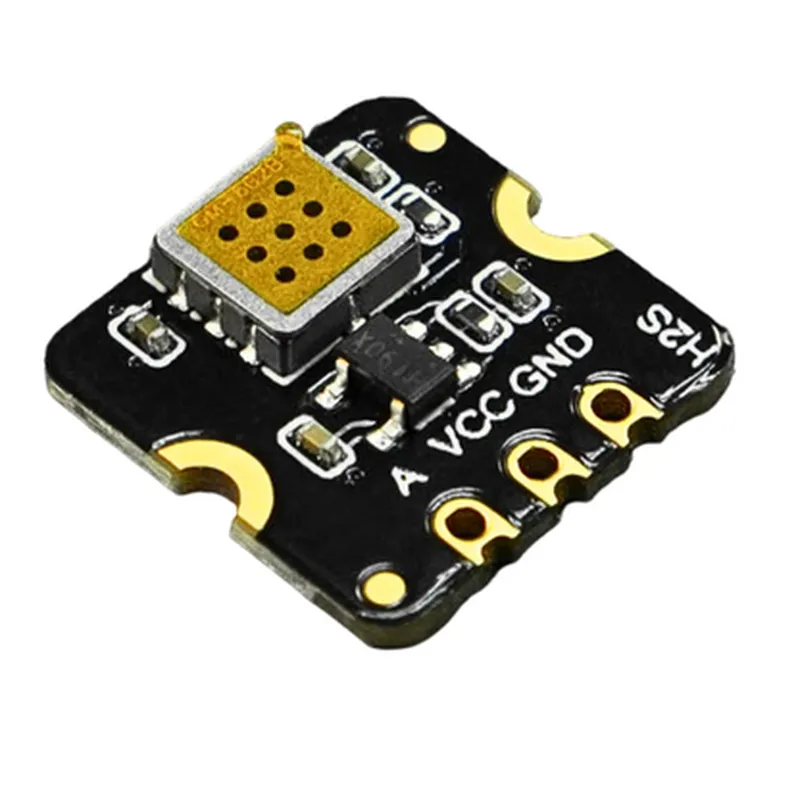
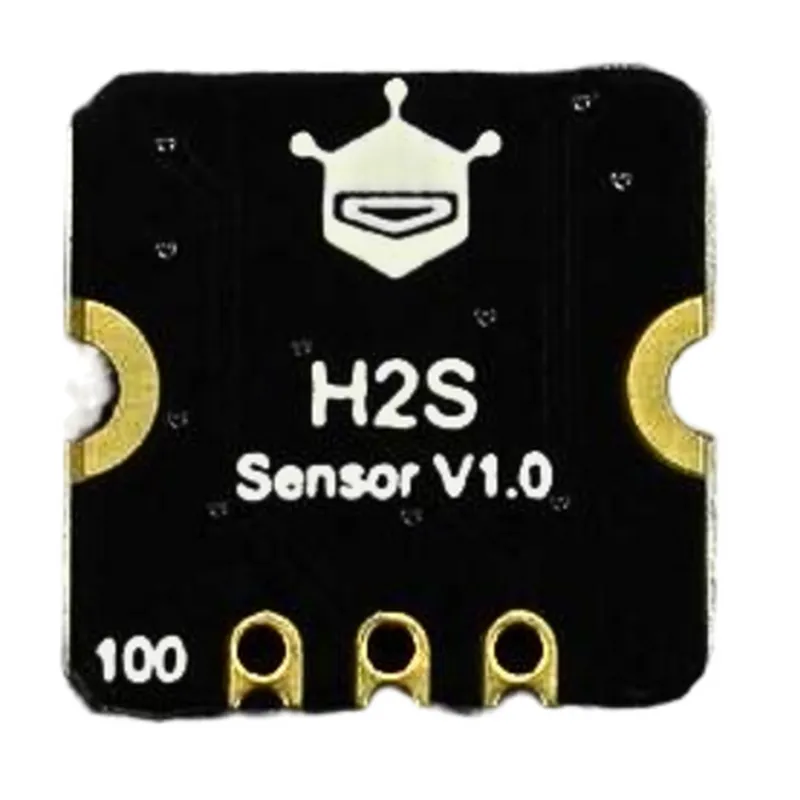
0-100 ppm H2S
10% of measured value
1 ppm
1.6V to 3.6V
10mA (typical) at 1.8V
<10 seconds
<30 seconds
-20C to 80C
20% to 90% RH (non-condensing)
Applications
Industrial safety monitoring
Environmental monitoring
Air quality control
Industrial process control
IoT applications
Wearable devices
Portable gas detectors
Conclusion
The Fermion MEMS Gas Detection Sensor Hydrogen Sulfide (H2S) is a highly accurate, compact, and low-power gas sensor ideal for various applications. Its high sensitivity, selectivity, and fast response time make it an excellent choice for detecting H2S gas in real-time. With its compact size, low power consumption, and digital output, this sensor is well-suited for integration into a wide range of devices and systems.
Fermion MEMS Gas Detection Sensor Hydrogen Sulfide (H2S) DocumentationOverviewThe Fermion MEMS Gas Detection Sensor Hydrogen Sulfide (H2S) is a micro-electromechanical systems (MEMS) based gas sensor designed to detect hydrogen sulfide (H2S) in the air. It offers high sensitivity, fast response time, and low power consumption, making it suitable for a wide range of applications, including industrial process control, environmental monitoring, and HVAC systems.Technical SpecificationsSensing Gas: Hydrogen Sulfide (H2S)
Measurement Range: 0-100 ppm
Sensitivity: 0.1 ppm
Response Time: <30 seconds
Operating Temperature: -20C to 50C
Operating Humidity: 20% to 80% RH
Power Supply: 3.3V to 5V
Interface: I2C
Package: SMD (Surface Mount Device)Code Examples### Example 1: Basic H2S Concentration Measurement using ArduinoThis example demonstrates how to use the Fermion MEMS Gas Detection Sensor Hydrogen Sulfide (H2S) with an Arduino board to measure the H2S concentration in the air.```c++
#include <Wire.h>#define H2S_SENSOR_ADDRESS 0x20 // I2C address of the H2S sensorvoid setup() {
Wire.begin(); // Initialize I2C interface
Serial.begin(9600); // Initialize serial communication
}void loop() {
uint16_t h2s_concentration = readH2SConcentration();
Serial.print("H2S Concentration: ");
Serial.print(h2s_concentration);
Serial.println(" ppm");
delay(1000); // Take a reading every 1 second
}uint16_t readH2SConcentration() {
Wire.beginTransmission(H2S_SENSOR_ADDRESS);
Wire.write(0x00); // Select the H2S concentration register
Wire.endTransmission();
Wire.requestFrom(H2S_SENSOR_ADDRESS, 2);
uint16_t h2s_concentration = Wire.read() << 8 | Wire.read();
return h2s_concentration;
}
```### Example 2: H2S Detection with Raspberry Pi and PythonThis example demonstrates how to use the Fermion MEMS Gas Detection Sensor Hydrogen Sulfide (H2S) with a Raspberry Pi board running Python to detect H2S and trigger an alarm when the concentration exceeds a certain threshold.```python
import smbus
import timeH2S_SENSOR_ADDRESS = 0x20
THRESHOLD = 10 # ppmbus = smbus.SMBus(1) # Initialize I2C interfacewhile True:
h2s_concentration = read_h2s_concentration()
print(f"H2S Concentration: {h2s_concentration} ppm")
if h2s_concentration > THRESHOLD:
print("H2S detected! Alarm triggered.")
time.sleep(1)def read_h2s_concentration():
bus.write_byte(H2S_SENSOR_ADDRESS, 0x00) # Select the H2S concentration register
time.sleep(0.1) # Wait for the sensor to respond
data = bus.read_i2c_block_data(H2S_SENSOR_ADDRESS, 0x00, 2)
h2s_concentration = (data[0] << 8) | data[1]
return h2s_concentration
```### Example 3: H2S Monitoring with ESP32 and MicroPythonThis example demonstrates how to use the Fermion MEMS Gas Detection Sensor Hydrogen Sulfide (H2S) with an ESP32 board running MicroPython to monitor H2S concentrations and send alerts to a remote server using Wi-Fi.```python
import machine
import utime
import ujson
import urequestsH2S_SENSOR_ADDRESS = 0x20
WIFI_SSID = "your_wifi_ssid"
WIFI_PASSWORD = "your_wifi_password"
SERVER_URL = "https://your_server_url.com/monitor_h2s"i2c = machine.I2C(sda=machine.Pin(21), scl=machine.Pin(22)) # Initialize I2C interfacedef connect_wifi():
wifi = machine.WLAN(machine.WLAN_STA)
wifi.active(True)
wifi.connect(WIFI_SSID, WIFI_PASSWORD)
while not wifi.isconnected():
utime.sleep(1)
print("Wi-Fi connected!")def read_h2s_concentration():
i2c.writeto(H2S_SENSOR_ADDRESS, bytearray([0x00])) # Select the H2S concentration register
utime.sleep(0.1) # Wait for the sensor to respond
data = i2c.readfrom(H2S_SENSOR_ADDRESS, 2)
h2s_concentration = (data[0] << 8) | data[1]
return h2s_concentrationdef send_alert(h2s_concentration):
data = {"h2s_concentration": h2s_concentration}
headers = {"Content-type": "application/json"}
response = urequests.post(SERVER_URL, headers=headers, data=ujson.dumps(data))
if response.status_code == 200:
print("Alert sent successfully!")connect_wifi()while True:
h2s_concentration = read_h2s_concentration()
print(f"H2S Concentration: {h2s_concentration} ppm")
if h2s_concentration > 10: # ppm
send_alert(h2s_concentration)
utime.sleep(60) # Take a reading every 1 minute
```Note: In these examples, the I2C address, Wi-Fi credentials, and server URLs may need to be modified to match your specific setup.