Xarm 1S Hiwonder Intelligent Bus Servo Robotic Arm for Programming


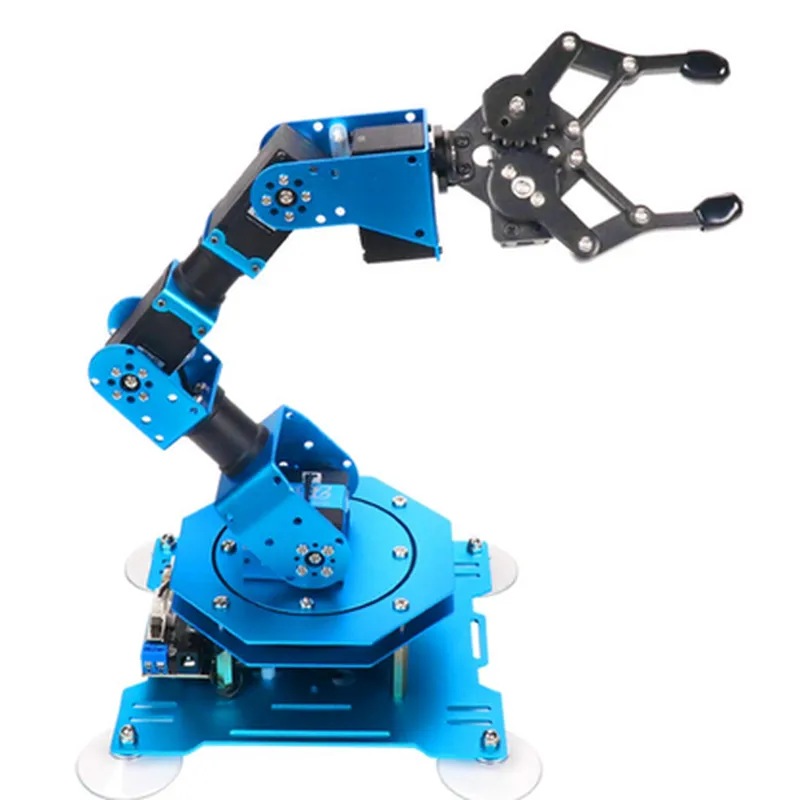
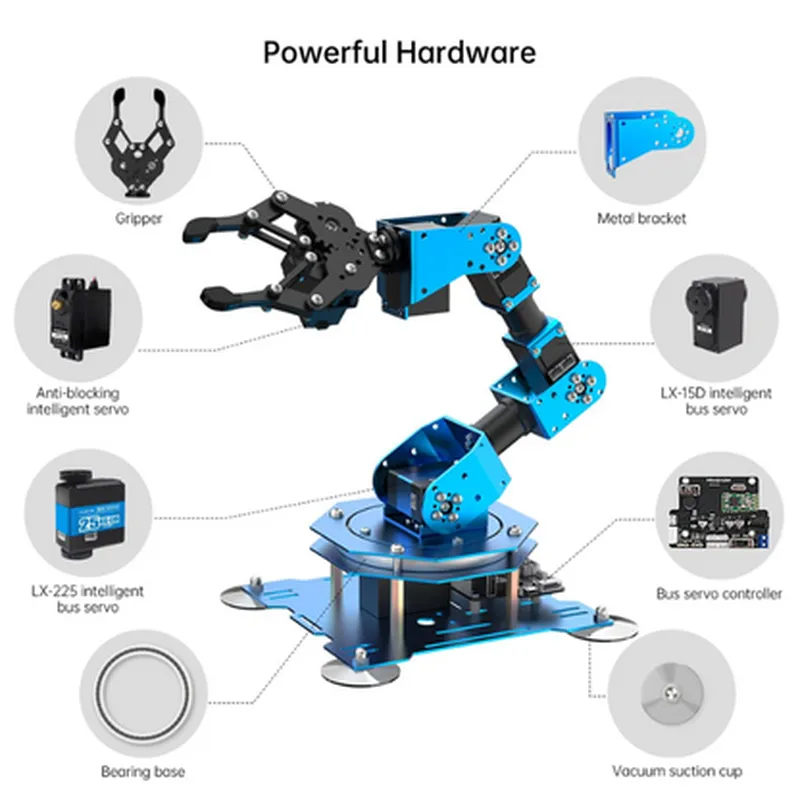
Xarm 1S Hiwonder Intelligent Bus Servo Robotic Arm for Programming
The Xarm 1S Hiwonder Intelligent Bus Servo Robotic Arm is a compact and versatile robotic arm designed for programming and automation applications. This IoT component is ideal for education, research, and development, as well as for hobbyists and professionals looking to explore robotics and artificial intelligence.
| The Xarm 1S is a bus servo-based robotic arm that can be controlled and programmed to perform a variety of tasks, including |
Precise movements and gestures
Object manipulation and grasping
Assembly and disassembly operations
Drawing and writing
Inspection and surveillance
The robotic arm is equipped with advanced sensors and algorithms, enabling it to adapt to different environments and tasks. Users can program the arm using various programming languages and platforms, such as Python, C++, and Arduino.
1.5 kg
350 x 250 x 150 mm
Aluminum alloy and ABS plastic
Compatible with Windows, macOS, and Linux
Python, C++, Arduino, and more
Wi-Fi, Bluetooth, UART, and I2C
12V DC, 2A
0C to 40C
Robotics and AI education
Research and development
Industrial automation
Hobbyist projects
Art and design applications
Power adapter
USB cable
Programming software
User manual
Assembly and disassembly tools
1-year limited warranty
Dedicated customer support team
Online documentation and resources
Community support and forums
Xarm 1S Hiwonder Intelligent Bus Servo Robotic Arm for ProgrammingOverviewThe Xarm 1S Hiwonder Intelligent Bus Servo Robotic Arm is a versatile and programmable robotic arm designed for STEM education, robotics, and IoT applications. It features 7 degrees of freedom, precise servo control, and a robust mechanical design. This robotic arm is ideal for learning and exploring robotics, programming, and artificial intelligence.Technical SpecificationsDegrees of Freedom (DOF): 7
Servo Type: High-precision digital servo
Communication Protocol: RS485 (compatible with Modbus protocol)
Power Supply: 12V DC
Weight: 1.2 kg
Dimension: 450mm x 350mm x 150mm
Programming Languages: Python, C++, Java (via SDK)Programming Examples### Example 1: Basic Python Control using serial communicationThis example demonstrates how to control the Xarm 1S robotic arm using Python and the PySerial library.Hardware RequirementsXarm 1S robotic arm
Raspberry Pi or a computer with a serial port
Serial communication cable (RS485)Software RequirementsPySerial library (install using `pip install pyserial`)Code
```python
import serial# Initialize the serial connection
ser = serial.Serial('/dev/ttyUSB0', 9600, timeout=1) # Replace with your serial port# Define the arm's servo IDs
SERVO_BASE = 1
SERVO_SHOULDER = 2
SERVO_ELBOW = 3
SERVO_WRIST = 4
SERVO_GRIPPER = 5# Define the servo angles (in degrees)
base_angle = 0
shoulder_angle = 45
elbow_angle = 90
wrist_angle = 45
gripper_angle = 0# Send the servo angles to the arm
ser.write(f"srv set {SERVO_BASE} {base_angle}
".encode())
ser.write(f"srv set {SERVO_SHOULDER} {shoulder_angle}
".encode())
ser.write(f"srv set {SERVO_ELBOW} {elbow_angle}
".encode())
ser.write(f"srv set {SERVO_WRIST} {wrist_angle}
".encode())
ser.write(f"srv set {SERVO_GRIPPER} {gripper_angle}
".encode())# Close the serial connection
ser.close()
```
This code sets the servo angles to move the arm to a specific position.### Example 2: Object Tracking and Picking using OpenCV and PythonThis example demonstrates how to use the Xarm 1S robotic arm to track and pick up objects using OpenCV and Python.Hardware RequirementsXarm 1S robotic arm
Raspberry Pi or a computer with a camera module
Camera module (e.g., Raspberry Pi Camera v2)Software RequirementsOpenCV library (install using `pip install opencv-python`)
PySerial library (install using `pip install pyserial`)Code
```python
import cv2
import serial# Initialize the serial connection
ser = serial.Serial('/dev/ttyUSB0', 9600, timeout=1) # Replace with your serial port# Initialize the camera
cap = cv2.VideoCapture(0)while True:
# Read a frame from the camera
ret, frame = cap.read()# Convert the frame to grayscale
gray = cv2.cvtColor(frame, cv2.COLOR_BGR2GRAY)# Detect objects using contours
contours, _ = cv2.findContours(gray, cv2.RETR_EXTERNAL, cv2.CHAIN_APPROX_SIMPLE)# Iterate through the contours
for contour in contours:
area = cv2.contourArea(contour)
x, y, w, h = cv2.boundingRect(contour)# Filter out small objects
if area > 1000:
# Calculate the object's center
center_x = x + w // 2
center_y = y + h // 2# Send the arm to pick up the object
ser.write(f"srv set {SERVO_BASE} {center_x}
".encode())
ser.write(f"srv set {SERVO_SHOULDER} {center_y}
".encode())
ser.write(f"srv set {SERVO_GRIPPER} 1
".encode()) # Open the gripper
ser.write(f"srv set {SERVO_GRIPPER} 0
".encode()) # Close the gripper
break# Release the frame
cap.release()# Close the serial connection
ser.close()
```
This code tracks objects using contours, calculates their center, and sends the arm to pick up the object.Note: These examples are for demonstration purposes only and may require modifications to work with your specific setup. Ensure you follow proper safety guidelines when working with robots and electrical components.Additional ResourcesHiwonder Official Documentation: [Xarm 1S SDK and programming guidelines](https://www.hiwonder.com/xarm-1s-sdk/)
PySerial Library Documentation: [serial.Serial class](https://pyserial.readthedocs.io/en/latest/pyserial_api.html#serial.Serial)
OpenCV Library Documentation: [OpenCV Python API](https://docs.opencv.org/4.5.3/)