315 MHz, 433 MHz, 868 MHz, or 915 MHz, depending on the specific module variant


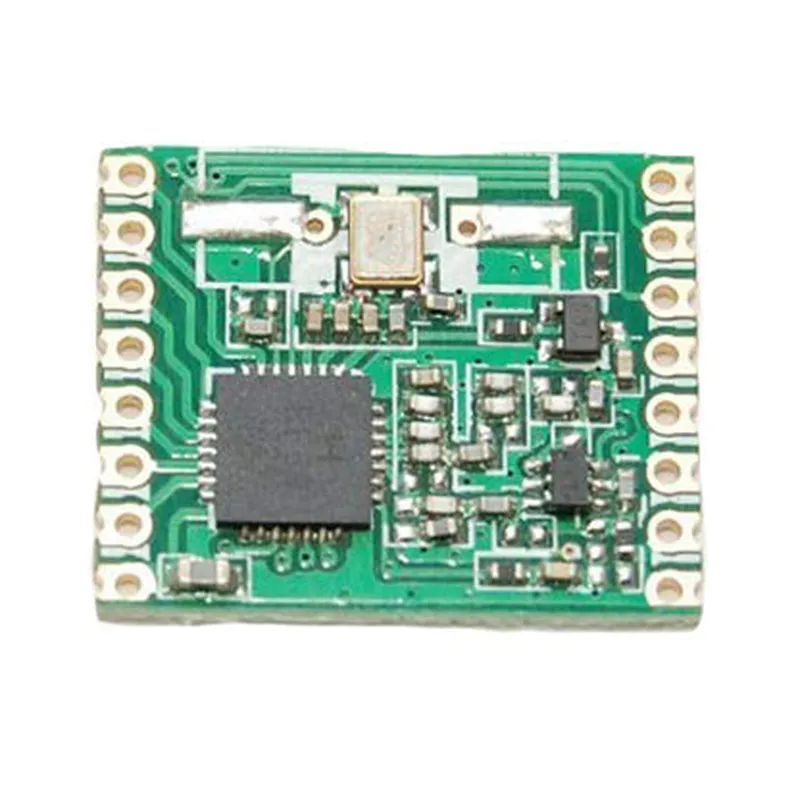
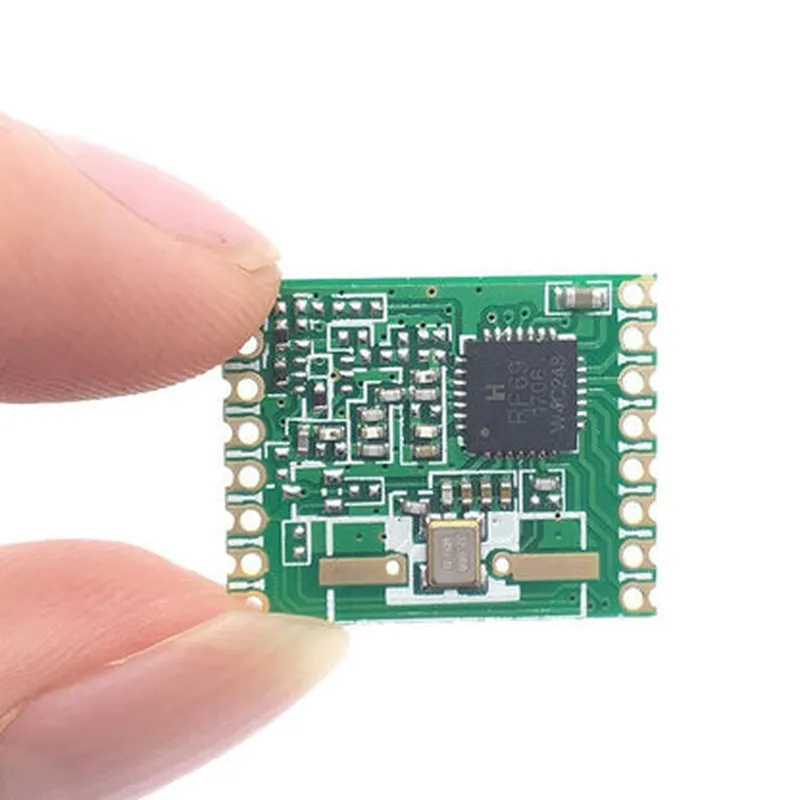
315 MHz, 433 MHz, 868 MHz, or 915 MHz, depending on the specific module variant
FSK (Frequency Shift Keying)
Up to 300 kbps
-120 dBm (receiving) and +20 dBm (transmitting)
Up to +20 dBm
Up to 100 meters (line of sight) or 1 km (with external antenna)
16 mA (receiving) and 130 mA (transmitting)
1.8V to 3.6V
SPI (Serial Peripheral Interface) or 2-wire serial interface
-20C to +70C
16 mm x 16 mm x 4 mm (module size)
Additional Features
| Built-in Voltage Regulator | Allows for a wide range of supply voltages |
| Automatic Gain Control (AGC) | Ensures optimal receiver performance |
| Digital RSSI (Received Signal Strength Indicator) | Provides signal strength information |
| WOR (Wake-on-Radio) | Allows the module to wake up from sleep mode upon receiving a signal |
| AES-128 Encryption | Provides secure data transmission (optional) |
Package and Pinout
| The RFM69 FSK Transceiver Module comes in a compact 16-pin SMD package. The pinout is as follows |
| Pin | Function |
| --- | --- |
| 1 | VCC |
| 2 | GND |
| 3 | SI (Serial Input) |
| 4 | SO (Serial Output) |
| 5 | SCK (Clock) |
| 6 | CS (Chip Select) |
| 7 | RST (Reset) |
| 8 | IRQ (Interrupt) |
| 9 | ANT (Antenna) |
| 10 | GND |
| 11 | VCC |
| 12 | NC (Not Connected) |
| 13 | NC (Not Connected) |
| 14 | NC (Not Connected) |
| 15 | NC (Not Connected) |
| 16 | GND |
Applications
| The RFM69 FSK Transceiver Module is suitable for various wireless communication applications, including |
IoT (Internet of Things) devices
Wireless sensor networks
Remote control systems
Home automation systems
Industrial automation systems
Conclusion
The RFM69 FSK Transceiver Module is a versatile and high-performance wireless communication module, ideal for a wide range of applications. Its low power consumption, high sensitivity, and robust feature set make it an attractive option for designers and engineers looking to implement wireless communication in their projects.
RFM69 FSK Transceiver Module DocumentationOverviewThe RFM69 FSK Transceiver Module is a low-cost, low-power, and high-performance radio frequency (RF) transceiver module that operates in the 433 MHz or 868 MHz frequency band. It is designed for wireless communication applications, including IoT, smart home, and industrial automation.FeaturesFrequency Band: 433 MHz or 868 MHz
Modulation: FSK (Frequency Shift Keying)
Data Rate: Up to 300 kbps
Range: Up to 100 meters (line of sight)
Power Consumption: Low power consumption (<100 mA)
Operating Voltage: 1.8-3.6 V
Communication Protocol: SPI (Serial Peripheral Interface)PinoutThe RFM69 FSK Transceiver Module has the following pins:VCC: Power supply (1.8-3.6 V)
GND: Ground
SCK: Serial clock input
MOSI: Master out slave in (data input)
MISO: Master in slave out (data output)
CS: Chip select
IRQ: Interrupt request
RST: ResetCode Examples### Example 1: Basic Transceiver Operation (Arduino)In this example, we will demonstrate how to use the RFM69 FSK Transceiver Module to transmit and receive data between two Arduino boards.Transmitter Code (Arduino)
```c
#include <RFM69.h>#define RFM69_CS 10 // Chip select pin
#define RFM69_IRQ 2 // Interrupt request pinRFM69 radio(RFM69_CS, RFM69_IRQ);void setup() {
radio.initialize(433, 1, 0); // Initialize the radio at 433 MHz, node ID 1, and network ID 0
}void loop() {
char message[] = "Hello, world!";
radio.send(message, strlen(message)); // Send the message
delay(1000);
}
```Receiver Code (Arduino)
```c
#include <RFM69.h>#define RFM69_CS 10 // Chip select pin
#define RFM69_IRQ 2 // Interrupt request pinRFM69 radio(RFM69_CS, RFM69_IRQ);void setup() {
radio.initialize(433, 2, 0); // Initialize the radio at 433 MHz, node ID 2, and network ID 0
}void loop() {
if (radio.receiveDone()) {
char message[64];
radio.read(message, radio.DATALEN); // Read the received message
Serial.println(message);
}
}
```### Example 2: Wireless Sensor Network (Raspberry Pi Python)In this example, we will demonstrate how to use the RFM69 FSK Transceiver Module to create a wireless sensor network using Raspberry Pi and Python.Transmitter Code (Raspberry Pi Python)
```python
import RPi.GPIO as GPIO
import timeGPIO.setmode(GPIO.BCM)# Set up the RFM69 pins
RFM69_CS = 17
RFM69_IRQ = 23
GPIO.setup(RFM69_CS, GPIO.OUT)
GPIO.setup(RFM69_IRQ, GPIO.IN, pull_up_down=GPIO.PUD_UP)# Initialize the RFM69
def init_rfm69():
GPIO.output(RFM69_CS, GPIO.HIGH)
time.sleep(0.01)
GPIO.output(RFM69_CS, GPIO.LOW)
time.sleep(0.01)# Send a message
def send_message(message):
GPIO.output(RFM69_CS, GPIO.LOW)
for byte in message:
GPIO.output(RFM69_CS, GPIO.HIGH)
time.sleep(0.001)
GPIO.output(RFM69_CS, GPIO.LOW)
time.sleep(0.001)# Get sensor data and send it
while True:
sensor_data = get_sensor_data() # Replace with your sensor reading code
send_message(sensor_data)
time.sleep(1)
```Receiver Code (Raspberry Pi Python)
```python
import RPi.GPIO as GPIO
import timeGPIO.setmode(GPIO.BCM)# Set up the RFM69 pins
RFM69_CS = 17
RFM69_IRQ = 23
GPIO.setup(RFM69_CS, GPIO.OUT)
GPIO.setup(RFM69_IRQ, GPIO.IN, pull_up_down=GPIO.PUD_UP)# Initialize the RFM69
def init_rfm69():
GPIO.output(RFM69_CS, GPIO.HIGH)
time.sleep(0.01)
GPIO.output(RFM69_CS, GPIO.LOW)
time.sleep(0.01)# Receive a message
def receive_message():
message = []
while True:
if GPIO.input(RFM69_IRQ) == GPIO.LOW:
break
while True:
byte = 0
for i in range(8):
GPIO.output(RFM69_CS, GPIO.LOW)
if GPIO.input(RFM69_IRQ) == GPIO.HIGH:
byte |= 1 << i
GPIO.output(RFM69_CS, GPIO.HIGH)
time.sleep(0.001)
message.append(byte)
if len(message) >= 64:
break
return messagewhile True:
message = receive_message()
print("Received message:", message)
time.sleep(1)
```These examples demonstrate the basic operation of the RFM69 FSK Transceiver Module in different contexts. You can modify and extend these examples to suit your specific wireless communication needs.