Stufin
Home Quick Cart Profile

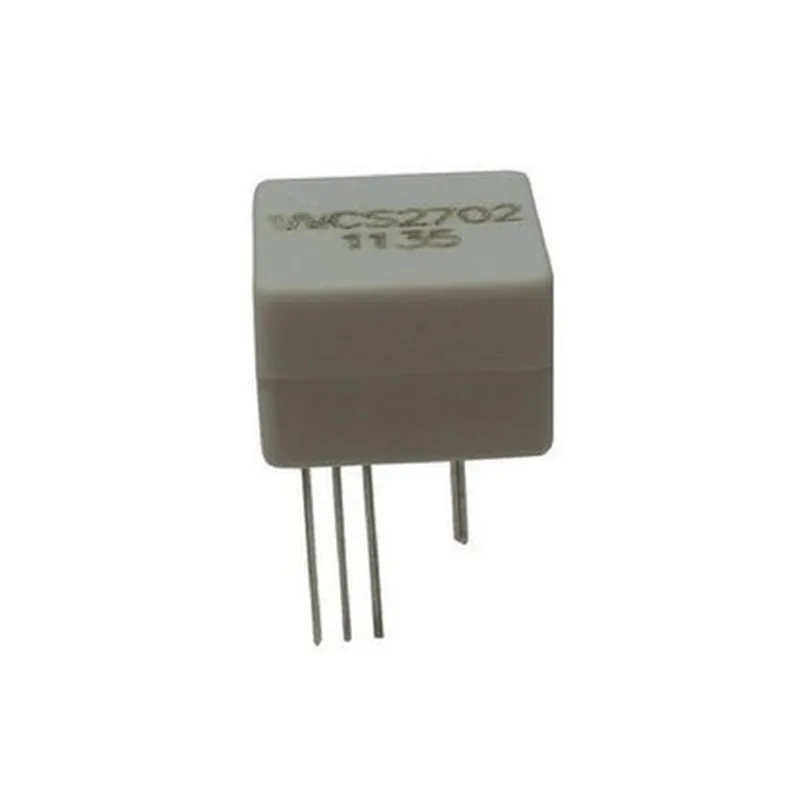
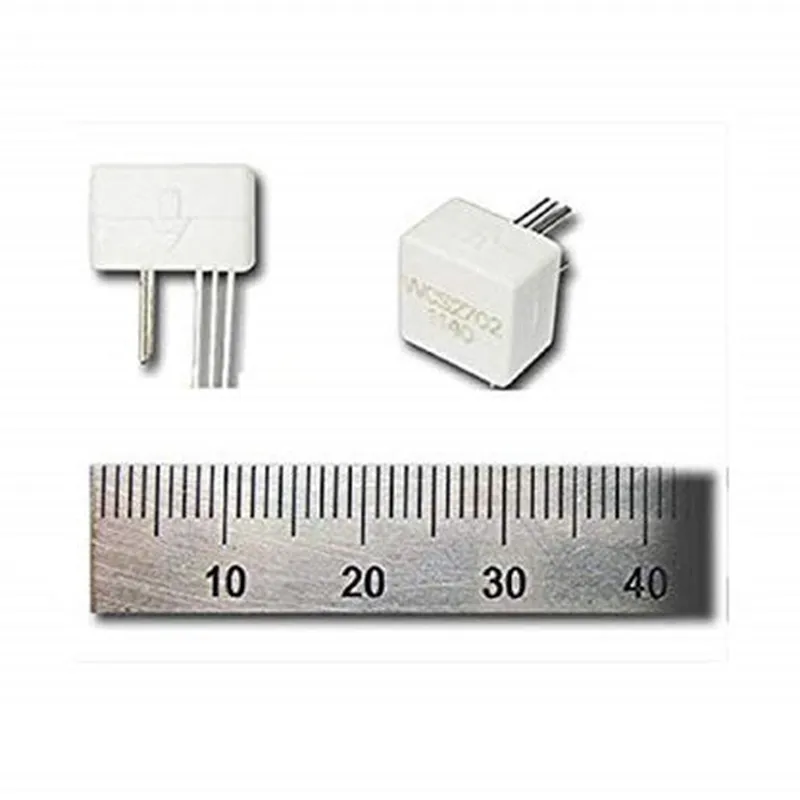
Original WCS2702 Hall Effect based Linear Current Sensor (0-2.0A)

Buy Now on Stufin

Pin Configuration

  • Original WCS2702 Hall Effect based Linear Current Sensor (0-2.0A) Pinout Explanation
  • The WCS2702 is a Hall Effect-based linear current sensor that measures current flow up to 2.0A. It provides a proportional output voltage signal, allowing for accurate current measurement. Here's a detailed explanation of each pin and how to connect them:
  • Pinout Diagram:
  • ```
  • +---------------+
  • | WCS2702 |
  • +---------------+
  • | 1 | VCC |
  • | 2 | GND |
  • | 3 | VIN |
  • | 4 | VOUT |
  • +---------------+
  • ```
  • Pin description and connection guide:
  • 1. VCC (Power Supply)
  • Pin Type: Power
  • Voltage Range: 4.5V to 5.5V
  • Description: Connect a stable power supply voltage (typically 5V) to this pin.
  • Connection: Connect VCC to a 5V power source, such as a voltage regulator or a battery.
  • 2. GND (Ground)
  • Pin Type: Ground
  • Description: Ground pin for the sensor.
  • Connection: Connect GND to the ground of your circuit or system.
  • 3. VIN (Current Input)
  • Pin Type: Analog Input
  • Description: This pin measures the current flow through the internal sensing resistor.
  • Connection: Connect VIN to the circuit or wire carrying the current you want to measure. Ensure the current flow is within the sensor's range (0-2.0A).
  • 4. VOUT (Output Voltage)
  • Pin Type: Analog Output
  • Description: Provides a proportional output voltage signal (0-5V) based on the measured current.
  • Connection: Connect VOUT to an analog-to-digital converter (ADC) or a microcontroller's analog input pin to read the output voltage signal.
  • Connection Structure:
  • To connect the WCS2702, follow these steps:
  • 1. Connect VCC to a 5V power source.
  • 2. Connect GND to the ground of your circuit or system.
  • 3. Connect VIN to the circuit or wire carrying the current you want to measure.
  • 4. Connect VOUT to an ADC or a microcontroller's analog input pin.
  • 5. Use a suitable resistor (e.g., 1 k) to connect VOUT to the ADC or microcontroller's analog input pin to ensure impedance matching and prevent signal distortion.
  • Important Notes:
  • Ensure the input current does not exceed the sensor's maximum rating (2.0A) to prevent damage.
  • Use a suitable PCB layout and wire gauges to minimize noise, EMI, and electromagnetic interference.
  • Calibrate the sensor using a known current source and measurement instrument for accurate readings.
  • By following these guidelines, you can accurately measure current flow using the WCS2702 Hall Effect-based linear current sensor.

Code Examples

Original WCS2702 Hall Effect based Linear Current Sensor (0-2.0A) Documentation
Overview
The Original WCS2702 is a Hall Effect based linear current sensor capable of measuring currents between 0 and 2.0A. This component is ideal for applications requiring accurate current measurement, such as motor control, power supply monitoring, and battery charging systems.
Pinout
The WCS2702 has a 5-pin package with the following pinout:
| Pin | Description |
| --- | --- |
| VCC | Power supply (5V) |
| GND | Ground |
| VIN | Input voltage (connected to the current-carrying conductor) |
| VOUT | Analog output voltage (proportional to the measured current) |
| NC | No connection (optional pin for bypass capacitor) |
Operating Characteristics
Supply voltage: 5V
 Measuring range: 0 to 2.0A
 Sensitivity: 185mV/A (typical)
 Linearity error: 1.5% (typical)
 Operating temperature: -20C to 80C
Code Examples
### Example 1: Basic Current Measurement using Arduino
In this example, we'll measure the current flowing through a load connected to a transistor controlled by an Arduino board.
```cpp
const int analogInPin = A0;  // VOUT pin connected to Arduino analog input 0
const int loadPin = 9;  // Transistor base pin connected to Arduino digital output 9
int sensorValue = 0;
float current = 0.0;
void setup() {
  pinMode(loadPin, OUTPUT);
  digitalWrite(loadPin, LOW);
  Serial.begin(9600);
}
void loop() {
  sensorValue = analogRead(analogInPin);
  current = (sensorValue  5.0 / 1023.0) / 0.185;  // Convert analog value to current (A)
  Serial.print("Current: ");
  Serial.print(current, 2);
  Serial.println(" A");
  delay(500);
}
```
### Example 2: Current Overload Detection using Raspberry Pi (Python)
In this example, we'll use a Raspberry Pi to detect overload conditions in a power supply system. When the measured current exceeds a set threshold (e.g., 1.8A), the script will trigger an alert.
```python
import RPi.GPIO as GPIO
import time
GPIO.setmode(GPIO.BCM)
GPIO.setup(17, GPIO.IN)  # VOUT pin connected to Raspberry Pi GPIO 17
threshold = 1.8  # Current overload threshold (A)
while True:
    sensor_value = GPIO.input(17)
    current = (sensor_value / 1023.0)  5.0 / 0.185  # Convert digital value to current (A)
    if current > threshold:
        print("Current overload detected! ({} A)".format(current))
        # Add code to trigger an alert, e.g., send an email or trigger a relay
    time.sleep(0.1)
```
Note: In both examples, the WCS2702 is assumed to be connected to a 5V power supply, and the VOUT pin is connected to an analog-to-digital converter (ADC) or a digital input pin. You may need to adjust the code based on your specific setup and application requirements.