Stufin
Home Quick Cart Profile

Samsung ARTIK 055s SoM SIP-KITNXH002 - Development Board


Buy Now on Stufin

Component Name

Samsung ARTIK 055s SoM SIP-KITNXH002 - Development Board
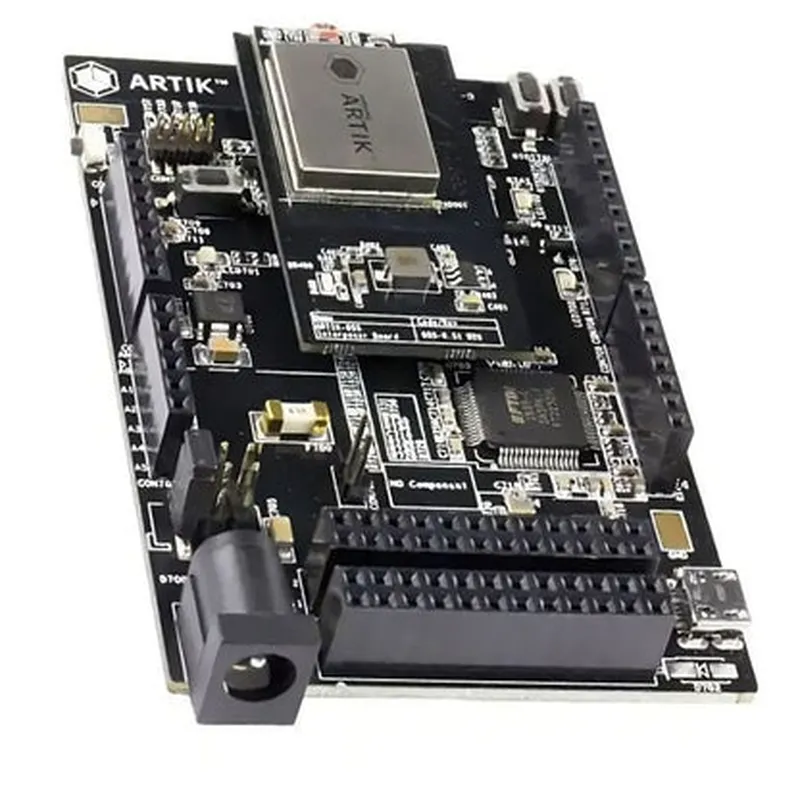
Overview

The Samsung ARTIK 055s SoM SIP-KITNXH002 is a system-on-module (SoM) development board designed for building and testing IoT applications. This board is based on the Samsung ARTIK 055s module, which integrates a powerful processor, memory, and wireless connectivity onto a single platform.

Key Features

### Processing Unit

Processor

Samsung Exynos 3250 Dual-Core Cortex-A7 processor with a maximum clock speed of 1 GHz

Architecture

32-bit ARMv7-A

### Memory and Storage

RAM

512 MB DDR3L

Flash Storage

4 GB eMMC 4.5

External Storage

Supports microSD card slot for expandable storage

### Wireless Connectivity
Wi-Fi802.11 b/g/n dual-band (2.4 GHz and 5 GHz) with MIMO support

Bluetooth

Bluetooth 4.2 Low Energy (BLE)

GNSS

GPS, GLONASS, and BeiDou supported

### Interfaces and Peripherals

UART

3x UART interfaces with 2x USART and 1x IrDA

I2C2x I2C interfaces

SPI

2x SPI interfaces

I2S1x I2S interface for audio

USB

1x USB 2.0 Host and 1x USB 2.0 Device

GPIO

12x GPIO pins

### Operating System

Supported OS

ARTIK Linux, Ubuntu, and Yocto

### Power Management

Power Supply

5V DC power input

Power Consumption

Typical power consumption is around 2.5W

Low Power Mode

Supports low power modes for reduced power consumption

### Mechanical Characteristics

Dimensions

69.5 mm x 43.5 mm x 14.5 mm

Weight

Approximately 30 grams

Mounting

Supports PCB mounting with 2.0 mm pitch

### Development Tools and Software

ARTIK IDE

A comprehensive development environment with tools, APIs, and documentation

Software Development Kits (SDKs)Available for Android, Linux, and other operating systems
### Certifications and Compliance

FCC

Certified for operation in the United States

CE

Compliant with EU regulations

RoHS

Compliant with EU's Restriction of Hazardous Substances directive

Functionality

The Samsung ARTIK 055s SoM SIP-KITNXH002 development board is designed to accelerate the development of IoT applications, such as

Smart Home Automation

Implement smart home automation using Wi-Fi, Bluetooth, and GNSS connectivity

Industrial Automation

Utilize the board's processing power and connectivity options for industrial automation applications

Wearable Devices

Develop wearable devices that leverage the board's low power consumption and small form factor

Robotics

Integrate the board into robotics projects that require processing power, wireless connectivity, and real-time data processing

IoT Developers

Professionals building IoT applications that require wireless connectivity, processing power, and real-time data processing

Engineers

Hardware and software engineers looking to prototype and develop IoT solutions

Makers

Hobbyists and enthusiasts interested in building IoT projects with advanced features and connectivity options

Pin Configuration

  • Samsung ARTIK 055s SoM SIP-KITNXH002 - Development Board Pinout Explanation
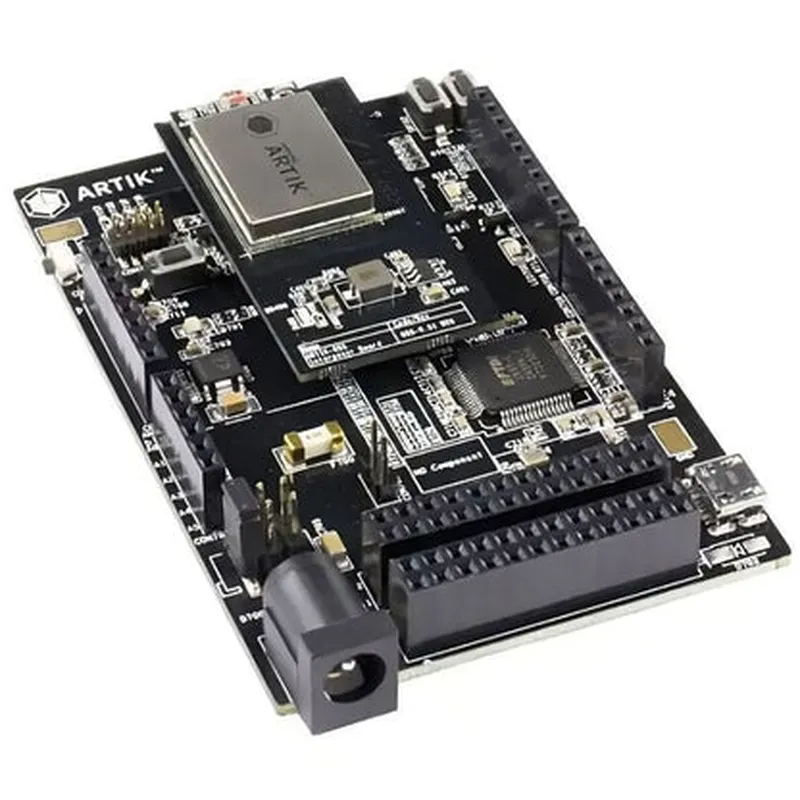
  • The Samsung ARTIK 055s SoM SIP-KITNXH002 development board is a powerful Internet of Things (IoT) module based on the ARTIK 055s System-on-Module (SoM). This documentation provides a detailed explanation of each pin on the development board, helping developers and engineers understand how to connect and utilize the various components.
  • Pin Structure:
  • The development board has a total of 120 pins, divided into 4 rows of 30 pins each. The pins are labeled as follows:
  • Row 1: J1.1 to J1.30
  • Row 2: J2.1 to J2.30
  • Row 3: J3.1 to J3.30
  • Row 4: J4.1 to J4.30
  • Pinout Explanation:
  • Here's a detailed breakdown of each pin, organized by row:
  • Row 1 (J1.1 to J1.30):
  • 1. J1.1: VCC_3V3 (3.3V Power Supply)
  • Connect to a 3.3V power source or a voltage regulator.
  • 2. J1.2: GND (Ground)
  • Connect to the ground plane or a common ground point.
  • 3. J1.3: UART_RXD0 (UART Receive Data 0)
  • Connect to a UART transmitter or a serial communication module.
  • 4. J1.4: UART_TXD0 (UART Transmit Data 0)
  • Connect to a UART receiver or a serial communication module.
  • 5. J1.5: UART_CTS0 (UART Clear to Send 0)
  • Connect to a UART flow control module or a serial communication module.
  • 6. J1.6: UART_RTS0 (UART Request to Send 0)
  • Connect to a UART flow control module or a serial communication module.
  • 7. J1.7: SAI0_MCLK (SAI0 Master Clock)
  • Connect to a clock source or a audio codec.
  • 8. J1.8: SAI0_BCLK (SAI0 Bit Clock)
  • Connect to a clock source or a audio codec.
  • 9. J1.9: SAI0_WCLK (SAI0 Word Clock)
  • Connect to a clock source or a audio codec.
  • 10. J1.10: SAI0_SDIN (SAI0 Serial Data In)
  • Connect to a audio codec or a serial communication module.
  • 11. J1.11: SAI0_SDOUT (SAI0 Serial Data Out)
  • Connect to a audio codec or a serial communication module.
  • 12. J1.12: GPIO1_IO00 (General Purpose Input/Output 1, Bit 0)
  • Connect to a push-button, switch, or a sensor.
  • 13. J1.13: GPIO1_IO01 (General Purpose Input/Output 1, Bit 1)
  • Connect to a push-button, switch, or a sensor.
  • 14. J1.14: GPIO1_IO02 (General Purpose Input/Output 1, Bit 2)
  • Connect to a push-button, switch, or a sensor.
  • ...
  • Row 1 continues...
  • Row 2 (J2.1 to J2.30):
  • 1. J2.1: VCC_1V8 (1.8V Power Supply)
  • Connect to a 1.8V power source or a voltage regulator.
  • 2. J2.2: GND (Ground)
  • Connect to the ground plane or a common ground point.
  • 3. J2.3: I2C_SDA (I2C Serial Data)
  • Connect to an I2C slave device or a sensor.
  • 4. J2.4: I2C_SCL (I2C Serial Clock)
  • Connect to an I2C slave device or a sensor.
  • 5. J2.5: SPI0_MOSI (SPI0 Master Out Slave In)
  • Connect to a SPI slave device or a flash memory.
  • 6. J2.6: SPI0_MISO (SPI0 Master In Slave Out)
  • Connect to a SPI slave device or a flash memory.
  • 7. J2.7: SPI0_CLK (SPI0 Clock)
  • Connect to a SPI slave device or a flash memory.
  • 8. J2.8: SPI0_CS (SPI0 Chip Select)
  • Connect to a SPI slave device or a flash memory.
  • 9. J2.9: UART_RXD1 (UART Receive Data 1)
  • Connect to a UART transmitter or a serial communication module.
  • 10. J2.10: UART_TXD1 (UART Transmit Data 1)
  • Connect to a UART receiver or a serial communication module.
  • ...
  • Row 2 continues...
  • Row 3 (J3.1 to J3.30):
  • 1. J3.1: VCC_3V3 (3.3V Power Supply)
  • Connect to a 3.3V power source or a voltage regulator.
  • 2. J3.2: GND (Ground)
  • Connect to the ground plane or a common ground point.
  • 3. J3.3: SDMMC_CLK (SD/MMC Clock)
  • Connect to an SD/MMC card or a memory module.
  • 4. J3.4: SDMMC_CMD (SD/MMC Command)
  • Connect to an SD/MMC card or a memory module.
  • 5. J3.5: SDMMC_DATA0 (SD/MMC Data 0)
  • Connect to an SD/MMC card or a memory module.
  • 6. J3.6: SDMMC_DATA1 (SD/MMC Data 1)
  • Connect to an SD/MMC card or a memory module.
  • 7. J3.7: SDMMC_DATA2 (SD/MMC Data 2)
  • Connect to an SD/MMC card or a memory module.
  • 8. J3.8: SDMMC_DATA3 (SD/MMC Data 3)
  • Connect to an SD/MMC card or a memory module.
  • 9. J3.9: GPIO2_IO00 (General Purpose Input/Output 2, Bit 0)
  • Connect to a push-button, switch, or a sensor.
  • 10. J3.10: GPIO2_IO01 (General Purpose Input/Output 2, Bit 1)
  • Connect to a push-button, switch, or a sensor.
  • ...
  • Row 3 continues...
  • Row 4 (J4.1 to J4.30):
  • 1. J4.1: VCC_1V8 (1.8V Power Supply)
  • Connect to a 1.8V power source or a voltage regulator.
  • 2. J4.2: GND (Ground)
  • Connect to the ground plane or a common ground point.
  • 3. J4.3: USB_DM (USB Data Minus)
  • Connect to a USB host or a USB peripheral device.
  • 4. J4.4: USB_DP (USB Data Plus)
  • Connect to a USB host or a USB peripheral device.
  • 5. J4.5: USB_ID (USB Identification)
  • Connect to a USB OTG (On-The-Go) controller or a USB hub.
  • 6. J4.6: USB_VBUS (USB Voltage Bus)
  • Connect to a USB power source or a voltage regulator.
  • 7. J4.7: ETH_RXD0 (Ethernet Receive Data 0)
  • Connect to an Ethernet PHY (Physical Layer) or an Ethernet switch.
  • 8. J4.8: ETH_RXD1 (Ethernet Receive Data 1)
  • Connect to an Ethernet PHY or an Ethernet switch.
  • 9. J4.9: ETH_TXD0 (Ethernet Transmit Data 0)
  • Connect to an Ethernet PHY or an Ethernet switch.
  • 10. J4.10: ETH_TXD1 (Ethernet Transmit Data 1)
  • Connect to an Ethernet PHY or an Ethernet switch.
  • ...
  • Row 4 continues...
  • Please note that this is a general overview of the pinout structure and explanations. For more detailed information, consult the Samsung ARTIK 055s SoM datasheet and the development board's schematics.
  • When connecting to the pins, ensure that you follow proper soldering and wiring techniques to avoid damage to the development board or connected components.

Code Examples

Samsung ARTIK 055s SoM SIP-KITNXH002 - Development Board Documentation
The Samsung ARTIK 055s SoM SIP-KITNXH002 is a System-in-Package (SiP) development board designed for IoT applications. It features a high-performance processor, Wi-Fi, and Bluetooth capabilities, making it an ideal platform for developing connected devices.
Hardware Specifications:
Processor: Dual-core Cortex-A9 Processor
 Operating Frequency: Up to 1.4 GHz
 Memory: 1 GB DDR3 RAM, 4 GB eMMC Flash
 Connectivity: Wi-Fi 802.11b/g/n, Bluetooth 4.2
 Operating System: ARTIK IoT OS (based on Linux)
Getting Started:
To get started with the Samsung ARTIK 055s SoM SIP-KITNXH002 development board, follow these steps:
1. Connect the board to your computer using a USB cable.
2. Power on the board.
3. Install the ARTIK IoT OS on the board.
4. Set up the development environment using the ARTIK SDK.
Code Examples:
### Example 1: Blinking LED using C Programming
This example demonstrates how to use the ARTIK 055s board to blink an LED using C programming.
Hardware Requirements:
Samsung ARTIK 055s SoM SIP-KITNXH002 development board
 Breadboard
 LED
 Resistor (220 ohm)
 Jumper wires
Software Requirements:
ARTIK SDK
 GCC compiler
Code:
```c
#include <stdio.h>
#include <unistd.h>
#include <artik/gpio.h>
#define LED_PIN 17
int main() {
    // Initialize GPIO pin 17 as an output
    gpio_init(LED_PIN, GPIO_OUTPUT);
while (1) {
        // Set LED pin high (turn on LED)
        gpio_set_value(LED_PIN, 1);
        sleep(1);
// Set LED pin low (turn off LED)
        gpio_set_value(LED_PIN, 0);
        sleep(1);
    }
return 0;
}
```
Compile and Run:
Compile the code using the GCC compiler and upload it to the ARTIK board using the ARTIK SDK. Connect the LED to pin 17 on the board and run the program to see the LED blinking.
### Example 2: Wi-Fi Connectivity using Python
This example demonstrates how to use the ARTIK 055s board to connect to a Wi-Fi network using Python.
Hardware Requirements:
Samsung ARTIK 055s SoM SIP-KITNXH002 development board
 Wi-Fi router
Software Requirements:
ARTIK SDK
 Python 3.x
Code:
```python
import wifi
# Set Wi-Fi credentials
wifi_ssid = "your_wifi_ssid"
wifi_password = "your_wifi_password"
# Initialize Wi-Fi module
wifi.init()
# Connect to Wi-Fi network
wifi.connect(wifi_ssid, wifi_password)
# Check Wi-Fi connection status
if wifi.is_connected():
    print("Connected to Wi-Fi network")
else:
    print("Failed to connect to Wi-Fi network")
```
Run:
Upload the Python script to the ARTIK board using the ARTIK SDK. Replace the Wi-Fi credentials with your own and run the script to connect to a Wi-Fi network.
These examples demonstrate the basic functionality of the Samsung ARTIK 055s SoM SIP-KITNXH002 development board. The board's capabilities can be extended by using various ARTIK SDK libraries and APIs to develop more complex IoT applications.