Stufin
Home Quick Cart Profile

Dual Shaft NEMA 34 CNC Stepper Motor 34HS46-5004D (8.5NM-5A)


Buy Now on Stufin

Component Name

Dual Shaft NEMA 34 CNC Stepper Motor 34HS46-5004D (8.5NM-5A)
Overview

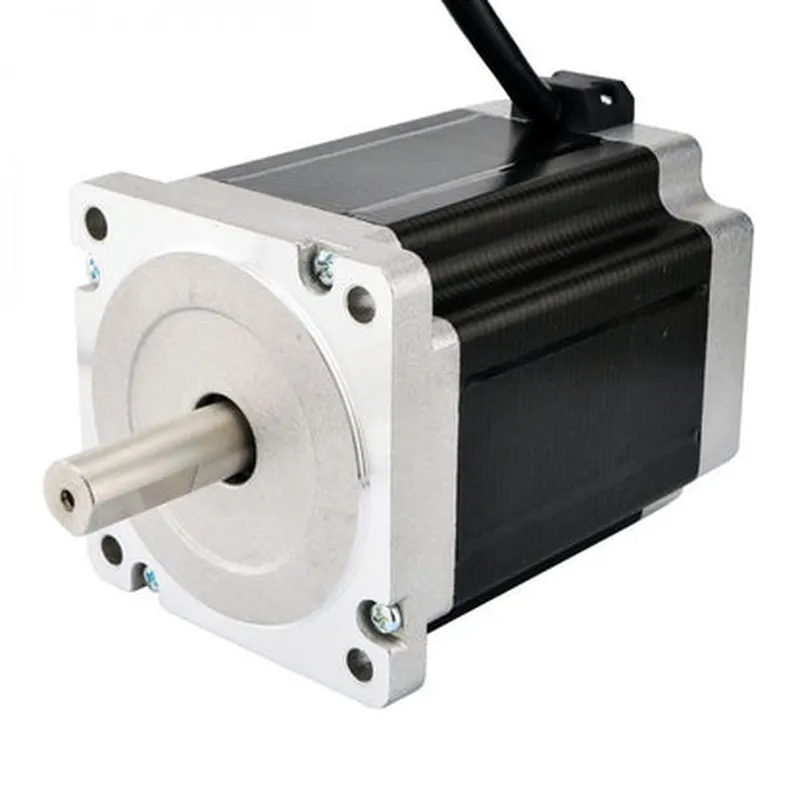
The Dual Shaft NEMA 34 CNC Stepper Motor 34HS46-5004D (8.5NM-5A) is a high-torque, high-precision stepper motor designed for demanding applications in CNC machining, robotics, and automation. This motor features a unique dual shaft design, allowing for simultaneous drive of two loads or synchronization of two mechanical axes.
Functionality

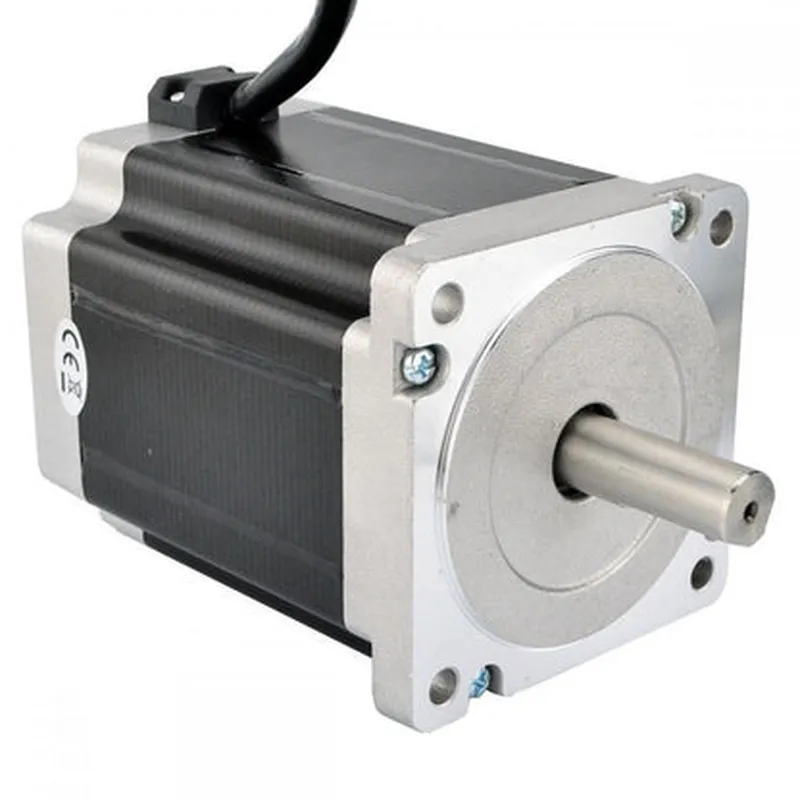
The Dual Shaft NEMA 34 CNC Stepper Motor is a type of brushless DC motor that utilizes a stepper motor drive to convert electrical pulses into precise mechanical movements. It operates on the principle of magnetoelectricity, where the rotor rotates in discrete steps in response to electrical pulses applied to the stator windings. This motor is designed to provide high positional accuracy, high torque, and low vibration, making it an ideal choice for applications requiring precise motion control.

Key Features

  • Dual Shaft Design: The motor features two output shafts, allowing for the simultaneous drive of two loads or synchronization of two mechanical axes. This design enables increased flexibility and versatility in system design.
  • High Torque: The motor produces a maximum torque of 8.5 Nm (1230 oz-in), making it suitable for applications requiring high mechanical power.
  • High Precision: The motor's step angle is 1.8, allowing for precise control over motor movements and positioning.
  • NEMA 34 Frame Size: The motor's frame size conforms to the NEMA 34 standard, ensuring compatibility with a wide range of mounting systems and motor mounts.
  • 4-Lead Configuration: The motor features a 4-lead configuration, which allows for bipolar drive and increased torque density.
  • High-Current Rating: The motor is designed to operate with a maximum current of 5A, providing high torque density and efficient operation.
  • Low Vibration: The motor's design and construction minimize vibration, ensuring smooth and quiet operation in demanding applications.
  • IP65 Environmental Rating: The motor is designed to operate in harsh environmental conditions, with a rating of IP65 for protection against dust and water ingress.
  • Operating Temperature: The motor is designed to operate over a wide temperature range of -20C to 50C (-4F to 122F), making it suitable for use in various industrial applications.

Motor Type

Hybrid Stepper Motor

Step Angle

1.8

Holding Torque

8.5 Nm (1230 oz-in)

Phase Current

5A

Phase Voltage

2.5V

Lead Wire Length

300mm (11.8 in)

Motor Length

112mm (4.4 in)

Motor Diameter

85mm (3.3 in)

Shaft Diameter

14mm (0.55 in)

Weight

2.5 kg (5.5 lbs)

Applications

The Dual Shaft NEMA 34 CNC Stepper Motor 34HS46-5004D (8.5NM-5A) is suitable for a wide range of applications, including

CNC machining centers

Robotics and automation systems

Industrial automation

3D printing and machining

Laser cutting and engraving

Conclusion

The Dual Shaft NEMA 34 CNC Stepper Motor 34HS46-5004D (8.5NM-5A) is a high-performance stepper motor designed for demanding applications in CNC machining, robotics, and automation. Its unique dual shaft design, high torque, and high precision make it an ideal choice for applications requiring precise motion control and high mechanical power.

Pin Configuration

  • Dual Shaft NEMA 34 CNC Stepper Motor 34HS46-5004D (8.5NM-5A) Pinout Explanation
  • The Dual Shaft NEMA 34 CNC Stepper Motor 34HS46-5004D (8.5NM-5A) has 8 pins, which are divided into two connectors: a 4-pin connector for power and a 4-pin connector for control signals. Here's a detailed explanation of each pin:
  • Power Connector (4 Pins)
  • 1. VCC (Pin 1): This pin is the positive voltage supply for the motor. It should be connected to a power source with a voltage range of 24V to 48V DC.
  • 2. GND (Pin 2): This pin is the ground connection for the motor. It should be connected to the negative terminal of the power source or the system ground.
  • 3. VM (Pin 3): This pin is the motor voltage connection for the second winding. It should be connected to the positive voltage supply for the motor, similar to VCC (Pin 1).
  • 4. GND (Pin 4): This pin is the ground connection for the second winding. It should be connected to the negative terminal of the power source or the system ground, similar to GND (Pin 2).
  • Control Connector (4 Pins)
  • 1. DIR (Pin 5): This pin is the direction control signal for the motor. A high logic level (5V) on this pin sets the motor direction to clockwise, while a low logic level (0V) sets the motor direction to counterclockwise.
  • 2. STEP (Pin 6): This pin is the step control signal for the motor. A pulse on this pin increments the motor position by one step. The frequency of the pulses determines the motor speed.
  • 3. ENA (Pin 7): This pin is the enable control signal for the motor. A high logic level (5V) on this pin enables the motor, while a low logic level (0V) disables the motor.
  • 4. NC (Pin 8): This pin is not connected (NC) and should be left unconnected.
  • Connection Structure
  • To connect the Dual Shaft NEMA 34 CNC Stepper Motor 34HS46-5004D (8.5NM-5A), follow these steps:
  • 1. Connect the power supply to the motor:
  • VCC (Pin 1) to the positive terminal of the power source (24V to 48V DC)
  • GND (Pin 2) to the negative terminal of the power source or system ground
  • VM (Pin 3) to the positive terminal of the power source (24V to 48V DC)
  • GND (Pin 4) to the negative terminal of the power source or system ground
  • 2. Connect the control signals to the motor driver or controller:
  • DIR (Pin 5) to the direction control output of the motor driver or controller
  • STEP (Pin 6) to the step control output of the motor driver or controller
  • ENA (Pin 7) to the enable control output of the motor driver or controller
  • NC (Pin 8) should be left unconnected
  • 3. Ensure that the motor driver or controller is configured to match the motor's specifications, including the voltage, current, and step resolution.
  • Important Notes
  • The motor driver or controller should be capable of handling the motor's rated current (5A) and voltage (24V to 48V DC).
  • The power supply should be able to provide the required current and voltage for the motor.
  • The motor should be properly cooled to prevent overheating, especially in high-torque applications.
  • The motor's step resolution and speed should be configured according to the specific application requirements.

Code Examples

Dual Shaft NEMA 34 CNC Stepper Motor 34HS46-5004D (8.5NM-5A) Documentation
Overview
The Dual Shaft NEMA 34 CNC Stepper Motor 34HS46-5004D (8.5NM-5A) is a high-torque, high-precision stepper motor designed for industrial and CNC applications. It features a dual shaft design, making it suitable for applications that require simultaneous rotation of two axes.
Specifications
| Parameter | Value |
| --- | --- |
| Step Angle | 1.8 |
| Holding Torque | 8.5 Nm |
| Current Rating | 5 A |
| Voltage Rating | 2-4 V |
| Phase Resistance | 0.4 Ohms |
| Inductance | 2.5 mH |
| Shaft Diameter | 14 mm ( dual shaft) |
| Body Length | 56 mm |
| Motor Weight | 2.5 kg |
Pinout
The motor has a 4-wire configuration, with the following pinout:
| Pin | Function |
| --- | --- |
| A+ | Phase A Positive |
| A- | Phase A Negative |
| B+ | Phase B Positive |
| B- | Phase B Negative |
Code Examples
### Example 1: Arduino Uno - Simple Stepping
This example demonstrates how to control the stepper motor using an Arduino Uno board. The code uses the `Stepper` library to create a stepper object, which is then used to step the motor.
```cpp
#include <Stepper.h>
const int stepsPerRevolution = 200;  // Change this to your motor's step count
Stepper myStepper(stepsPerRevolution, 8, 9, 10, 11); // Initialize stepper on pins 8-11
void setup() {
  // Set the motor speed to 50 RPM
  myStepper.setSpeed(50);
}
void loop() {
  // Step the motor 100 steps forward
  myStepper.step(100);
  delay(1000);
// Step the motor 100 steps backward
  myStepper.step(-100);
  delay(1000);
}
```
### Example 2: Raspberry Pi - Python - Stepping with Acceleration
This example demonstrates how to control the stepper motor using a Raspberry Pi and Python. The code uses the `RPi.GPIO` library to control the motor's phases and implements a simple acceleration profile to smoothly accelerate and decelerate the motor.
```python
import RPi.GPIO as GPIO
import time
# Set up GPIO pins for motor control
GPIO.setmode(GPIO.BCM)
GPIO.setup(17, GPIO.OUT)  # A+
GPIO.setup(23, GPIO.OUT)  # A-
GPIO.setup(24, GPIO.OUT)  # B+
GPIO.setup(25, GPIO.OUT)  # B-
# Set up motor parameters
stepsPerRevolution = 200
accelerationSteps = 100
decelerationSteps = 100
def step_motor(direction):
  if direction == 1:  # Clockwise
    GPIO.output(17, GPIO.HIGH)
    GPIO.output(23, GPIO.LOW)
    GPIO.output(24, GPIO.HIGH)
    GPIO.output(25, GPIO.LOW)
  else:  # Counter-clockwise
    GPIO.output(17, GPIO.LOW)
    GPIO.output(23, GPIO.HIGH)
    GPIO.output(24, GPIO.LOW)
    GPIO.output(25, GPIO.HIGH)
while True:
  # Accelerate to 500 steps/second
  for i in range(accelerationSteps):
    step_motor(1)
    time.sleep(0.001)
# Cruise at 500 steps/second
  for i in range(500):
    step_motor(1)
    time.sleep(0.001)
# Decelerate to 0 steps/second
  for i in range(decelerationSteps):
    step_motor(1)
    time.sleep(0.001)
# Repeat in the opposite direction
  for i in range(accelerationSteps):
    step_motor(-1)
    time.sleep(0.001)
for i in range(500):
    step_motor(-1)
    time.sleep(0.001)
for i in range(decelerationSteps):
    step_motor(-1)
    time.sleep(0.001)
```
Note: These examples are for illustrative purposes only and may require modifications to work with your specific setup. Make sure to consult the datasheet and documentation for your specific motor driver and controller board.