12V


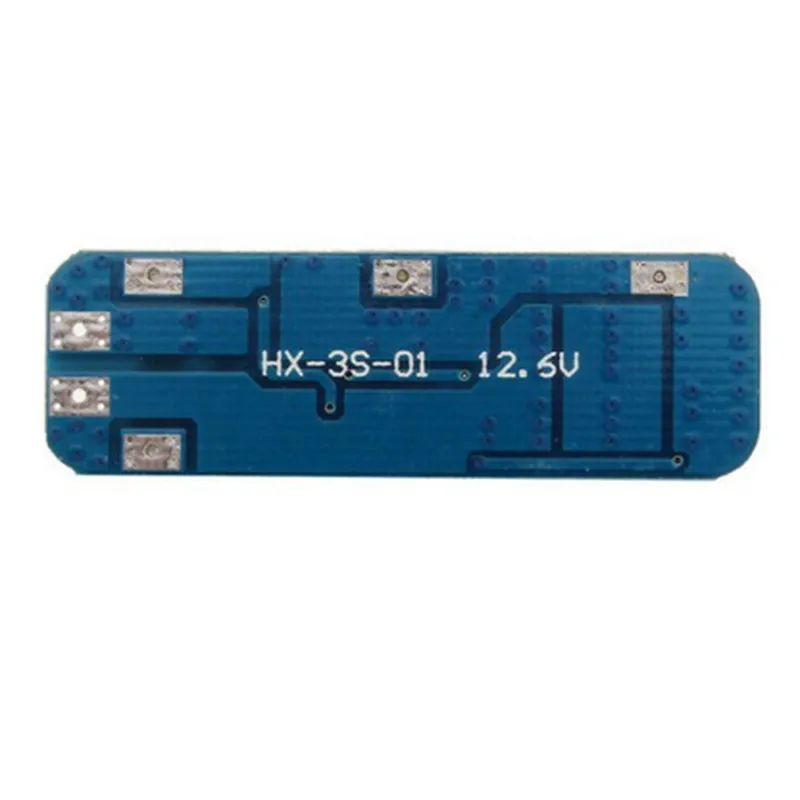
12V
12V
10A
-20C to 80C
-40C to 125C
35mm x 25mm x 10mm
10g
Applications
| The 18650 12V 10A Lithium Protection Board is suitable for a wide range of applications, including |
IoT devices
Electric vehicles
Renewable energy systems
Battery-powered tools and equipment
Medical devices
Industrial control systems
Conclusion
The 18650 12V 10A Lithium Protection Board is a reliable and efficient solution for protecting and managing 18650 lithium-ion batteries. Its comprehensive set of protection features, compact design, and wide operating temperature range make it an ideal choice for various applications that require safe and reliable battery operation.
18650 12V 10A Lithium Protection Board DocumentationOverviewThe 18650 12V 10A Lithium Protection Board is a high-performance lithium-ion battery protection module designed to safeguard 18650 battery cells from overcharge, over-discharge, over-current, and short-circuit conditions. This module is ideal for IoT projects that require reliable and efficient battery management.FeaturesInput voltage: 12V
Output current: 10A
Overcharge protection voltage: 4.25V 0.05V
Over-discharge protection voltage: 2.5V 0.05V
Over-current protection: 10A 1A
Short-circuit protection
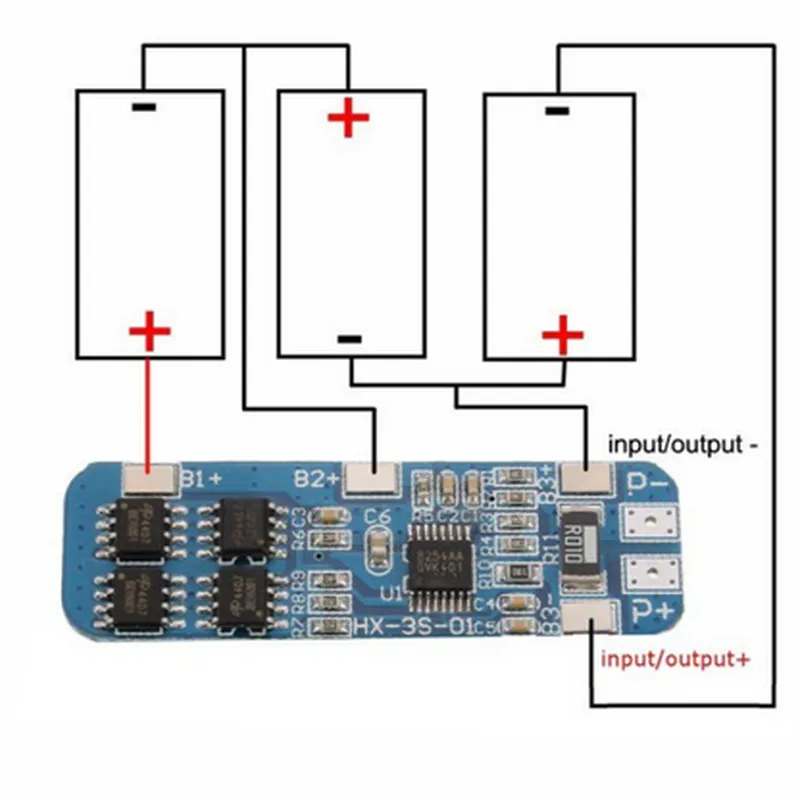
Low power consumption: <1mAPinoutB- (Battery negative)
B+ (Battery positive)
P- (Power negative)
P+ (Power positive)Code Examples### Example 1: Arduino Battery Monitoring with 18650 Protection BoardIn this example, we'll use the 18650 12V 10A Lithium Protection Board with an Arduino Uno to monitor the battery voltage and current.```c++
const int voltagePin = A0; // Voltage sensing pin
const int currentPin = A1; // Current sensing pinvoid setup() {
Serial.begin(9600);
}void loop() {
int voltageReading = analogRead(voltagePin);
float voltage = voltageReading 12.0 / 1023.0; // Convert to voltage valueint currentReading = analogRead(currentPin);
float current = currentReading 10.0 / 1023.0; // Convert to current valueSerial.print("Battery Voltage: ");
Serial.print(voltage);
Serial.println(" V");Serial.print("Battery Current: ");
Serial.print(current);
Serial.println(" A");delay(1000);
}
```### Example 2: Raspberry Pi Battery Management with 18650 Protection Board (Python)In this example, we'll use the 18650 12V 10A Lithium Protection Board with a Raspberry Pi to monitor the battery voltage and current, and shut down the system when the battery is critically low.```python
import RPi.GPIO as GPIO
import timeGPIO.setmode(GPIO.BCM)voltage_pin = 17 # Voltage sensing pin
current_pin = 23 # Current sensing pinGPIO.setup(voltage_pin, GPIO.IN)
GPIO.setup(current_pin, GPIO.IN)while True:
voltage_reading = GPIO.input(voltage_pin)
current_reading = GPIO.input(current_pin)if voltage_reading < 3.0: # Critical battery voltage (adjust to your needs)
print("Battery critically low! Shutting down...")
# Add shutdown command or script here
breaktime.sleep(1)
```### Example 3: ESP8266 Battery-Powered IoT Device with 18650 Protection Board (MicroPython)In this example, we'll use the 18650 12V 10A Lithium Protection Board with an ESP8266 board to create a battery-powered IoT device that monitors its own battery level and sends updates to a remote server.```python
import machine
import urequests
import utimevoltage_pin = machine.ADC(0) # Voltage sensing pinwhile True:
voltage_reading = voltage_pin.read_uv() / 1000
battery_level = (voltage_reading - 2.5) / 1.5 100 # Calculate battery level (adjust to your needs)if battery_level < 20: # Critical battery level (adjust to your needs)
print("Battery critically low! Sending update...")
urequests.post("https://your-remote-server.com/battery_update", json={"battery_level": battery_level})
breakutime.sleep(60) # Update every 1 minute
```Note: In all examples, ensure that the protection board is properly connected to the 18650 battery and the microcontroller or development board. The code examples provided are simplified and might require adjustments for specific use cases. Always follow proper safety precautions when working with batteries and electrical systems.