Stufin
Home Quick Cart Profile

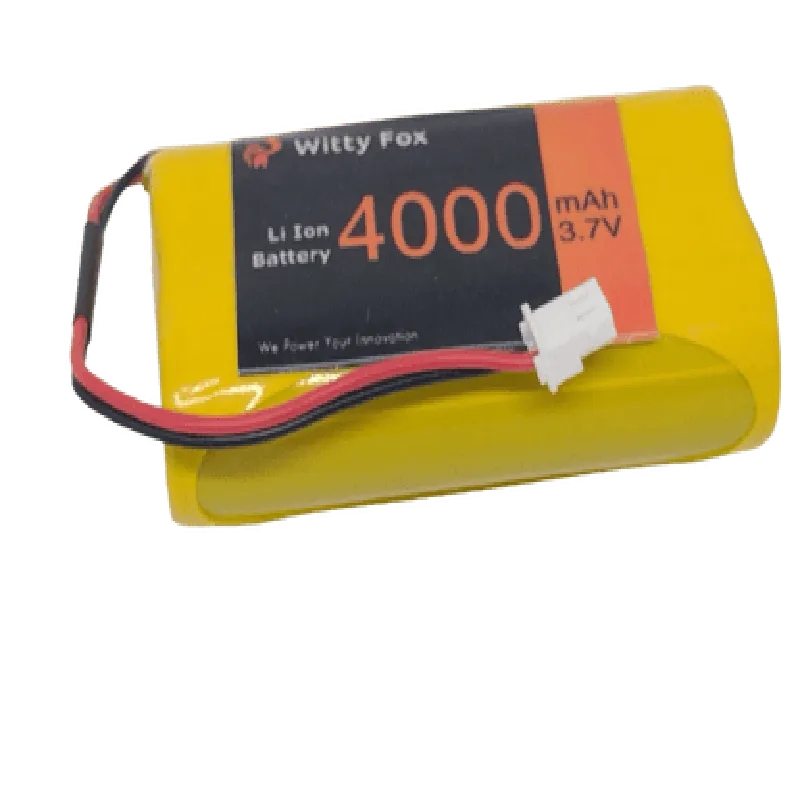
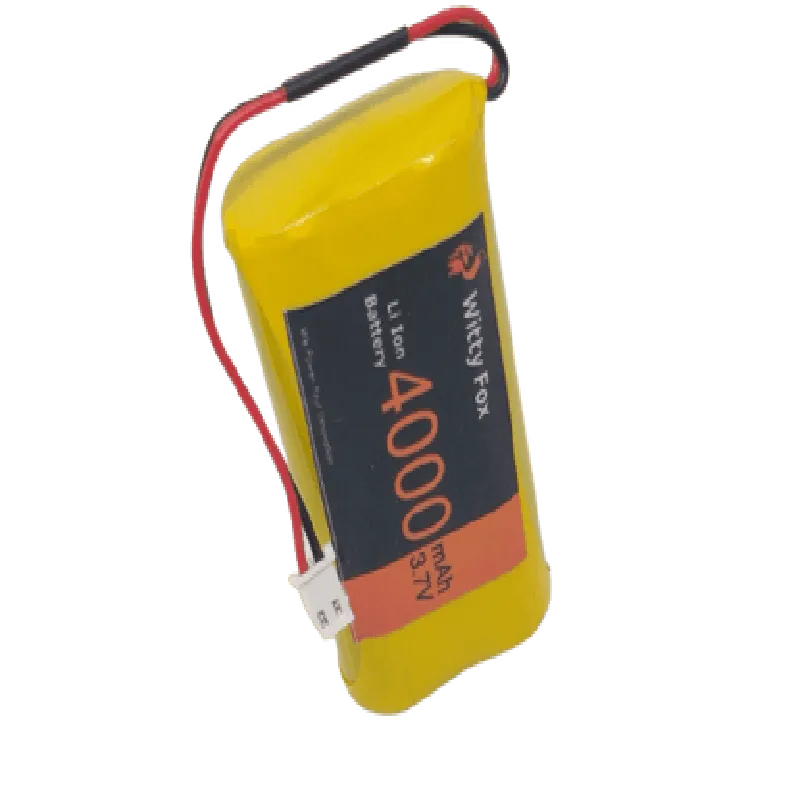
Witty Fox 3.7V 4000mAh Li-Ion Battery

Buy Now on Stufin

Pin Configuration

  • Witty Fox 3.7V 4000mAh Li-Ion Battery Pinout Documentation
  • The Witty Fox 3.7V 4000mAh Li-Ion Battery is a rechargeable lithium-ion battery designed for use in various IoT applications. It features a compact design and a high-capacity rating, making it an ideal choice for projects that require reliable power supply. The battery has four pins, which are explained below:
  • Pin 1: Positive Terminal (B+)
  • Function: Positive voltage output
  • Voltage: 3.7V (nominal)
  • Current: Up to 2C (8000mA) discharge current
  • Recommended connection: Connect to the positive input of your device or circuit
  • Pin 2: Negative Terminal (B-)
  • Function: Negative voltage output
  • Voltage: 0V (ground)
  • Current: Up to 2C (8000mA) discharge current
  • Recommended connection: Connect to the negative input of your device or circuit
  • Pin 3: Temperature Monitoring (T-)
  • Function: Thermal protection and monitoring
  • Signal: Analog voltage output (0-5V) indicating battery temperature
  • Recommended connection: Connect to an analog input on a microcontroller or other monitoring device to track battery temperature
  • Pin 4: Charge/Discharge Protection (C/D)
  • Function: Battery protection and charging control
  • Signal: Digital output (high/low) indicating charge/discharge status
  • + High: Battery is fully charged or charging
  • + Low: Battery is discharging or in low-battery state
  • Recommended connection: Connect to a digital input on a microcontroller or other control device to monitor charge/discharge status
  • Connection Structure:
  • When connecting the Witty Fox 3.7V 4000mAh Li-Ion Battery to your device or circuit, ensure the following:
  • Connect Pin 1 (B+) to the positive input of your device or circuit.
  • Connect Pin 2 (B-) to the negative input of your device or circuit.
  • Connect Pin 3 (T-) to an analog input on a microcontroller or other monitoring device (optional, but recommended for temperature monitoring).
  • Connect Pin 4 (C/D) to a digital input on a microcontroller or other control device (optional, but recommended for charge/discharge status monitoring).
  • Use suitable wires and connectors to ensure secure connections.
  • Make sure to follow proper safety precautions when working with lithium-ion batteries, such as using protective equipment and following recommended charging and storage procedures.
  • Important Notes:
  • Always handle lithium-ion batteries with care, as they can be sensitive to temperature, charge, and discharge rates.
  • Ensure the battery is charged and discharged within the recommended parameters to maintain its lifespan and prevent damage.
  • Consult the datasheet and manufacturer's guidelines for specific charging and discharging procedures, as well as thermal management recommendations.
  • By following these guidelines, you can safely and effectively utilize the Witty Fox 3.7V 4000mAh Li-Ion Battery in your IoT projects.

Code Examples

Witty Fox 3.7V 4000mAh Li-Ion Battery Documentation
Overview
The Witty Fox 3.7V 4000mAh Li-Ion Battery is a rechargeable lithium-ion battery designed for IoT applications. It features a high capacity of 4000mAh, a nominal voltage of 3.7V, and a compact design. This battery is suitable for powering various IoT devices, including wireless sensors, wearable devices, and small robots.
Specifications
Nominal Voltage: 3.7V
 Capacity: 4000mAh
 Dimensions: 52 x 34 x 5.5 mm
 Weight: approximately 60g
 Operating Temperature: -20C to 50C
 Charging Method: CC/CV (Constant Current/Constant Voltage)
Connecting the Battery
The Witty Fox 3.7V 4000mAh Li-Ion Battery has a standard JST-XH connector, which can be easily connected to most IoT development boards and modules.
Example 1: Powering an ESP32 Board with the Witty Fox Battery
In this example, we'll demonstrate how to power an ESP32 board using the Witty Fox battery.
Hardware Requirements:
Witty Fox 3.7V 4000mAh Li-Ion Battery
 ESP32 DevKitC board
 JST-XH connector
Software Requirements:
ESP32 Arduino Core
Code Example:
```c
#include <WiFi.h>
void setup() {
  Serial.begin(115200);
  WiFi.begin("your_wifi_ssid", "your_wifi_password");
  while (WiFi.status() != WL_CONNECTED) {
    delay(1000);
    Serial.println("Connecting to WiFi...");
  }
  Serial.println("Connected to WiFi");
}
void loop() {
  // Your IoT application code here
  delay(1000);
}
```
Connecting the battery to the ESP32 board:
1. Connect the JST-XH connector to the battery.
2. Connect the other end of the JST-XH connector to the ESP32 board's battery input pins (VIN and GND).
Example 2: Powering a Bluetooth Low Energy (BLE) Module with the Witty Fox Battery
In this example, we'll demonstrate how to power a BLE module using the Witty Fox battery.
Hardware Requirements:
Witty Fox 3.7V 4000mAh Li-Ion Battery
 nRF52840 BLE module (e.g., Adafruit nRF52840 Feather)
 JST-XH connector
Software Requirements:
nRF5 Arduino Core
Code Example:
```c
#include <BLE.h>
void setup() {
  Serial.begin(115200);
  BLE.begin();
  Serial.println("BLE initialized");
}
void loop() {
  // Your BLE application code here
  delay(1000);
}
```
Connecting the battery to the BLE module:
1. Connect the JST-XH connector to the battery.
2. Connect the other end of the JST-XH connector to the BLE module's battery input pins (VIN and GND).
Important Notes:
Always follow proper safety precautions when handling lithium-ion batteries.
 Ensure the battery is charged using a suitable charger, and avoid overcharging or undercharging.
 The Witty Fox battery is designed for IoT applications and may not be suitable for high-power devices.
By following these examples, you can effectively use the Witty Fox 3.7V 4000mAh Li-Ion Battery to power your IoT projects.