3-5V DC


3-5V DC
12-bit
0C to 1024C
2C
K-type
60Hz
250ms
<20mA
38mm x 22mm x 18mm (Module), 150mm (Thermocouple Length)
Applications
Note
The module requires a microcontroller or other digital device to read the digital output signal.
The K-type thermocouple sensor should be calibrated before use to ensure accurate temperature measurements.
The module should be operated within the specified temperature range to ensure accurate measurements and prevent damage.
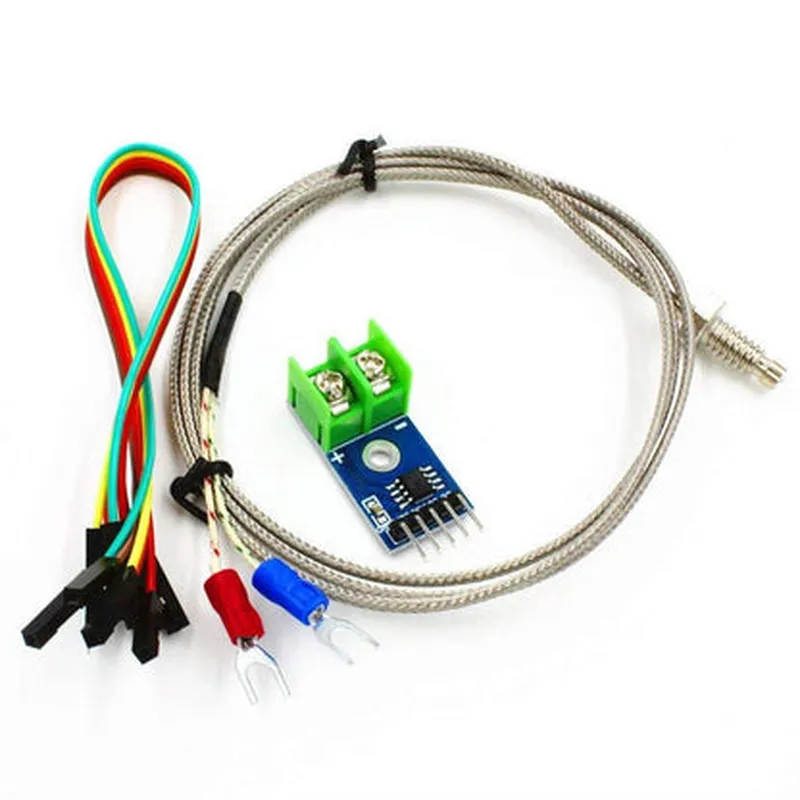
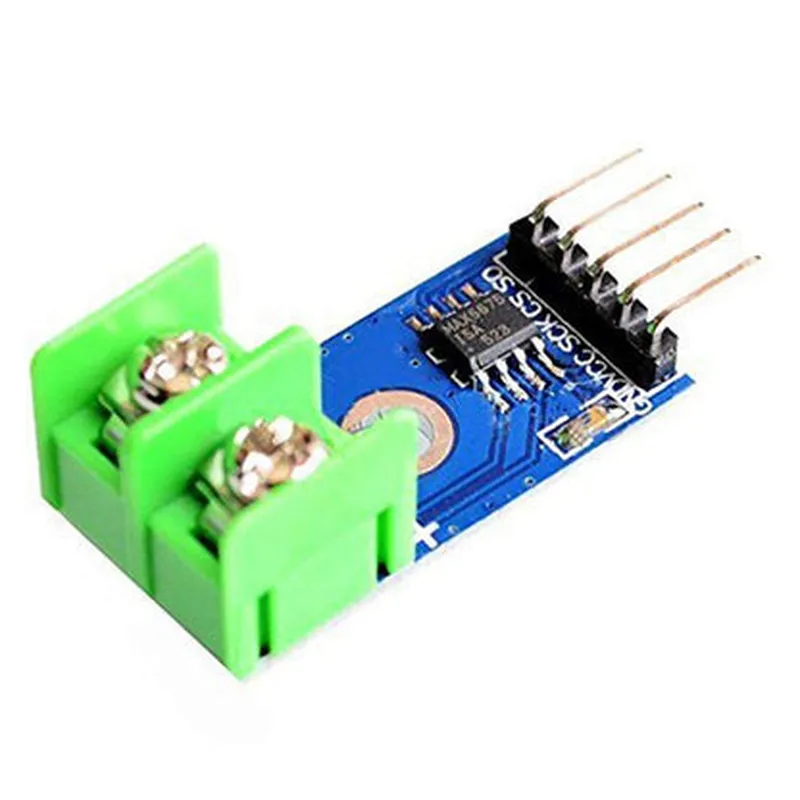
DC 3-5V MAX6675 Module + K Type Thermocouple Temperature Sensor Thermocouple Sensor Set M6 Screw and Jumper Wire F to F 5pcsOverviewThe DC 3-5V MAX6675 Module is a thermocouple-to-digital converter that interfaces with a K-Type thermocouple temperature sensor, allowing for accurate temperature measurements. The module comes with an M6 screw and jumper wire (F to F, 5pcs) for easy connection and mounting.PinoutVCC: 3-5V power supply
GND: Ground
SCK ( Clock ): SPI clock input
CS ( Chip Select ): SPI chip select input
SO ( Data Out ): SPI data outputTechnical SpecificationsOperating temperature range: -20C to +105C
Measurement accuracy: 2C (typical)
Resolution: 0.25C
Thermocouple type: K-Type
Response time: 0.5 seconds (typical)Example Code### Example 1: Basic Arduino SketchThis example demonstrates how to read temperature data from the MAX6675 module using an Arduino board.```c++
#include <SPI.h>#define CS_PIN 10 // Chip select pin
#define SCK_PIN 13 // Clock pin
#define SO_PIN 12 // Data out pinvoid setup() {
Serial.begin(9600);
pinMode(CS_PIN, OUTPUT);
pinMode(SCK_PIN, OUTPUT);
pinMode(SO_PIN, INPUT);
digitalWrite(CS_PIN, HIGH);
}void loop() {
digitalWrite(CS_PIN, LOW);
delayMicroseconds(1);
byte data[2];
SPI.transfer(SCK_PIN, data, 2);
digitalWrite(CS_PIN, HIGH);
int temp = ((data[1] & 0x0F) << 8) | data[0];
float celsius = temp 0.25;
Serial.print("Temperature: ");
Serial.print(celsius);
Serial.println(" C");
delay(1000);
}
```### Example 2: Raspberry Pi Python ScriptThis example demonstrates how to read temperature data from the MAX6675 module using a Raspberry Pi.```python
import spidev
import time# Open SPI bus
spi = spidev.SpiDev()
spi.open(0, 0)
spi.max_speed_hz = 1000000def read_temperature():
# Send dummy data to initialize conversion
spi.xfer([0x00, 0x00])
time.sleep(0.05)
# Read temperature data
data = spi.xfer([0x00, 0x00])
temp = ((data[1] & 0x0F) << 8) | data[0]
celsius = temp 0.25
return celsiuswhile True:
temp = read_temperature()
print("Temperature: {:.2f} C".format(temp))
time.sleep(1)
```NotesMake sure to connect the module to a 3-5V power supply and ground.
The K-Type thermocouple sensor should be connected to the module's thermocouple input.
Use the M6 screw and jumper wire (F to F) to connect the module to your microcontroller or single-board computer.
The SPI bus should be configured according to your microcontroller or single-board computer's specifications.
The examples provided are for illustration purposes only and may require modifications to work with your specific setup.