Slide Switch 3 Pin 2 Way SPDT


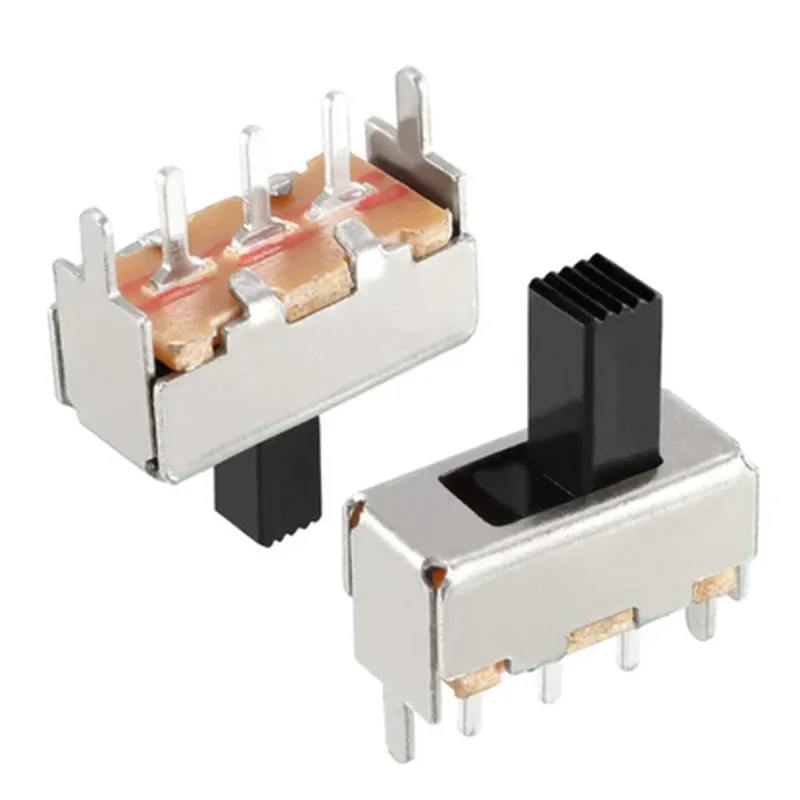
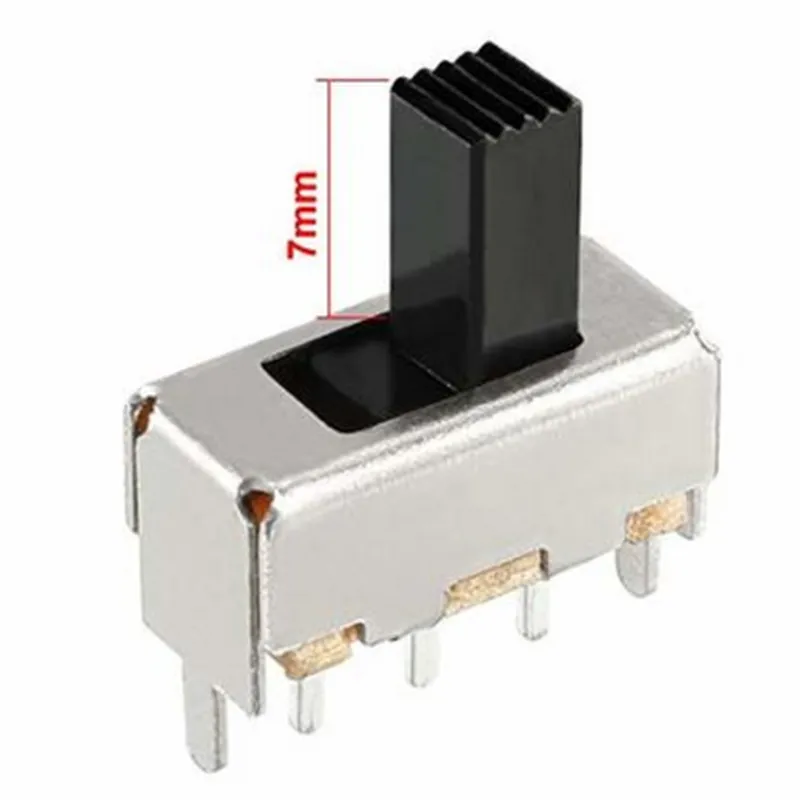
Slide Switch 3 Pin 2 Way SPDT
The Slide Switch 3 Pin 2 Way SPDT is a type of electromechanical switch used to control the flow of electrical current in a circuit. It is a simple, yet versatile switch that allows users to toggle between two states, often referred to as "on" and "off". This switch is commonly used in various IoT devices, such as robotics, automation systems, and electronic projects.
| The Slide Switch 3 Pin 2 Way SPDT operates by sliding a mechanical actuator to connect or disconnect the electrical circuit. The switch has three terminals | |
| Common (COM) | This terminal is connected to the input power source. |
| Normally Open (NO) | This terminal is connected to the output circuit when the switch is in the "on" position. |
| Normally Closed (NC) | This terminal is connected to the output circuit when the switch is in the "off" position. |
When the switch is slid to the "on" position, the COM terminal connects to the NO terminal, allowing the electrical current to flow through the circuit. When the switch is slid to the "off" position, the COM terminal connects to the NC terminal, interrupting the electrical current flow.
| 2-Position Operation | The switch has two distinct positions, allowing users to toggle between two states. |
| 3-Pin Configuration | The switch has three terminals, making it easy to integrate into a variety of circuits. |
| SPDT (Single Pole Double Throw) Architecture | The switch can connect the common terminal to either the normally open or normally closed terminal, depending on the position of the actuator. |
The switch has a small form factor, making it suitable for use in space-constrained applications.
The switch is built with durable materials, ensuring long-term reliability and resistance to wear and tear.
The slide mechanism provides a smooth, tactile feedback, making it easy to operate the switch.
12V DC (maximum)
2A (maximum)
10m (maximum)
-20C to +70C
-40C to +85C
10,000 cycles (minimum)
IoT devices, such as robots, drones, and automation systems
Electronic projects, such as homemade robots, alarm systems, and LED circuits
Industrial control systems, such as motor control and lighting control
Medical devices, such as patient monitoring systems and medical imaging equipment
Ensure proper handling and installation to prevent damage to the switch or surrounding components.
Avoid exceeding the recommended voltage and current ratings to prevent overheating or electrical shock.
Regularly inspect the switch for signs of wear and tear, and replace it if necessary.
Slide Switch 3 Pin 2 Way SPDT DocumentationOverviewThe Slide Switch 3 Pin 2 Way SPDT is a type of electromechanical switch that allows users to toggle between two circuits or states. It features three pins: one common output pin and two input pins. The switch has a simple, intuitive design, making it easy to integrate into various IoT projects.PinoutPin 1: Common Output (COM)
Pin 2: Input 1 (NC - Normally Closed)
Pin 3: Input 2 (NO - Normally Open)Operating PrincipleThe slide switch operates by connecting the common output pin (COM) to either input pin 2 (NC) or input pin 3 (NO) depending on the switch position. When the switch is in the "off" position, the COM pin is connected to the NC pin. When the switch is in the "on" position, the COM pin is connected to the NO pin.Code Examples### Example 1: Basic Toggle Switch using ArduinoIn this example, we'll use the slide switch to toggle an LED on and off.Hardware RequirementsSlide Switch 3 Pin 2 Way SPDT
Arduino Board (e.g., Arduino Uno)
LED
220 Ohm Resistor
Breadboard
Jumper WiresCode
```c++
const int ledPin = 13; // Choose a digital pin for the LED
const int switchPin = 2; // Choose a digital pin for the switchvoid setup() {
pinMode(ledPin, OUTPUT);
pinMode(switchPin, INPUT);
}void loop() {
int switchState = digitalRead(switchPin);
if (switchState == HIGH) {
digitalWrite(ledPin, HIGH); // Turn the LED on
} else {
digitalWrite(ledPin, LOW); // Turn the LED off
}
}
```
### Example 2: Debounced Switch using Raspberry Pi (Python)In this example, we'll use the slide switch to control a Python script on a Raspberry Pi. We'll also implement debouncing to prevent false switch triggers.Hardware RequirementsSlide Switch 3 Pin 2 Way SPDT
Raspberry Pi (e.g., Raspberry Pi 4)
Breadboard
Jumper WiresCode
```python
import RPi.GPIO as GPIO
import time# Set up GPIO mode
GPIO.setmode(GPIO.BCM)# Define switch pin and led pin
switch_pin = 17
led_pin = 23# Set up switch pin as input with pull-up
GPIO.setup(switch_pin, GPIO.IN, pull_up_down=GPIO.PUD_UP)
GPIO.setup(led_pin, GPIO.OUT)# Debounce time in milliseconds
debounce_time = 50while True:
# Read switch state
switch_state = GPIO.input(switch_pin)# Debounce logic
if switch_state == GPIO.LOW:
time.sleep(debounce_time / 1000)
if GPIO.input(switch_pin) == GPIO.LOW:
# Switch is pressed, toggle LED
GPIO.output(led_pin, not GPIO.input(led_pin))# Wait for a short period before checking again
time.sleep(0.01)
```
These examples demonstrate the basic usage of the Slide Switch 3 Pin 2 Way SPDT in different contexts. You can adapt these examples to fit your specific IoT project requirements.