8-bit STM8S103F3P6 processor core with 16 MHz operating frequency


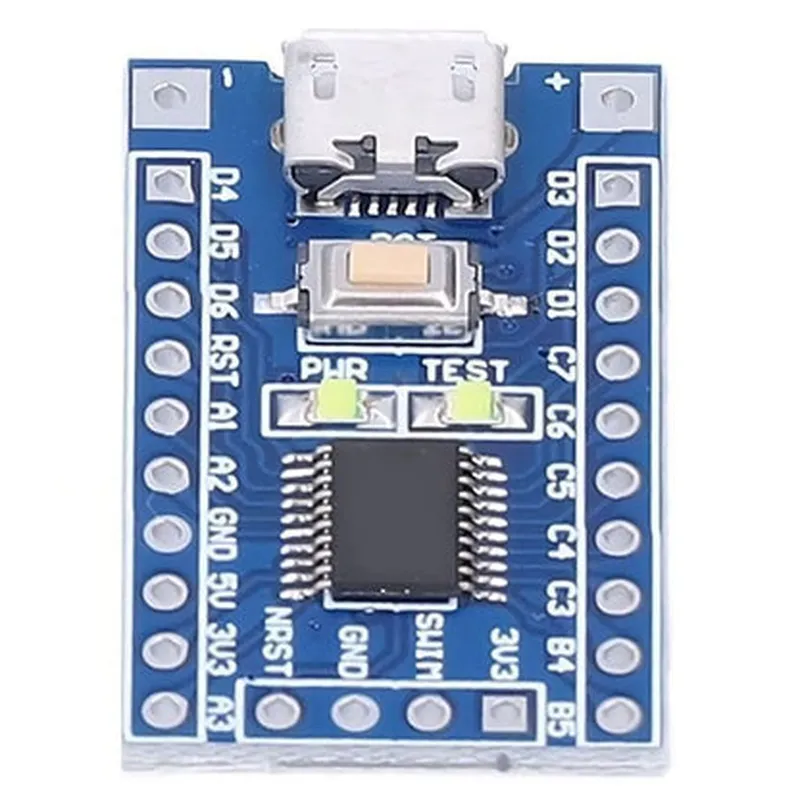
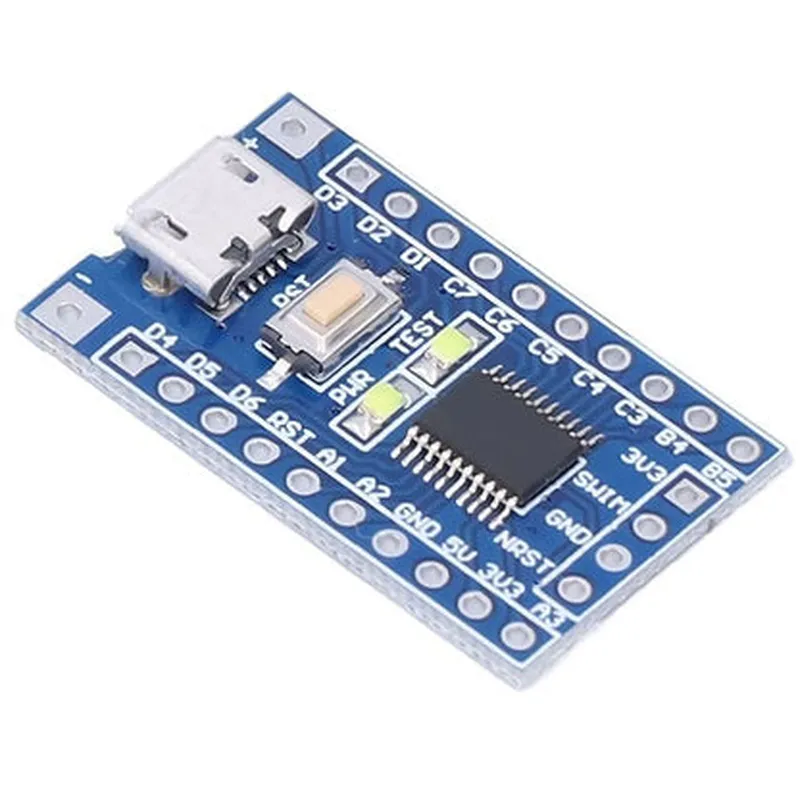
8-bit STM8S103F3P6 processor core with 16 MHz operating frequency
8 KB Flash memory, 1 KB RAM, and 640 bytes EEPROM
USART, SPI, I2C, 10-bit ADC, and 5-channel DMA
17 GPIO pins, including 8 high-current output pins
Low power consumption, with a typical current consumption of 15 mA at 16 MHz
2.95 to 5.5 V
Development Board Features
53.5 x 24.5 mm
On-board USB connector for programming and debugging, as well as a battery holder for power supply
In-system programming (ISP) and in-application programming (IAP) support
On-board ST-Link/V2 debugger and programmer
2x20-pin header for expansion boards and peripherals
3 user LEDs for status indication and debugging
Functionalities
| The STM8S103F3P6 Development Board is designed to support a wide range of applications, including |
IoT projects and prototyping
Robotics and automation
Industrial control systems
Consumer electronics
Smart home devices
Wearable devices
Advantages
The development board provides an easy-to-use platform for rapid prototyping and development
| Cost-effective | The board offers a cost-effective solution for developing IoT and robotics projects |
The board's expansion options and peripherals provide flexibility for customizing projects
The low power consumption of the microcontroller makes it suitable for battery-powered devices
Target Audience
| The STM8S103F3P6 Development Board is suitable for |
Enthusiasts and makers looking to develop IoT and robotics projects
Students and educators looking to learn about microcontrollers and IoT development
Engineers and developers working on IoT and robotics projects, as well as industrial control systems and consumer electronics.
By providing a comprehensive overview of the STM8S103F3P6 Development Board, this documentation aims to help users understand the component's functionality, key features, and applications, enabling them to develop innovative IoT projects and prototypes.
STM8S103F3P6 Development Board DocumentationOverviewThe STM8S103F3P6 Development Board is a microcontroller-based development board featuring the STM8S103F3P6 MCU from STMicroelectronics. This board is designed for prototyping and development of IoT projects, robots, and other embedded systems. The board offers a range of peripherals, including GPIO, UART, SPI, I2C, ADC, and more.Technical SpecificationsMCU: STM8S103F3P6 (8-bit, 16 MHz, 8 KB Flash, 1 KB RAM)
Operating Voltage: 3.3V or 5V
GPIO: 15 digital I/O pins, 2 analog input pins
Communication Interfaces: UART, SPI, I2C, ADC
Peripherals: 1 x 16-bit Timer, 1 x 8-bit Timer, 1 x Watchdog Timer
Development Tools: IAR Embedded Workbench, Keil Vision, or STVD-IDECode Examples### Example 1: Blinking LED using GPIOIn this example, we'll use the GPIO pins to blink an LED connected to pin PB5.Hardware Requirements1 x LED
1 x 220 resistor
1 x Breadboard
Jumper wiresSoftware RequirementsIAR Embedded Workbench (or alternative development tool)Code
```c
#include <stdint.h>
#include <stdbool.h>
#include "stm8s.h"#define LED_PIN 5 // Pin PB5int main() {
// Initialize GPIO Pin PB5 as output
GPIO_Init(GPIOB, (GPIO_InitTypeDef){.GPIO_Pin = LED_PIN, .GPIO_Mode = GPIO_Mode_Out});while (true) {
// Set LED pin high (turn on LED)
GPIO_WriteBit(GPIOB, LED_PIN, Bit_SET);
delay_ms(500); // 500ms delay// Set LED pin low (turn off LED)
GPIO_WriteBit(GPIOB, LED_PIN, Bit_RESET);
delay_ms(500); // 500ms delay
}
}void delay_ms(uint16_t ms) {
// Simple delay function using Timer 2
TIM2_Init((TIM_TimeBaseInitTypeDef){.TIM_Prescaler = 0x00, .TIM_CounterMode = TIM_CounterMode_Downcounter});
TIM2_SetCounter(0x0000);
while (TIM2_GetCounter() < ms);
TIM2_Cmd(TIM2, DISABLE);
}
```
ExplanationIn this example, we initialize GPIO Pin PB5 as an output and use a simple delay function to blink the LED. The `TIM2_Init()` function sets up Timer 2 in downcounter mode, and the `TIM2_SetCounter()` function sets the counter value to 0. The `while` loop waits until the counter reaches the desired delay value, and then the LED is toggled.### Example 2: UART Communication using STM8S103F3P6In this example, we'll use the UART interface to send a string to a serial terminal.Hardware Requirements1 x USB-to-UART adapter (e.g., FT232R)
1 x Serial terminal software (e.g., Tera Term, Putty)Software RequirementsIAR Embedded Workbench (or alternative development tool)Code
```c
#include <stdint.h>
#include <stdbool.h>
#include "stm8s.h"
#include "uart.h"#define UART_BAUDRATE 9600int main() {
// Initialize UART
UART_Init((UART_InitTypeDef){.UART_BaudRate = UART_BaudRate9600, .UART_WordLength = UART_WordLength_8b, .UART_StopBits = UART_StopBits_1, .UART_Parity = UART_Parity_None, .UART_Mode = UART_Mode_Tx});while (true) {
// Send a string to the serial terminal
UART_SendData((uint8_t )"Hello, World!
", 14);
delay_ms(1000); // 1s delay
}
}void delay_ms(uint16_t ms) {
// Simple delay function using Timer 2
TIM2_Init((TIM_TimeBaseInitTypeDef){.TIM_Prescaler = 0x00, .TIM_CounterMode = TIM_CounterMode_Downcounter});
TIM2_SetCounter(0x0000);
while (TIM2_GetCounter() < ms);
TIM2_Cmd(TIM2, DISABLE);
}
```
ExplanationIn this example, we initialize the UART interface with a baud rate of 9600 and send a string to the serial terminal using the `UART_SendData()` function. The `delay_ms()` function is used to introduce a 1-second delay between each transmission.These examples demonstrate basic usage of the STM8S103F3P6 Development Board's GPIO and UART interfaces. You can extend these examples to develop more complex projects, such as IoT devices, robots, or other embedded systems.