

Stufin
Home Quick Cart Profile

Original Arduino Nano Every

Buy Now on Stufin

Component Name

Original Arduino Nano Every

Overview

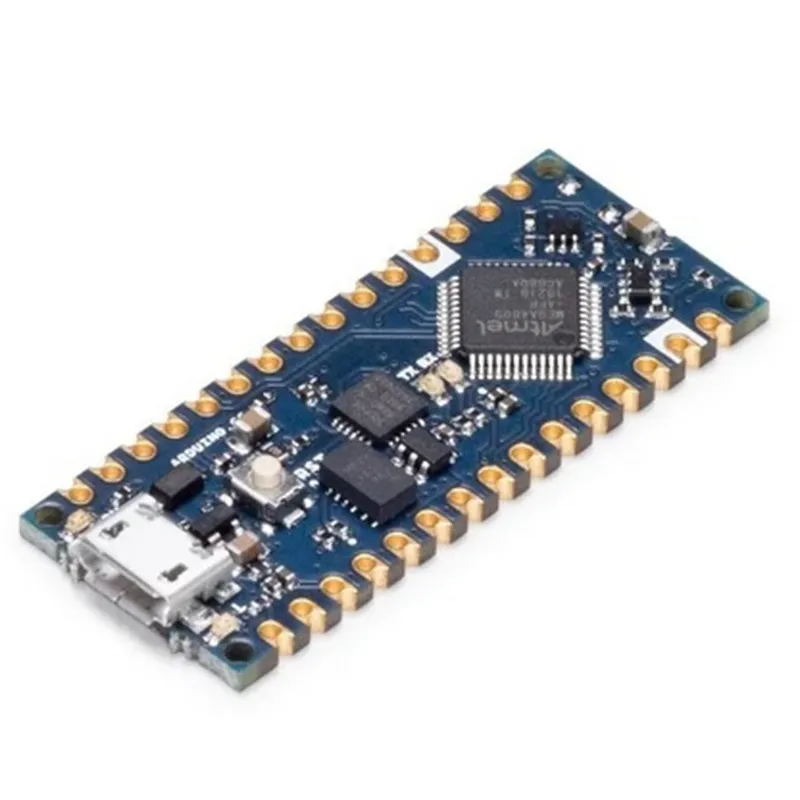
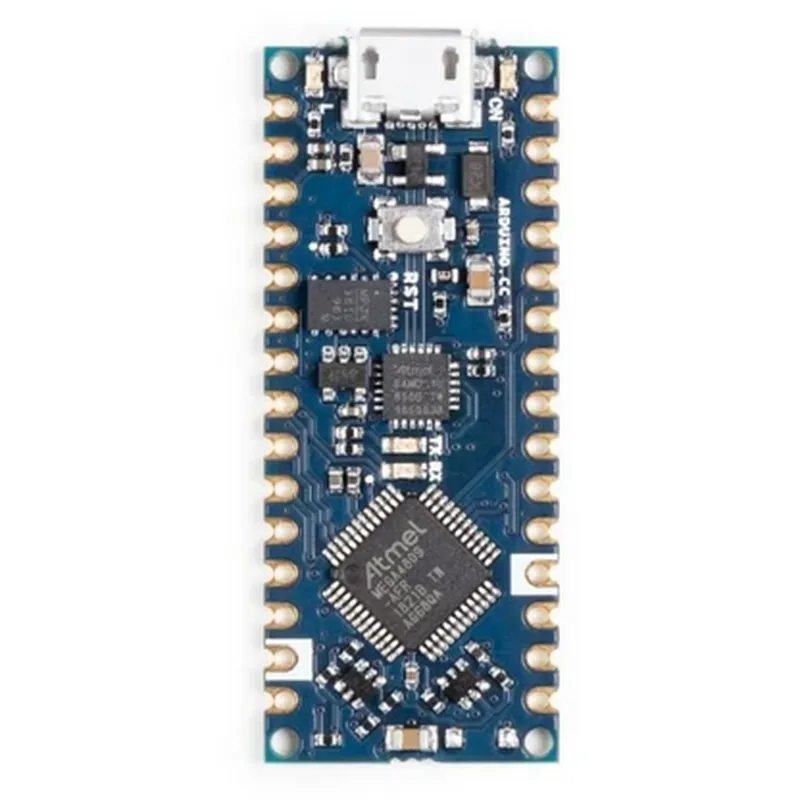
The Arduino Nano Every is a small, yet powerful microcontroller board based on the ATmega4809 microprocessor. It is an evolution of the popular Arduino Nano board, offering more features, improved performance, and enhanced capabilities at an affordable price. The Original Arduino Nano Every is designed to be an ideal platform for a wide range of IoT projects, robotics, and embedded systems.

Functional Description

The Arduino Nano Every is a compact, breadboard-friendly board that provides a robust platform for building interactive projects. It features a 8-bit AVR microcontroller with 48KB of flash memory, 6KB of SRAM, and 256 bytes of EEPROM. The board is equipped with a USB interface, allowing for easy programming and communication with a computer.

Key Features

  • Microcontroller: ATmega4809, 8-bit AVR microcontroller with 48KB of flash memory, 6KB of SRAM, and 256 bytes of EEPROM.
  • Input/Output: 22 digital I/O pins, 8 analog input pins, and 1 UART for serial communication.
  • USB Interface: Built-in USB interface for programming and communication.
  • Power Supply: Operating voltage: 5V, can be powered via USB or external power supply.
  • Reset Button: A dedicated reset button for manual reset.
  • ICSP Header: In-Circuit Serial Programming (ICSP) header for programming and debugging.
  • Breadboard-Friendly: Compact design with a breadboard-friendly layout, making it easy to integrate into projects.
  • Open-Source: Arduino Nano Every is an open-source platform, allowing users to modify and customize the hardware and software.

Technical Specifications

Microcontroller

ATmega4809

Clock Speed

16 MHz

Flash Memory

48 KB

SRAM

6 KB

EEPROM

256 bytes

Input/Output22 digital I/O pins, 8 analog input pins

UART

1

Operating Voltage

5V

Power Consumption

10-20 mA

Software Compatibility

The Arduino Nano Every is compatible with the Arduino Integrated Development Environment (IDE), a popular, open-source platform for programming and developing IoT projects. The board supports a wide range of libraries and frameworks, making it easy to integrate with various sensors, actuators, and communication modules.

Operating Conditions

Operating Temperature

-40C to 85C

Storage Temperature

-40C to 125C

Humidity

5% to 95%

Certifications and Compliance

RoHS

Compliant with RoHS (Restriction of Hazardous Substances) directive

CE

Compliant with CE (Conformit Europene) marking requirements

Warranty and Support

Warranty

1-year limited warranty

Support

Official Arduino support resources, including documentation, tutorials, and community forums.

The Original Arduino Nano Every is a versatile and powerful microcontroller board, ideal for a wide range of IoT projects, robotics, and embedded systems. Its compact design, ease of use, and affordability make it an excellent choice for both beginners and experienced developers.

Pin Configuration

  • Original Arduino Nano Every Pinout Guide
  • The Original Arduino Nano Every is a small, affordable, and feature-rich microcontroller board based on the ATmega4809 microcontroller. It has 14 digital input/output pins, 8 analog input pins, and various other pins for power, communication, and debugging. Here's a detailed explanation of each pin:
  • Digital Pins (14)
  • 1. D0 (TX) / D1 (RX):
  • D0: Transmit (TX) pin for serial communication (UART).
  • D1: Receive (RX) pin for serial communication (UART).
  • These pins are used for serial communication with devices like computers, smartphones, or other microcontrollers.
  • 2. D2-D13:
  • These pins are general-purpose digital input/output pins.
  • They can be used as digital inputs, digital outputs, or for various communication protocols like I2C, SPI, or UART.
  • Each pin can source or sink up to 40mA of current.
  • 3. D3 (PWM):
  • This pin is a Pulse Width Modulation (PWM) output.
  • It can be used to generate analog signals, like analogWrite() in Arduino, or to control the brightness of LEDs.
  • 4. D5 (PWM):
  • This pin is also a Pulse Width Modulation (PWM) output.
  • It can be used to generate analog signals or to control the brightness of LEDs.
  • Analog Pins (8)
  • 1. A0-A7:
  • These pins are analog input pins.
  • They can read analog signals from sensors, potentiometers, or other devices.
  • Each pin can read analog values between 0-1023 (10-bit resolution).
  • Power Pins
  • 1. VIN:
  • This pin is the input voltage pin.
  • It can supply the board with a voltage between 7-12V (recommended) or up to 20V (maximum).
  • 2. 3V3:
  • This pin provides a regulated 3.3V output.
  • It can be used to power small external devices or sensors.
  • 3. GND:
  • These pins are the ground pins.
  • They provide a common reference point for the board's circuits.
  • Special Pins
  • 1. RST:
  • This pin is the reset pin.
  • Connecting it to the ground momentarily resets the board.
  • 2. AREF:
  • This pin is the analog reference pin.
  • It allows you to set an external reference voltage for the analog-to-digital converter (ADC).
  • Communication Pins
  • 1. ICSP (MISO, MOSI, SCK, RST):
  • These pins are used for In-Circuit Serial Programming (ICSP).
  • They allow you to program the board using an external programmer or debugger.
  • Debugging Pins
  • 1. DBG (TX, RX):
  • These pins are used for debugging purposes.
  • They provide a serial console output for debugging and troubleshooting.
  • How to Connect the Pins
  • When connecting pins, make sure to:
  • Use jumper wires or breadboard-friendly connectors to connect components to the board.
  • Respect the voltage and current limitations of each pin.
  • Use pull-up or pull-down resistors when necessary to ensure proper signal levels.
  • Avoid connecting multiple outputs together, as this can cause damage to the board or connected components.
  • Follow proper safety guidelines when working with electrical components.
  • By understanding the pinout of the Original Arduino Nano Every, you can unlock its full potential and create a wide range of innovative IoT projects.

Code Examples

Original Arduino Nano Every Documentation
Overview
The Original Arduino Nano Every is a compact and versatile microcontroller board based on the ATmega4809 microcontroller. It is an upgraded version of the popular Arduino Nano board, offering improved performance, more memory, and additional features while maintaining compatibility with the existing Arduino ecosystem.
Key Features
Microcontroller: ATmega4809
 Operating Voltage: 5V
 Input Voltage: 7-9V
 Digital I/O Pins: 22
 Analog Input Pins: 8
 Analog Output Pins: 0
 UARTs: 1
 SPIs: 1
 I2Cs: 1
 Flash Memory: 48KB
 SRAM: 6KB
 EEPROM: 256B
Code Examples
### Example 1: Reading Analog Sensor Values
In this example, we will use the Arduino Nano Every to read values from an analog sensor, such as a potentiometer, and print them to the serial console.
```c
const int sensorPin = A0;  // Assign the potentiometer to analog pin A0
void setup() {
  Serial.begin(9600);
}
void loop() {
  int sensorValue = analogRead(sensorPin);
  Serial.print("Sensor Value: ");
  Serial.println(sensorValue);
  delay(100);
}
```
Explanation:
We define the analog input pin A0 as the sensor pin.
 In the `setup()` function, we initialize the serial communication at a baud rate of 9600.
 In the `loop()` function, we read the analog value from the sensor pin using `analogRead()`.
 We print the sensor value to the serial console using `Serial.println()`.
### Example 2: Controlling an LED with Digital Output
In this example, we will use the Arduino Nano Every to control an LED connected to a digital output pin.
```c
const int ledPin = 2;  // Assign the LED to digital pin 2
void setup() {
  pinMode(ledPin, OUTPUT);
}
void loop() {
  digitalWrite(ledPin, HIGH);
  delay(1000);
  digitalWrite(ledPin, LOW);
  delay(1000);
}
```
Explanation:
We define the digital output pin 2 as the led pin.
 In the `setup()` function, we set the led pin as an output using `pinMode()`.
 In the `loop()` function, we toggle the LED on and off by writing HIGH and LOW values to the led pin using `digitalWrite()`.
 We use `delay()` to create a 1-second interval between the on and off states.
Note: These examples are just a starting point, and you can modify them to suit your specific project requirements. Make sure to consult the Arduino documentation and the datasheet for the ATmega4809 microcontroller for more information on using the Arduino Nano Every.